Quick Answer
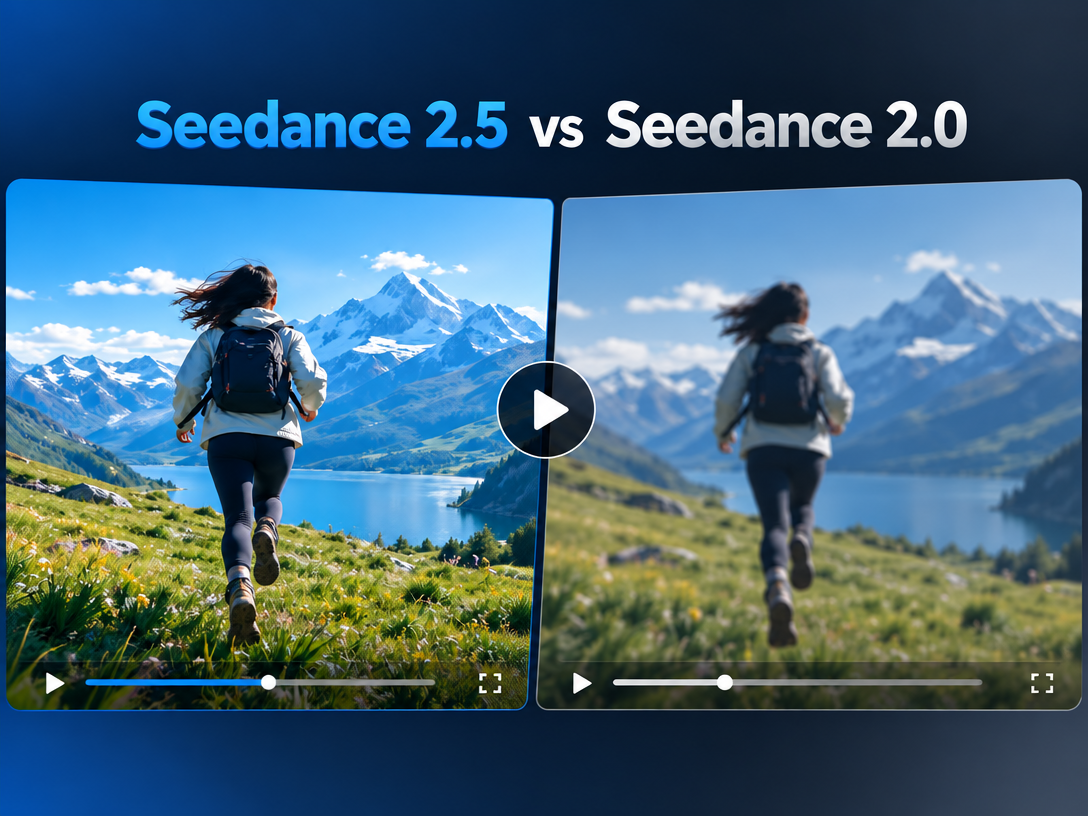
Neither model wins every category. Choose Seedance 2.0/2.5 for motion-heavy, reference-driven, longer short-form clips and generally lower generation costs. Choose Veo 3.1 for premium 4K shots, strong prompt adherence, and reliable native audio. For mixed productions, the practical answer is to route each shot to the model that handles it best.
What Are Seedance and Veo 3?
Seedance is ByteDance's multimodal AI video model line. Seedance 2.0 accepts text, images, video, and audio references, generates clips up to 15 seconds, and supports audio, editing, and extension. Seedance 2.5 extends continuous generation toward 30 seconds and improves reference control and synchronized audio. It is available through ByteDance products and third-party platforms.
Veo 3 is Google DeepMind's video model, with Veo 3.1 as the current version. It creates 4-, 6-, or 8-second clips at up to 4K with synchronized dialogue, sound effects, ambience, and music. It also supports first-and-last-frame control and scene extension through Flow. Access includes the Gemini API, Vertex AI, Google AI Studio, Flow, and the Gemini app.
Seedance vs Veo 3: Key Differences
| Category | Seedance | Veo 3 |
|---|---|---|
| Developer | ByteDance | Google DeepMind |
| Clip length | Up to 15 seconds on 2.0; about 30 seconds on 2.5 | 4 to 8 seconds, with extension options |
| Resolution | Commonly 1080p, with platform-dependent 4K options | Up to 4K |
| Audio | Native synchronized audio | Dialogue, effects, ambience, and music |
| Inputs | Text, image, video, and audio references | Text, image, and first/last frames |
| Editing | Targeted edits and extension | Extension and Flow editing tools |
| Watermarking | Invisible watermarking | SynthID |
Where Each Model Wins
Motion and longer scenes: Seedance
Seedance is usually the better fit for dance, fitness, action, UGC, short drama, and other movement-driven clips. Its reference workflow helps maintain subjects and environments, while longer single-pass generation reduces the need to stitch many short clips.
Photorealism and prompt adherence: Veo 3
Veo 3.1 is stronger for polished product shots, architecture, cinematic hero footage, and prompts that combine precise instructions for camera, lighting, and subject. Its structural consistency makes it attractive for commercial visuals where one clean shot matters more than clip length.
Native audio: Veo 3 still leads
Both models now generate synchronized audio, but Veo 3.1 remains the safer choice when dialogue, sound effects, ambience, and lip-sync must work straight from the prompt. Seedance is competitive when audio is useful but not the main buying criterion.
Character consistency: Different strengths
Seedance relies heavily on image, video, and audio references, making it practical for recurring characters and branded assets. Veo 3.1 uses Ingredients to Video to combine references into a coherent scene. The better choice depends on whether your workflow is reference-led or prompt-led.
Pricing and access: Check the platform
Seedance is generally cheaper per clip, but third-party prices vary widely. Community comparisons have reported roughly $0.16 to $5 or more per generation depending on the provider. Availability, resolution, queue times, and content restrictions also differ by platform and region. Veo 3.1 access and pricing vary across Google's developer and consumer products. Compare the service you will actually use, not only the model name.
Who Should Choose Each Model?
Choose Seedance if you create short-form or episodic content at volume, need strong motion or reference control, want longer continuous clips, or prioritize lower cost per generation.
Choose Veo 3 if you need 4K hero shots, product or architectural realism, precise multi-clause prompt execution, or dependable native audio in a short polished clip.
For professional projects with varied shot types, using both is often more efficient than forcing one model to handle everything.
Use Both Models in One Pixmax Workflow
Pixmax brings Seedance 2.0/2.5, Veo 3.1, Kling, Hailuo, Vidu, Wan, and other AI video generator models into one workspace. This lets creators assign motion-heavy shots to Seedance, cinematic hero clips to Veo 3.1, and other shots to the model that fits best.
Pixmax's AI Video Agent can turn one product idea into a side-by-side Seedance and Veo 3 test:
- Upload the product image and describe the creative direction.
- Use Storyboard Master to break the idea into shots, camera moves, mood, palette, and product details.
- Send the storyboard into Text Gen to merge the shot plan into one production-ready video prompt.
- Reuse the same product image and prompt in the generation nodes so the visual identity stays consistent.
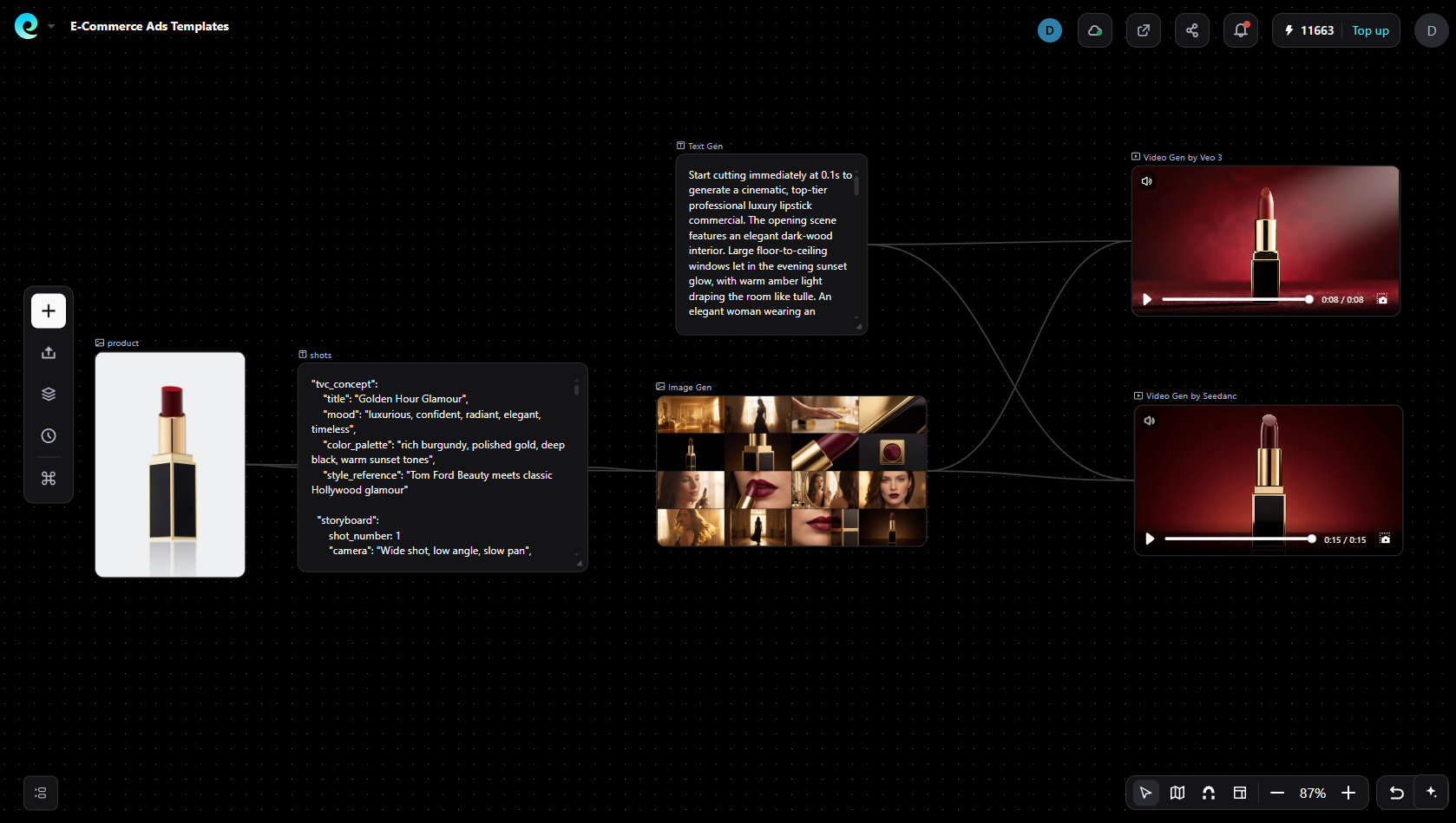
- Generate one version with Seedance for motion and scene flow, then generate another with Veo 3 for cinematic realism and native audio.
- Compare the outputs shot by shot, keep the stronger model for each scene, and refine camera angles, style, details, or pacing before export.
This multi-model approach is useful for commercials, short dramas, game cinematics, and social content where different scenes need different strengths.
What Creators Say
Creator discussions repeatedly focus on four practical issues: inconsistent third-party pricing, confusing access points, regional or content restrictions, and differences between the model advertised and the resolution or service actually delivered. The lesson is simple: test the same prompt on the platform and plan you intend to buy before committing a production pipeline.
FAQs
Is Seedance better than Veo 3?
Not overall. Seedance leads on motion, clip length, references, and usually cost. Veo 3.1 leads on 4K photorealism, prompt adherence, and native audio.
Does Veo 3 generate audio?
Yes. Veo 3.1 generates synchronized dialogue, sound effects, ambience, and music from the prompt.
Which model is cheaper?
Seedance is generally cheaper, but platform pricing varies significantly. Compare cost per usable clip at the resolution you need.
Can I use Seedance and Veo 3 together?
Yes. A multi-model workspace such as Pixmax lets you route each shot to the better model while reusing project assets.
Which is better for TikTok and Reels?
Seedance usually fits high-volume, motion-heavy short-form content. Veo 3.1 is better for a premium hero shot or precise audio sync.
Can AI-generated video be used commercially?
Often yes on eligible paid plans, but terms, watermarking, face and IP restrictions, and regional access can change. Review the current provider terms before commercial use.
Conclusion
Seedance is the stronger choice for speed, motion, references, and longer clips; Veo 3.1 is better for cinematic realism, prompt precision, 4K output, and native audio. For mixed productions, route by shot type instead of choosing one model for every scene. Pixmax makes that workflow easier by keeping both models and shared project assets in one production environment.