


Sharper Details
Richer textures and more natural lighting for polished image generation.
Limited-time: Save 40% on Seedance 2.0 Fast & Mini Credit Costs - Ends October 31.
View all offers
You have free credits!
Create your first AI video right away.
Create more personalized, polished images with sharper details, precise edits, and faster generation.
Start CreatingRicher textures and more natural lighting for polished image generation.
Better preserves subjects, composition, and visual identity from reference photos.
Follows detailed edit instructions more reliably across each creative pass.
Keep refining an image across multiple turns while maintaining the core subject.
Generate and refine concepts with up to 50% lower latency than Images 2.0.
Flare is the default; Sunburst offers tighter control for premium workflows.
Build, edit, compare, and refine images in a focused creative workflow.
Use a sketch, prompt, product photo, or reference image.

Describe the subject, style, composition, or exact changes.
Deliver polished results with fast generation and high visual fidelity.
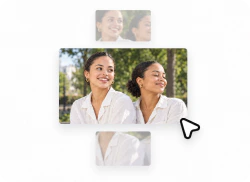
Apply precise edits for campaign creative and product imagery.

Best fit: creator content, product experiences, visual search, campaign creative, and high-volume image generation.
| CAPABILITY | GPT Image 2.5 | GPT Image 2.0 |
|---|---|---|
| Image Fidelity | Sharper details, richer textures, natural lighting | Images 2.0 baseline visual quality |
| Reference Fidelity | Better preserves subjects and visual identity | More variation across edits |
| Editing | More reliable instruction following | Less consistent over multiple turns |
| Iteration Speed | Up to 50% lower generation latency | Higher latency |
| Best For | High-volume creation and polished visual workflows | General image generation |
For a deeper benchmark, read our GPT Image 2.5 review.

Produce polished visuals for posts, thumbnails, and campaigns.

Create product imagery, mockups, and visual concepts.
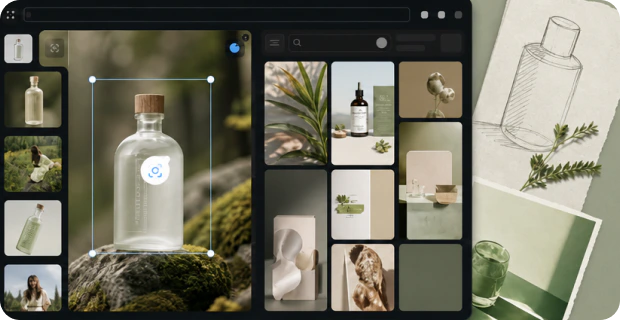
Explore visual directions and iterate on ideas quickly.
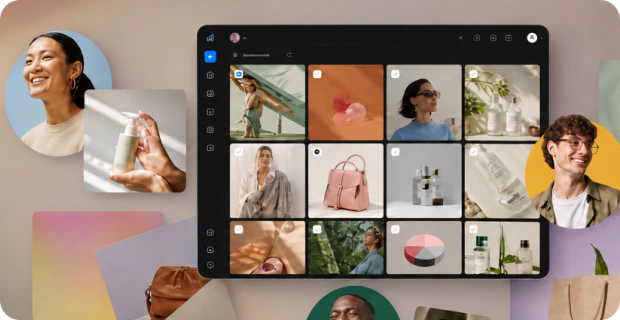
Generate campaign creative and high-volume variations.
Pixmax also brings together leading AI models for video, image, voice, and creative production, supporting AI shorts, ad videos, product showcases, and social content workflows.
GPT Image 2.5 is OpenAI's latest image model for more personalized generation, precise editing, and faster iteration.
It adds sharper details, richer textures, better reference fidelity, more reliable multi-turn edits, and up to 50% lower latency.
Flare is the default choice for most applications; Sunburst is designed for premium workflows needing tighter edit control.
Yes. GPT Image 2.5 workflows are available on Pixmax for creating and refining visual content.
Choose Flare for fast, high-volume generation; choose Sunburst when precise, production-ready edits matter most.


