Product Updates
Latest Update:
🚀 New Models
- MiniMax H3 (Video Model): A next-generation open general multimodal model is now live. It unifies text, image, video, and audio contexts to understand creative intent, delivering more natural and coherent video generation with native dual-channel sound.
- Dola-seed-sc: The new Dola-seed-sc model is now available on Pixmax, offering specialized capabilities for enhanced visual generation.
✨ Key Capabilities
- Native Audio Output: All MiniMax H3 videos now include synchronized sound, eliminating the need for separate audio editing.
- High Resolution: Support for 768p (upgradable to 1440p) at 24 FPS for professional-grade clarity.
- Multimodal Input: Mix up to 12 files (images, videos, and audio) in "All-Around Reference" mode for precise control over scene consistency.
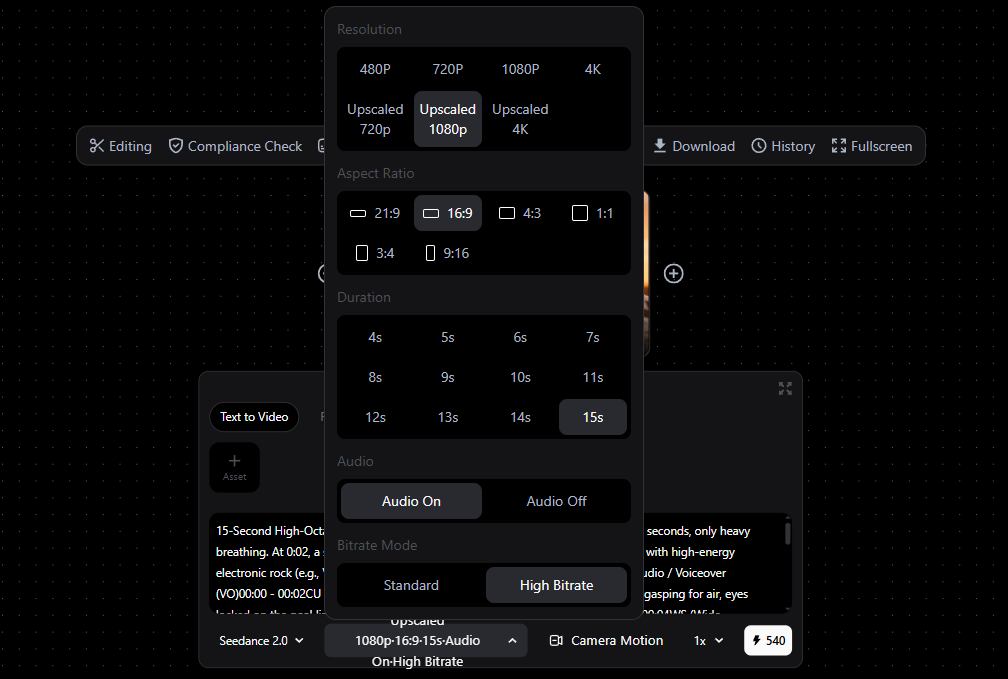
- One-Step High-Res Video: Video generation now supports integrated upscaling options, eliminating the need for a separate upscaling step:
- Upscale 720P: Native 480P + Upscale to 720P.
- Upscale 1080P: Native 720P + Upscale to 1080P.
- Upscale 4K: Native 720P + Upscale to 4K.
🚀 Project Management
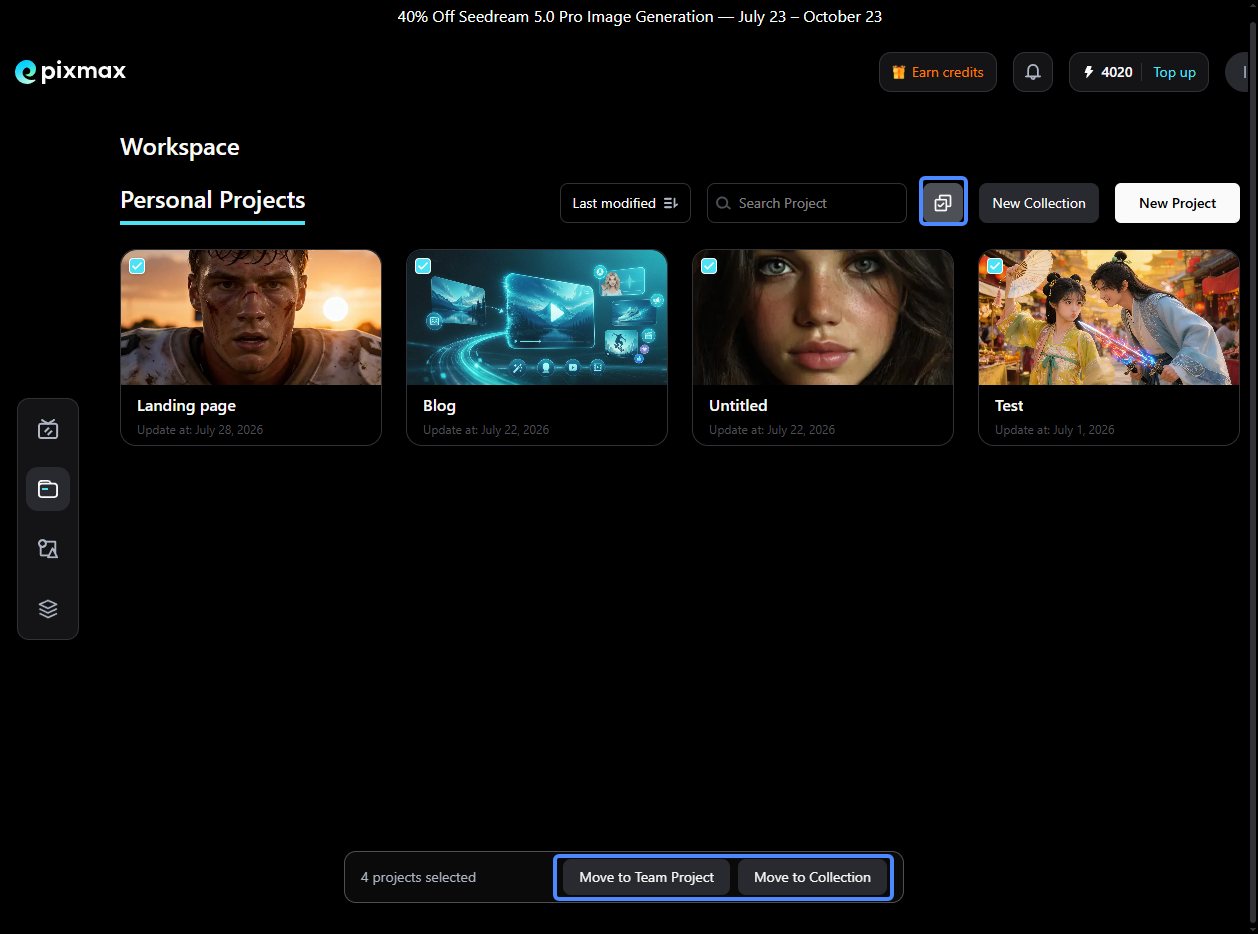
- Batch Editing: You can now select multiple projects to perform bulk actions, such as moving to a Project Collection or moving to Team Projects, streamlining your workspace organization.
🚀 New Model Support
- Hailuo 2 & 2.3 (MiniMax): Pixmax now integrates the Hailuo 2 and Hailuo 2.3 models from MiniMax, offering new creative possibilities for high-quality video generation.
✨ Canvas Improvements
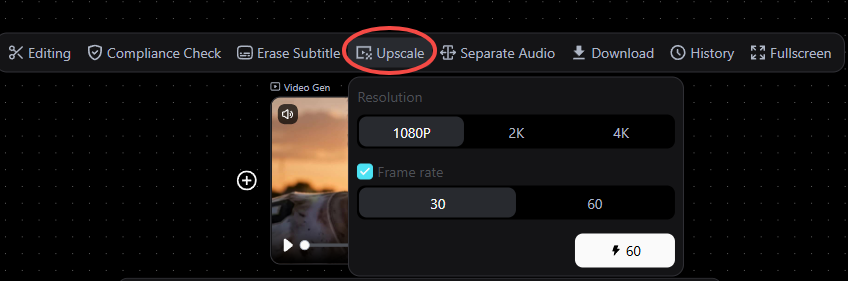
- Upscale with Frame Rate Support: Video Upscale now supports adjusting the Frame rate (interpolation mode), resulting in smoother motion and higher visual quality.
🚀 New Features
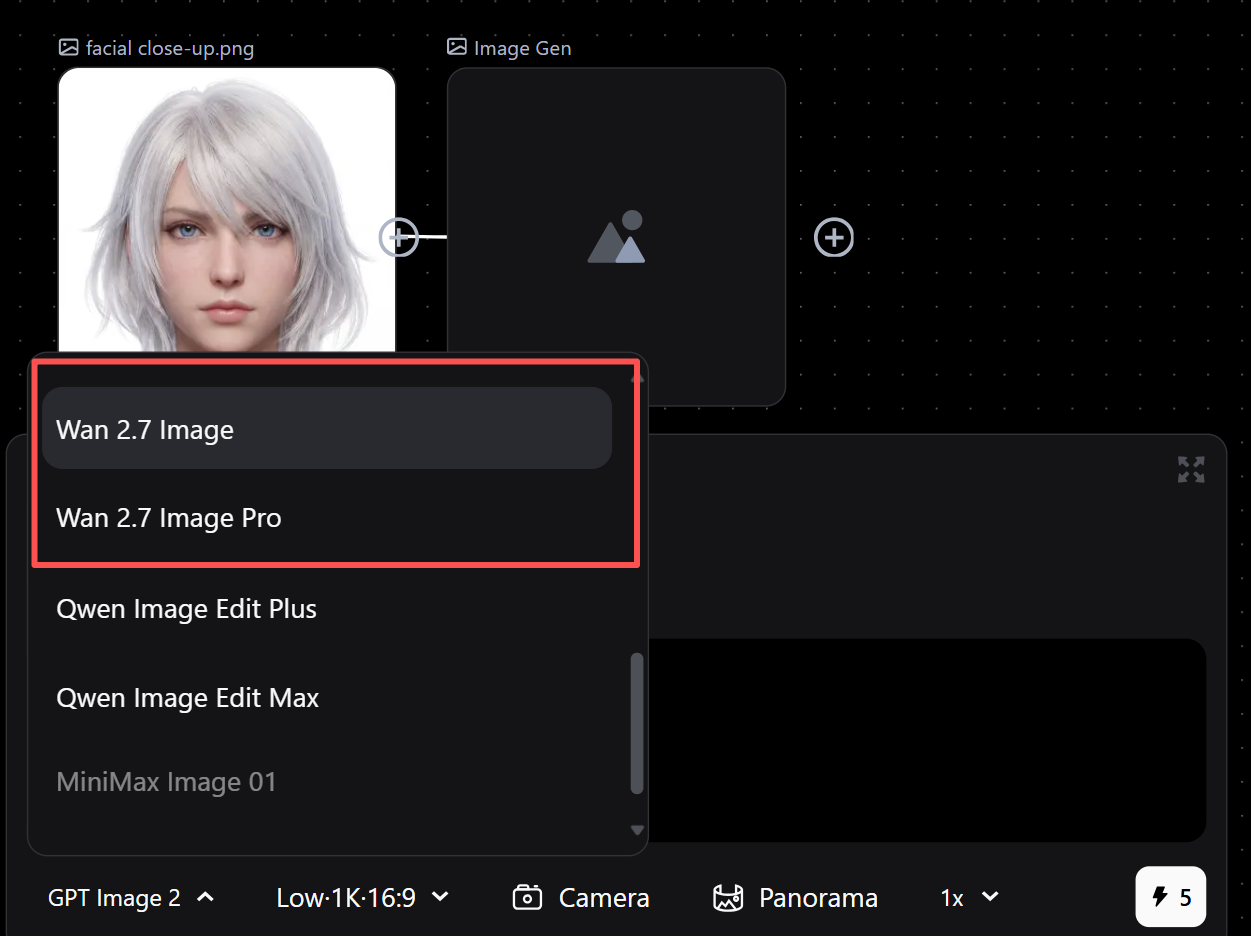
- Wan 2.7 Image/Pro Model: Now available for users, fully supported in Image-to-Image generation.
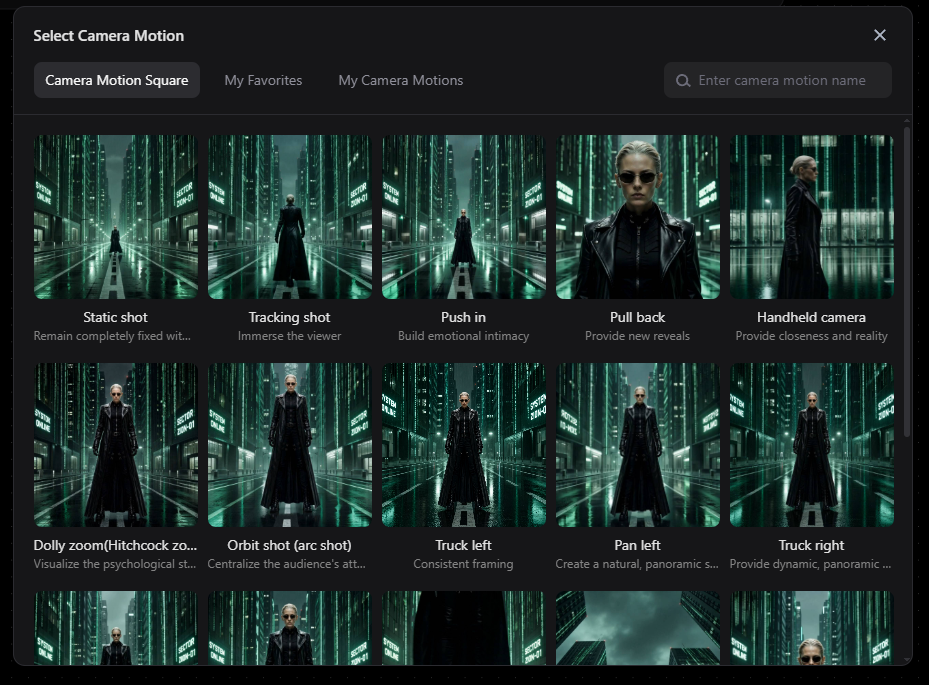
- Camera Motion: Added to video generation. Insert specific camera movement prompts directly for dynamic cinematic effects.
- Project Duplication: One-click copy of entire projects (including all canvas data) via the top-right menu. Batch duplication coming soon.
✨ Improvements
- Generation Time Display: Full-screen view now shows start and end timestamps for images and videos.
- History Download: Directly download assets from the history panel.
- Inpainting & Marking Tools:
- Brush defaults to maximum size for faster coverage.
- Added keyboard shortcuts for Undo, Redo, and Delete.
🚀 New Models
Seedream 5.0 Pro (Image Model): The latest high-performance image generation model is now live, offering enhanced detail and realism.
Wan 2.7 (Video Model): Users on Pixmax.ai can now access the Wan 2.7 model for superior video generation quality.
✨ Canvas Improvements
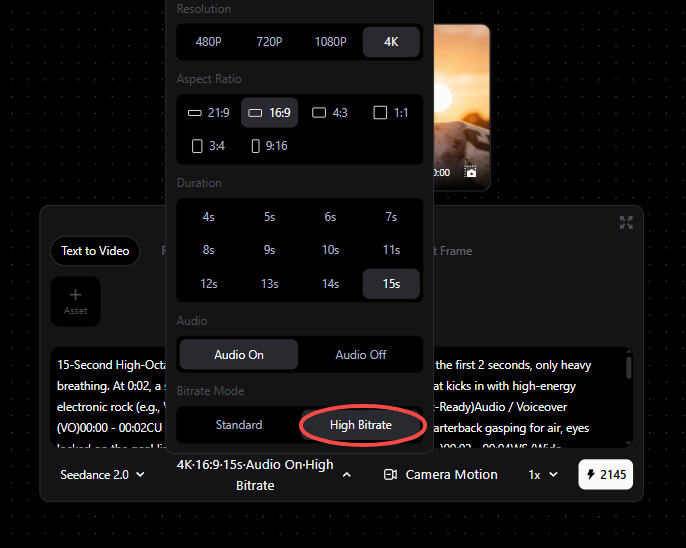
High Bitrate Video Options: Added high bitrate parameters for Volcano Engine models (Seedance 2, Fast, and Mini) in video generation, ensuring sharper and clearer output.