Quick Answer: Choose Nano Banana 2 for fast image generation, social content, variations, and everyday edits. Choose Nano Banana Pro when you need deeper reasoning, complex layouts, accurate text, technical visuals, or higher production control. For a repeatable image-to-video workflow, use Pixmax to generate, refine, animate, and export assets in one workspace.
Nano Banana 2 vs Nano Banana Pro: The Core Difference
Nano Banana 2 is the speed-first option; Nano Banana Pro is the reasoning-first option.
Google DeepMind presents Nano Banana 2 as Gemini 3.1 Flash Image, built for high-speed, high-quality image generation. It can use real-world knowledge and web information to create more accurate subjects, infographics, diagrams, and text-heavy designs.
Nano Banana Pro is designed for more demanding image work. It is better suited to complex instructions, structured compositions, precise typography, and visuals that require several constraints to remain correct at the same time.
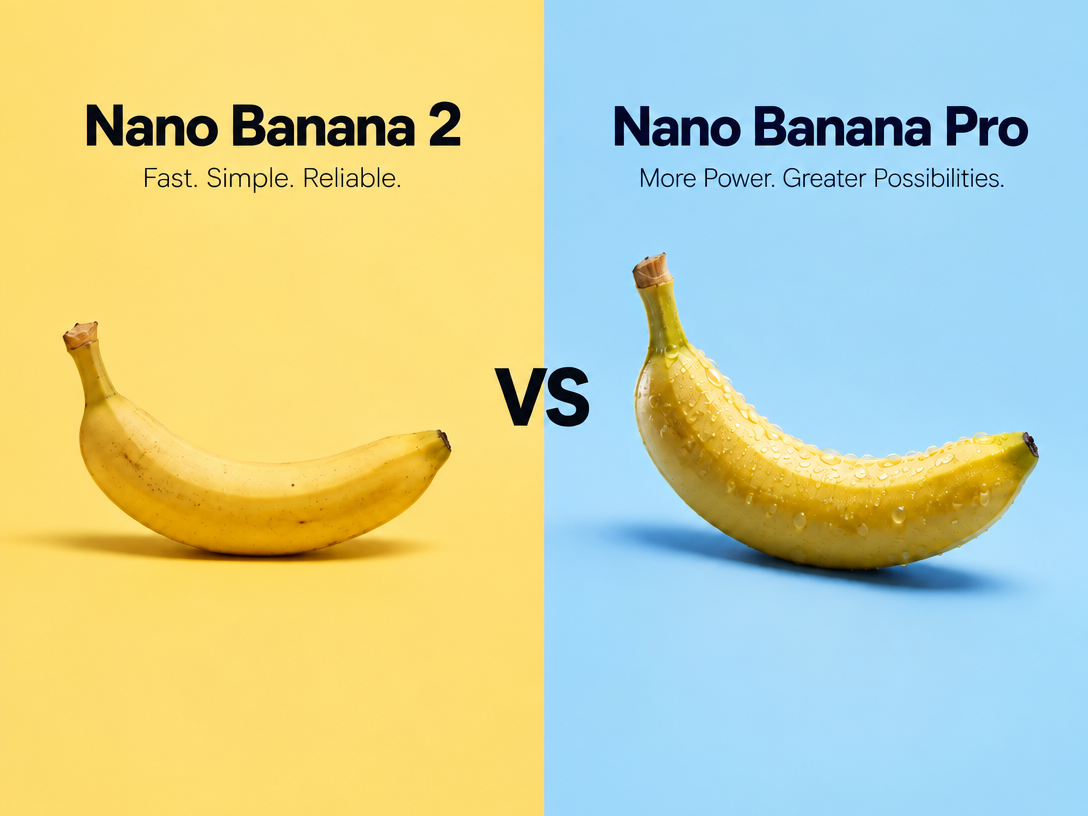
The images below were generated in Pixmax using the same prompt and matching settings, providing a direct visual comparison between Nano Banana Pro and Nano Banana 2.
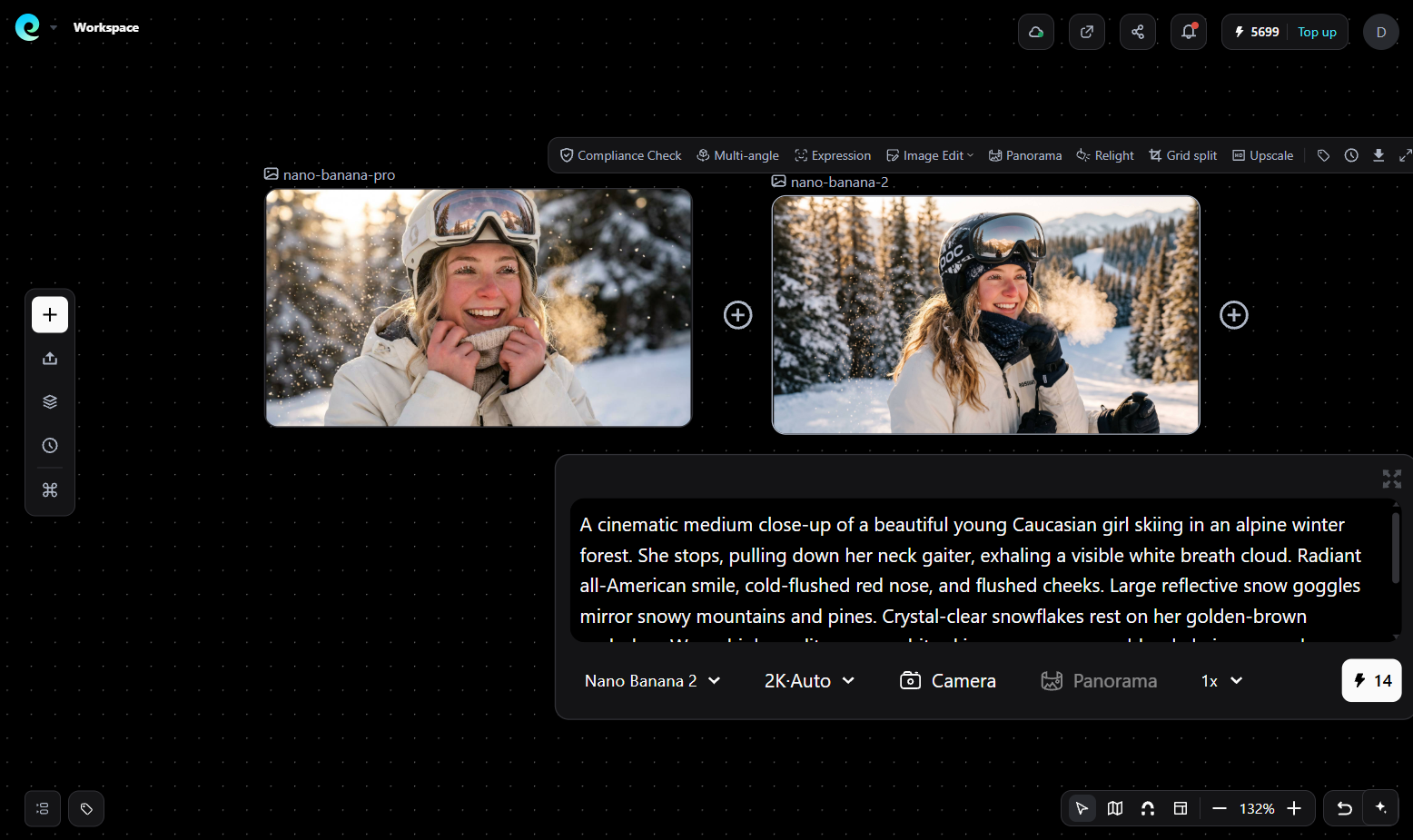
The left image was generated with Nano Banana Pro, while the right image was generated with Nano Banana 2. This side-by-side comparison shows how the two models interpret the same creative brief. Results may vary depending on the prompt, reference image, aspect ratio, and generation settings.
The choice is therefore about workflow priorities, not a simple “newer is better” ranking. If you want a closer look at the lighter variant’s workflow and practical strengths, read our Nano Banana 2 Lite review.
Nano Banana 2 vs Pro Comparison
| Criteria | Nano Banana 2 | Nano Banana Pro |
|---|---|---|
| Main strength | Speed and iteration | Reasoning and precision |
| Best for | Social posts, concepts, variations | Technical graphics, campaigns, detailed compositions |
| Prompt complexity | Short to medium prompts | Long, multi-constraint prompts |
| Text in images | Good for common labels and simple copy | Better for dense or exact text |
| Iteration cost | Lower time per draft | Higher time, stronger first-pass control |
| Resolution workflow | Supports 2K and 4K upscaling | Better when final detail and layout accuracy matter |
| Character and object continuity | Supports multiple subjects in one workflow | Better when consistency is central to the brief |
| Recommended user | Marketers, creators, rapid prototypers | Designers, art directors, production teams |
Google’s official Nano Banana 2 page highlights real-world knowledge, precise text rendering, 2K/4K upscaling, aspect-ratio changes, and consistency for up to five characters and fourteen objects. Check the official Nano Banana 2 overview for current capabilities.
When Should You Choose Nano Banana 2?
Use Nano Banana 2 when speed, volume, and fast visual exploration matter most.
Choose it for:
- Social media variations: Generate several hooks, crops, backgrounds, and formats quickly.
- Early concept development: Test art direction before investing in detailed production.
- Simple product visuals: Create clean scenes, mockups, posters, or promotional graphics.
- Infographics and diagrams: Turn structured notes into visual explanations.
- Image editing: Change aspect ratio, replace elements, or refine a draft without rebuilding the entire concept.
Nano Banana 2 is especially efficient when the brief is clear and the image will go through several quick iterations.
When Is Nano Banana Pro Worth It?
Use Nano Banana Pro when mistakes in reasoning, layout, or typography are more expensive than slower generation.
Choose Pro for:
- Product diagrams with multiple labeled parts
- Campaign key visuals with strict brand requirements
- Posters, menus, and editorial graphics with substantial text
- Storyboards requiring consistent characters and objects
- Images that combine references, constraints, and precise spatial relationships
- Final-pass artwork where composition matters more than draft speed
A practical rule is simple: if you can describe the image in one short sentence, start with Nano Banana 2; if the prompt reads like a creative brief, consider Pro.
Which Model Produces Better Text?
Nano Banana Pro is usually the safer choice for dense, exact, or high-stakes text; Nano Banana 2 is effective for short labels and common marketing copy.
Always inspect:
- Spelling and punctuation
- Letter spacing
- Brand names
- Small labels
- Repeated text
- Text alignment after resizing
AI image models can still produce visual text errors. Treat text-heavy output as a draft until it passes a human proofread.
Which Model Is Better for Consistent Characters?
Both models can support consistency, but the better choice depends on how many constraints must survive each iteration.
Nano Banana 2 is practical for rapid character and object variations. Pro is more appropriate when the character’s identity, pose, clothing, scene placement, and narrative continuity must remain tightly controlled.
For reliable results, keep a reference sheet containing:
- Front, side, and three-quarter views
- Fixed character descriptors
- Clothing and color rules
- Camera and lighting preferences
- A list of elements that must never change
A Better Production Workflow With Pixmax
Pixmax supports both Nano Banana 2 and Nano Banana Pro, so you can move from fast drafts to higher-control production in one creative workspace.
The platform supports common image-model use cases, including:
- Product and e-commerce visuals
- Social media creatives and ad variations
- Posters, banners, and marketing mockups
- Character, object, and scene development
- Image refinement followed by animation
Beginners can start faster with Pixmax’s e-commerce templates: choose a template, copy it with one click, replace the product details, and adapt the visuals to the campaign. This reduces the blank-page problem while leaving room for custom editing.
The result is a practical path from image generation to usable campaign content, whether you need a quick draft or a polished product asset.
Common Mistakes to Avoid
- Choosing Pro for every draft and wasting iteration time
- Using Nano Banana 2 for dense typography without proofreading
- Changing the prompt, reference, and aspect ratio at the same time
- Judging consistency from one image instead of a sequence
- Upscaling before composition and text errors are fixed
- Treating AI output as production-ready without a visual quality check
FAQs
Is Nano Banana 2 better than Nano Banana Pro?
Nano Banana 2 is better for speed and frequent iteration. Nano Banana Pro is better for complex prompts, accurate text, and detailed compositions.
Is Nano Banana Pro worth the extra cost?
It can be worthwhile when layout errors, incorrect text, or repeated regeneration would cost more than using a higher-control model initially.
Can Nano Banana 2 create 4K images?
Google’s official overview states that Nano Banana 2 supports 2K and 4K upscaling workflows. Availability may depend on the product and plan you use.
Which model is best for product images?
Use Nano Banana 2 for rapid product concepts and variations. Use Pro for final campaign visuals with strict composition, labeling, and brand requirements.
Can Pixmax animate Nano Banana images?
Pixmax is designed as a broader creative workspace where generated images can be refined and developed into animated video content. Review the current Pixmax platform for available tools and plans.
What do users discuss about the difference?
Community conversations on Reddit and the Google AI Developers Forum commonly focus on speed, text accuracy, consistency, and access limits. These discussions are useful for workflow signals, while official Google documentation should guide capability claims.