Quick Answer
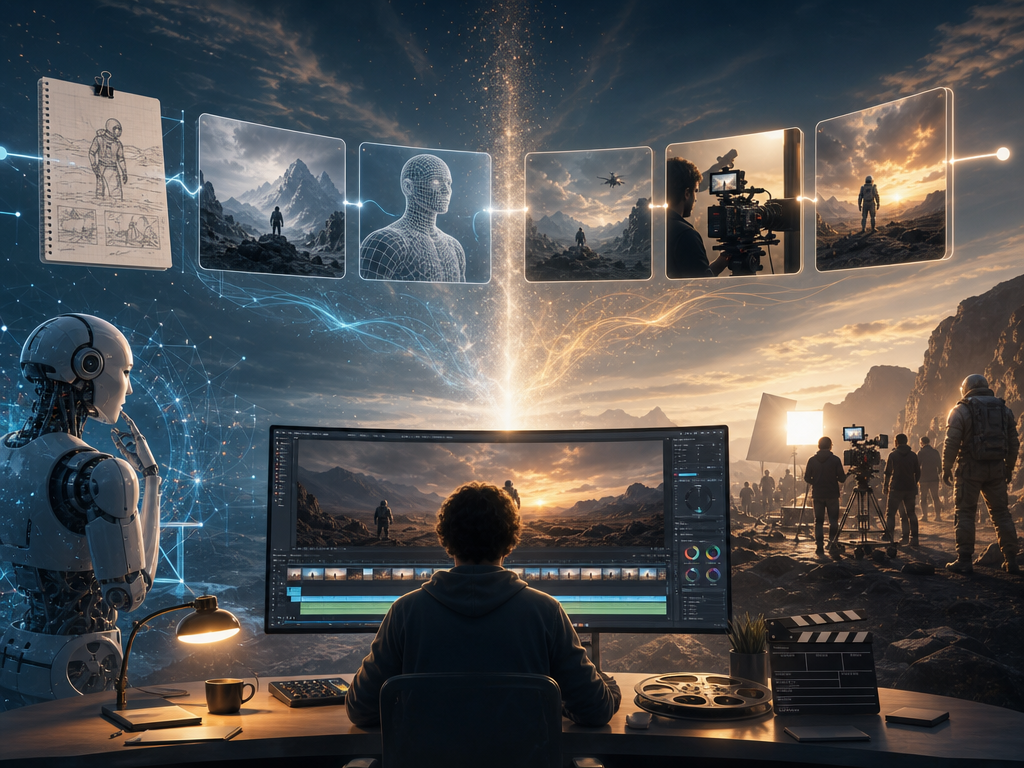
Yes, you can make an AI movie, but the most reliable approach is to build it shot by shot rather than asking one tool to generate an entire film at once. The typical workflow is: develop the story, break the script into shots, create consistent characters and scenes, storyboard the sequence, generate and refine video clips, add audio, and edit the final cut.
For creators who want these steps connected in one workflow, the Pixmax AI video workflow can take a script or idea into storyboards, characters, scenes, video generation, refinement, and export.
What Is an AI Movie?
An AI movie is a film or video that uses generative AI in one or more production stages, including script development, storyboarding, image or video generation, voice, music, sound design, or post-production.
It does not have to be fully AI-generated. In most practical workflows, AI creates or assists with production assets while a human directs the story, selects outputs, edits the sequence, and makes the final creative decisions.
For a first project, a 30- to 90-second short is a practical starting point. It gives you enough footage to test storytelling, character consistency, motion, dialogue, and sound without creating unnecessary production complexity.
The 7-Step AI Filmmaking Workflow
Step 1: Choose a Small, Filmable Concept
Start with a story that AI video can execute clearly. One or two characters, a limited number of locations, and a simple visual goal are easier to control than a crowded action sequence.
Before writing, define:
- Who is the main character?
- What do they want?
- What changes by the end?
- What image should the viewer remember?
- What is the target duration and aspect ratio?
Write a one-sentence premise first. Then decide whether the project is a short film, cinematic teaser, social video, or another format. This helps determine shot length, framing, sound, and aspect ratio before generation begins.
If you use Pixmax, you can start with a simple idea or full script and refine the production direction before generating final clips.
Step 2: Turn the Script into a Shot List
Write for the screen, not only for dialogue. Break the script into individual shots and define the purpose, subject, action, framing, camera movement, duration, and audio for each one.
Keep each generated clip focused on one major action. Instead of asking AI to generate a character opening a door, running downstairs, crossing a street, and entering a taxi in one clip, split the sequence into separate shots.
Using Pixmax for Script-to-Shot Planning
Pixmax AI Video Agent can analyze a script or prompt and help structure the story into scenes, shots, storyboards, and generation steps. This connects the planning stage to video generation, so you don't have to rebuild every scene as a separate prompt manually.
Step 3: Build a Visual Bible Before Generating Video
Character consistency is one of the biggest challenges in AI filmmaking. A character can change face, age, clothing, or proportions between shots, while locations and props can drift as well.
Create a simple visual bible containing:
- Character references and wardrobe
- Location and environment references
- Visual style and lighting
- Important props
- Continuity rules
Once you approve these references, reuse them throughout the project rather than redesigning the protagonist for every scene.
How Pixmax Helps with Character and Scene Consistency
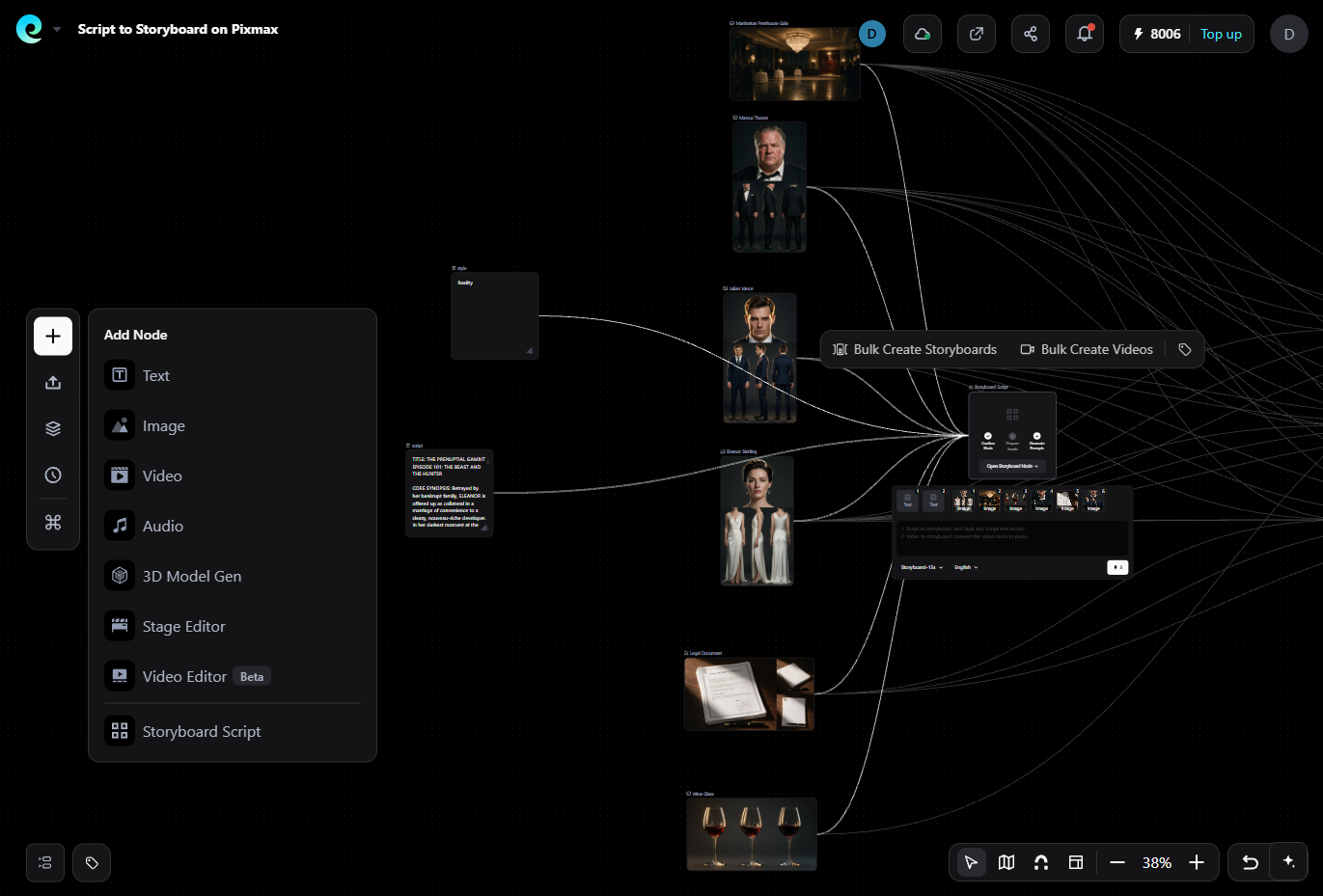
Pixmax Project Workspace keeps scripts, references, storyboards, characters, scenes, and production assets connected in one project. Approved characters and scenes can be reused across multiple shots, making it easier to maintain a consistent visual identity throughout a multi-scene AI movie.
Step 4: Storyboard the Entire Sequence
A storyboard lets you find problems before spending time and credits on video generation.
Create one representative frame for each planned shot and review the sequence as a whole:
- Does the story make sense visually?
- Does every shot add something?
- Is the framing varied enough?
- Does screen direction remain consistent?
- Are important props introduced before they matter?
- Is there a clear opening and ending image?
Lock the main storyboard before generating every clip. You can still revise individual shots later, but a stable visual plan prevents you from producing attractive footage that does not belong in the final movie.
Using Pixmax to Turn Storyboards into Video
With Pixmax, the storyboard can become part of the production workflow rather than a separate planning document. After reviewing the visual direction, you can continue into shot prompts and video generation, reducing the need to recreate your production plan in another tool.
Step 5: Test the Hardest Shot, Then Generate in Batches
Do not start with the easiest establishing shot. Test the scene most likely to fail, such as a dialogue close-up, recurring character in motion, two-person interaction, or complex camera movement.
A test shot helps answer:
- Can the model follow the visual references?
- Can it create usable motion?
- What needs to change in the prompt, storyboard, or edit?
A useful prompt structure is:
Subject + action + environment + framing + camera movement + lighting + visual style + continuity details
Keep the action simple and generate several candidates. Choose clips based on how well they serve the story, not simply how impressive they look.
Generate related shots in batches so you can compare continuity while references and settings remain consistent.
Using Pixmax for AI Movie Generation
Pixmax AI Video Agent is designed for script-driven video production rather than isolated clip generation. It can help with story analysis, scene and shot planning, storyboarding, generation, and refinement within the same workflow.
Pixmax also brings multiple AI image and video models into one workspace. This means you can choose different models for different shots instead of forcing one model to handle the entire movie.
For example, one scene may require strong character references, while another may depend more on camera movement or image-to-video generation. A multi-model workflow gives you more flexibility when building a complete film.
Step 6: Design Voices, Music, and Sound as One System
Audio can make or break an AI movie. Plan four basic layers:
- Dialogue or narration
- Environmental ambience
- Sound effects
- Music
Keep the same voice identity for each character and check pronunciation, pacing, and emotional direction. Generate dialogue separately when possible so you can control timing and mixing during editing.
Do not treat generated audio as automatically final. Check for unclear dialogue, inconsistent volume, repeated background noise, and music that competes with important words.
Also review the commercial rights for voices, music, likenesses, source assets, and AI outputs before publishing.
Step 7: Edit for Continuity, Not Perfect Clips
The edit is where individual AI generations become a movie. Arrange the shots, remove weak moments, synchronize dialogue, add ambience, and control the pacing.
Review the finished sequence in four passes:
- Story: Does every shot move the story forward?
- Continuity: Do characters, props, locations, and lighting match?
- Motion: Are there visible morphs or unnatural movements?
- Audio: Is dialogue clear and are transitions smooth?
Do not regenerate an entire scene because one or two seconds are weak. Try trimming the shot, cutting to a reaction, inserting a close-up, or covering the transition with sound first.
In Pixmax, you can compare versions and revise individual shots while keeping the surrounding production assets connected.
How to Make an AI Movie with Pixmax
If you want to turn the seven-step process into one connected workflow, Pixmax can support the major stages of AI movie production:
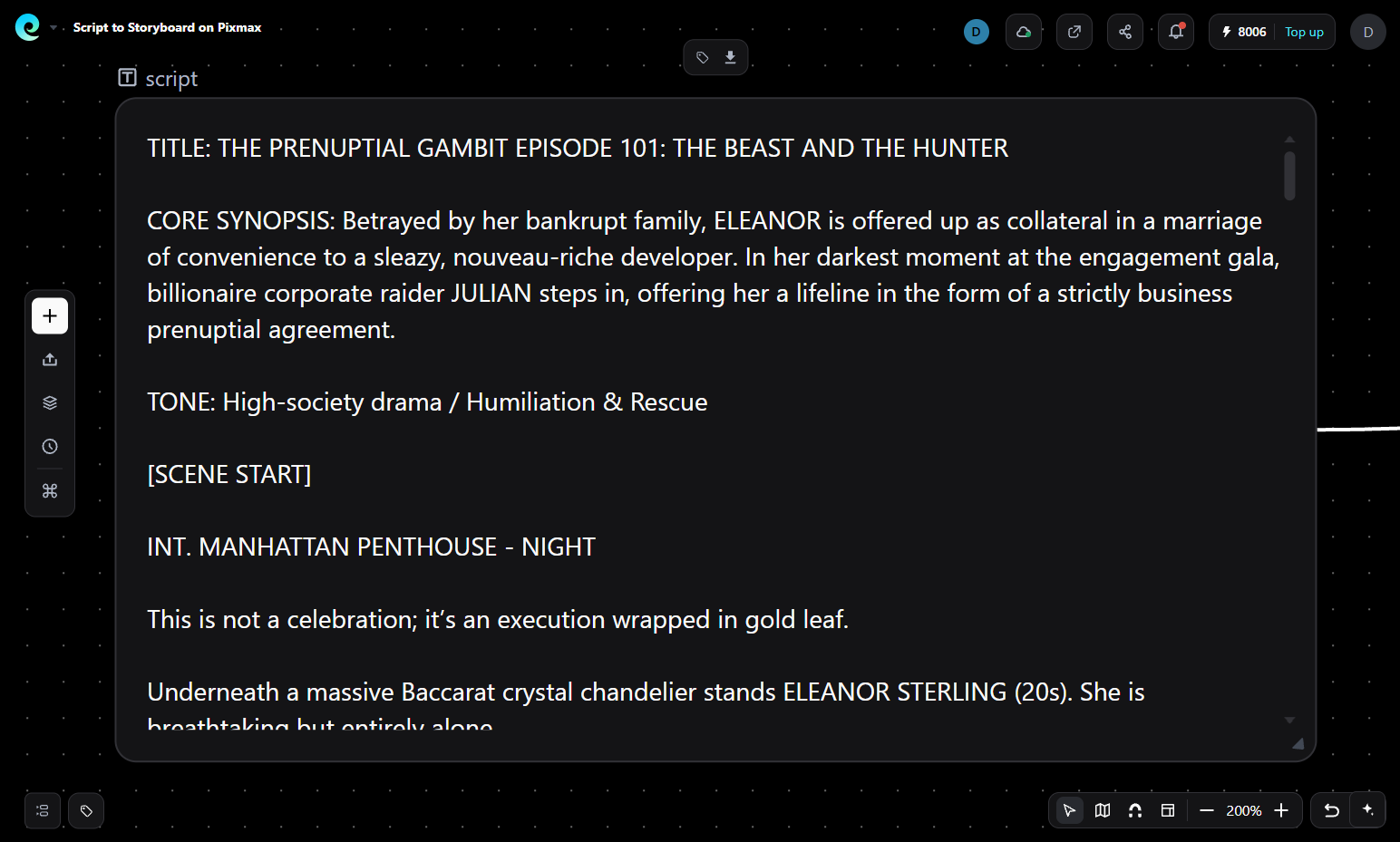
1. Start with Your Idea or Script
Begin with a simple concept, outline, or screenplay. Use the story as the foundation for your scenes and visual direction.
2. Create Characters and Scenes
Build character and scene references before generating final video. Save approved assets so they can be reused across multiple shots.
3. Build the Storyboard
Turn the story into visual shots and review framing, characters, environments, and pacing before spending credits on final video generation.
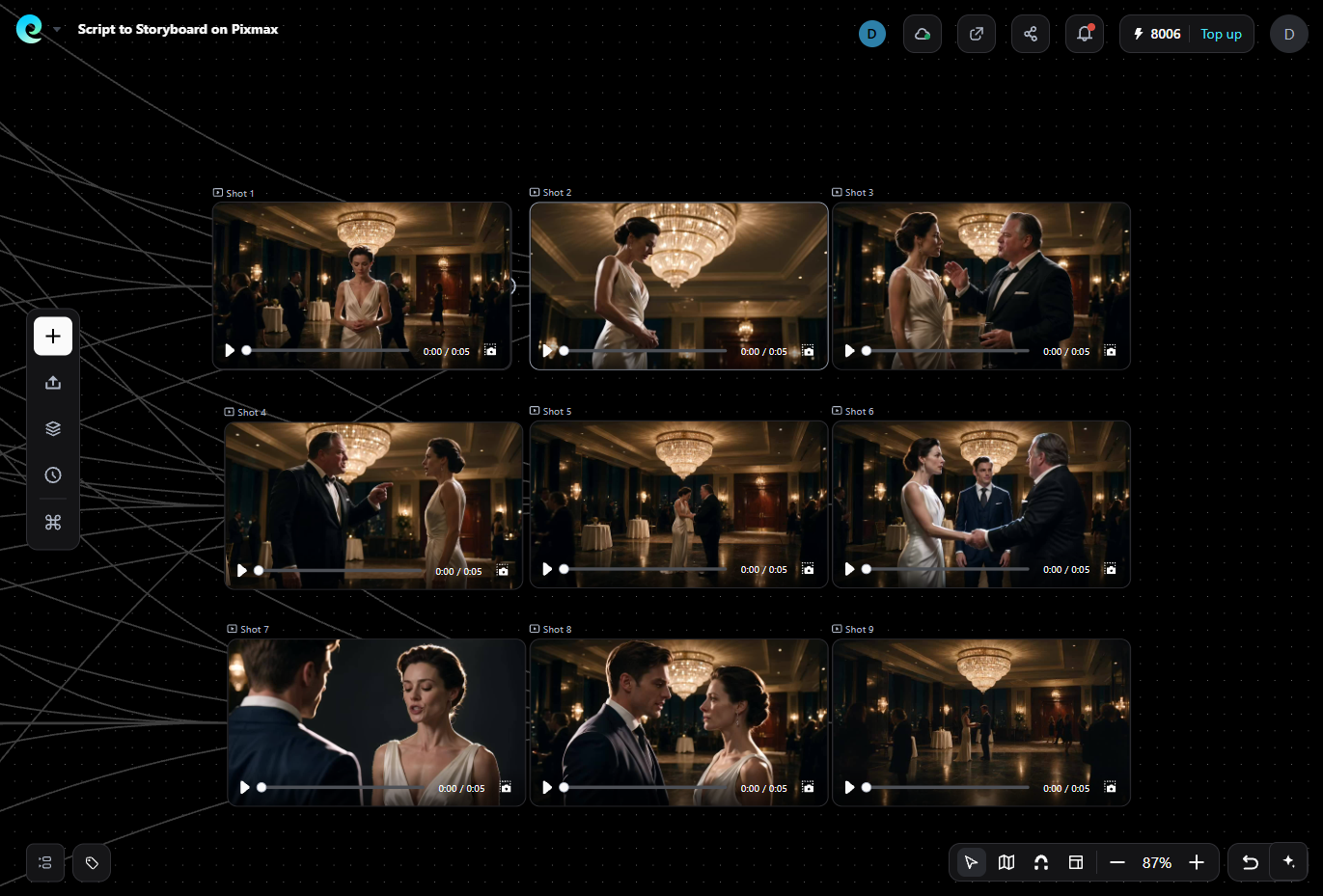
4. Generate the Video
Move approved shots into video generation and select the model that best fits each scene. Pixmax brings multiple AI models into one workspace.
5. Refine Weak Shots
Compare different versions and regenerate individual shots when necessary instead of rebuilding the entire sequence.
6. Add Audio and Captions
Add dialogue, music, sound effects, and captions after the visual sequence is stable. Review the complete audio mix before export.
7. Export the Finished Video
Once the story, continuity, motion, and audio pass your quality checks, export the finished video for publishing or further post-production.
The key advantage is not simply having multiple AI models. It is keeping the script, references, storyboards, characters, scenes, generated clips, and revisions connected throughout the production process.
Standalone Tools or an All-in-One Workflow?
An integrated workflow reduces these handoffs. Pixmax connects scripts, references, storyboards, characters, scenes, model generation, and revisions in one workspace, while its AI Video Agent supports script-driven production. AI short drama templates help streamline repeatable video creation.
AI Movie Quality Checklist
Before exporting your AI movie, check that:
- The story is understandable without excessive explanation
- Characters remain visually consistent
- Wardrobe, props, locations, and lighting do not drift
- Camera movements support the story
- Dialogue is clear and matches the intended speaker
- Music and sound effects do not cover dialogue
- There are no obvious morphs, duplicated limbs, or disappearing objects
- Captions and aspect ratio match the publishing platform
- Commercial rights and usage terms have been reviewed
Common AI Filmmaking Mistakes
Starting too long. A feature-length project multiplies continuity and asset-management problems. Start with a short film or scene.
Generating before storyboarding. Attractive clips may not fit together into a coherent sequence.
Changing references mid-project. Small character or style changes can compound across later shots.
Overloading prompts. More adjectives do not fix unclear actions. Give each shot one clear visual goal.
Treating the first output as final. AI generation creates options. Direction and editing determine which options become the movie.
Ignoring audio. Dialogue timing and sound design affect pacing, shot length, and the final viewing experience.
FAQs
Can I make an AI movie with no filmmaking experience?
Yes. AI tools can help with scripting, storyboarding, video generation, voiceovers, and editing, so beginners can create short films with minimal experience.
How long does it take to make an AI movie?
A short AI movie can take a few hours to several days, depending on its length, visual complexity, and the amount of editing required.
Can AI create a full movie from one prompt?
Not reliably. For better results, break the story into scenes and shots, then generate and refine each part.
What is the best AI movie maker?
The right tool depends on your workflow, consistency needs, available AI models, and editing requirements.
Can I make an AI movie with Pixmax?
Yes. Pixmax connects scripting, storyboarding, character and scene creation, video generation, and refinement in one workflow.
How do I keep characters consistent in an AI movie?
Create reference images and a visual guide first, then reuse the same character assets and settings across shots.
What AI tools do I need to make a movie?
At minimum, you need tools for scripting, image or video generation, and editing. An all-in-one workflow can combine these steps in one workspace.
Final Thoughts
Making an AI movie is less about generating one perfect clip and more about managing a repeatable production workflow. Start with a focused story, break it into shots, establish consistent characters and scenes, storyboard before generating, test difficult shots early, and refine the edit instead of regenerating everything.
For creators who want these stages connected, an integrated workflow such as Pixmax can reduce the handoffs between scripting, storyboarding, asset creation, video generation, and refinement. The creative decisions still belong to the filmmaker, but a connected workflow can make the production process easier to manage as the project grows.