Quick answer:
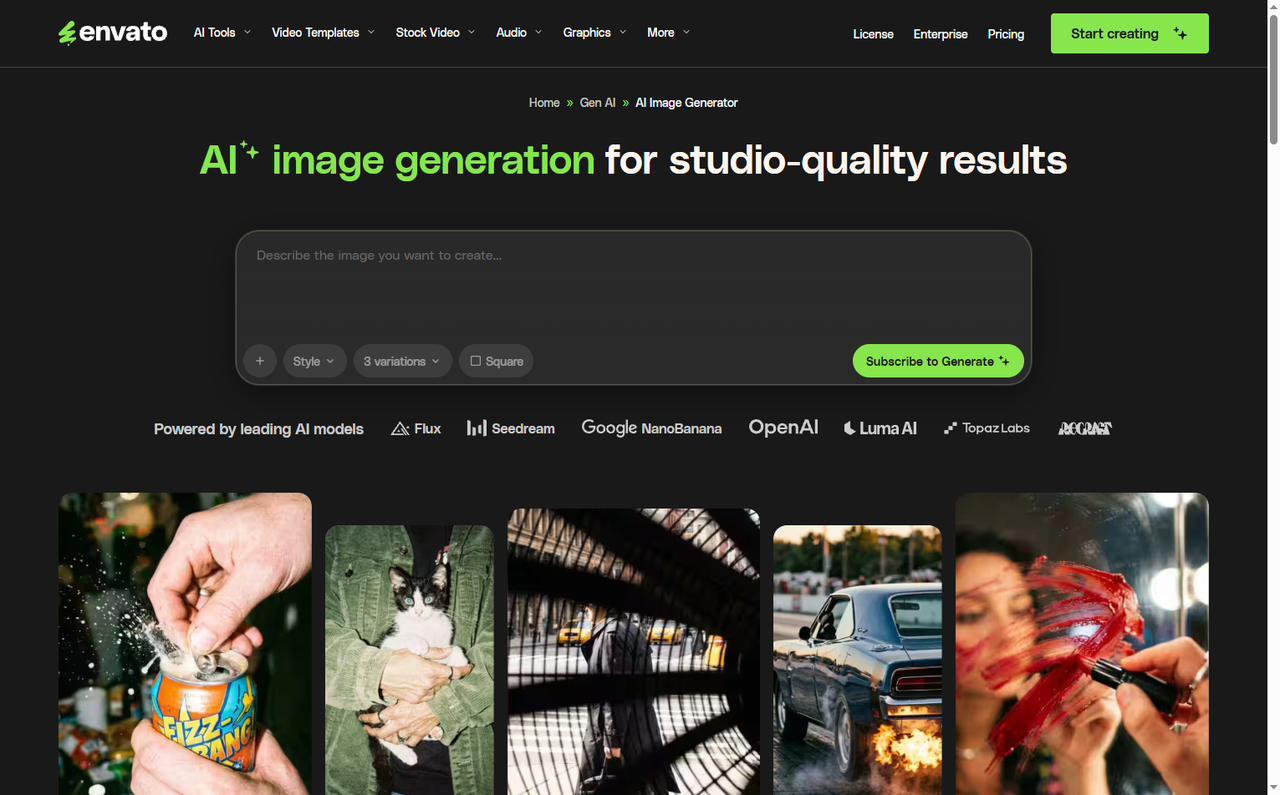
Envato replaced unlimited AI generations with metered AI credits in 2026, and all eight of its AI tools now draw from one shared pool. Video is the expensive end - a 4-second clip costs 2 credits at 480p, 5 at 720p and 9 at 1080p.
The right alternative depends on which constraint is biting.
- Pixmax if you want many models under credits that never expire.
- Kling if video volume is the whole job, since its $10 tier alone outputs about 33 standard clips a month.
- Runway if delivery formats and clear credit expiry rules matter more than clip count.
- Luma if generation is only step one.
- If the stock library is why you subscribed, staying on Envato is still a defensible call.
What Changed in Envato AI
Two changes landed six months apart.
The first replaced unlimited AI with per-plan generation caps on 25 February 2026, when Core and Plus launched at 10 and 100 generations a month. The second, from 17 August 2026, replaced generations with metered credits. Envato's announcement explains the reasoning directly: different actions now cost different amounts, and unlimited generations "are no longer sustainable."
| Plan | Price (annual) | Generations (Feb-Aug) | AI credits (now) |
|---|---|---|---|
| Core | $16.50/mo | 10 | 20 |
| Plus | $39/mo | 100 | 200 |
| Ultimate | $109/mo | Unlimited | 500 / 1,000 / 2,000 |
For Core and Plus subscribers, Envato's own wording was "an increase in monthly AI credit allocations." Unlimited downloads from 28+ million assets and the lifetime commercial licence did not change. Neither did the price.
Core and Plus received more monthly credits, but the new shared pool still limits how far those credits go - especially for video.
What the Credits Actually Buy
| Action | Credits |
|---|---|
| Image gen/edit, graphics gen/edit | 1 |
| Voice, sound effects, music | 1 |
| Video gen/edit | 2+ |
Video cost scales with resolution and duration, and Envato shows the exact figure on the Generate button before you commit. For a 4-second video:
| Resolution | Credits | Clips on Core (20) | Clips on Plus (200) |
|---|---|---|---|
| Low 480p+ | 2 | ~10 | ~100 |
| Standard 720p+ | 5 | ~4 | ~40 |
| High 1080p+ | 9 | ~2 | ~22 |
Three details decide whether this actually hurts. There is one shared pool with no per-tool allowance, so image edits compete with video renders. Cost rises with every variation and every extra second. Envato shows the cost before generation, but your practical monthly ceiling depends on how often you switch between image, audio, and video tools.
There is also no option to buy credits outright. Credits are part of the monthly allocation rather than a separate top-up balance, so confirm the current expiry and rollover terms before budgeting around them. Creators on r/envato have also questioned the change.
If you were on Ultimate, the change has already happened. Per Envato's Ultimate update, unlimited AI stopped selling to new customers on 17 August 2026, and existing Ultimate subscribers drop to 500 credits a month from 23 September 2026 - with the subscription price falling automatically. The 1,000 and 2,000 credit options are limited to new customers.
Put plainly: the most generous AI tier Envato ever sold is gone, and everyone lands on the same shared pool.
What You Are Actually Replacing
Before choosing an alternative, it helps to know which Envato tool your credits are being spent on.
| Envato tool | What it does | Nearest equivalent elsewhere |
|---|---|---|
| Video generator | Text -> image -> video | Seedance, Kling, Veo, Wan |
| Image generator | Text -> image | Midjourney, GPT Image, Seedream, Nano Banana |
| Image editor | Backgrounds, erase, upscale | Same image roster |
| Graphics generator | Icons, illustrations | Same image roster |
| Voice generator | Script -> voiceover | ElevenLabs |
| Music generator | Prompt -> music | ElevenLabs, MiniMax Music |
| Sound generator | Prompt -> SFX | ElevenLabs SFX |
| Mockup generator | Custom mockups | No clean substitute |
Envato runs a rotating mix of OpenAI, Luma, Kling, Flux, Veo, Nano Banana, ElevenLabs and Minimax under the hood, and states that model availability can change without notice.
The mockup generator is the one tool with no obvious replacement. If custom mockups are part of your workflow, that is a genuine reason to keep Envato rather than a technicality to work around.
How We Compared These Envato AI Alternatives
We compared each option by five practical criteria: video output volume, credit expiry, model or workflow breadth, commercial licensing, and whether it replaces Envato's stock library. Prices and credit rules were checked against the providers' published pages on September 28, 2026. Plans, model access, and regional pricing can change, so verify the linked pages before subscribing.
The 4 Best Envato Alternatives for AI Generation in 2026
Pixmax - Broad Creative Workflows and Flexible Credit Options
For model-by-model image quality comparisons, see our AI image generator roundup. If you also need a dedicated video-first stack, our Higgsfield alternatives guide covers the same trade-offs from the video angle.
Kling - The Most Video Per Dollar
Runway - Depth, Formats, and the Clearest Expiry Rules
Luma - Generation Plus the Editing Layer
Two Options That Need No Migration
Stay on Envato if the library is why you subscribed. Stock downloads remain unlimited under the Fair Use Policy, and if you unsubscribe, completed licensed projects stay covered forever.
Adobe Firefly remains worth considering if your team already works inside Creative Cloud and needs modest generative features. Compare its current plan limits and commercial terms separately before migrating.
Licensing Does Not Transfer Automatically
Envato grants a broad commercial licence for AI assets used in an end product. Feeding an Elements stock item in as input triggers both the Elements licence and the AI Product Terms. AI music carries extra restrictions, notably around standalone release and audio streaming services.
Before migrating, re-read the target platform's commercial terms rather than assuming they transfer. Kling and Runway both license paid output commercially. Free tiers generally do not, and Luma's free tier is explicitly non-commercial.
FAQs
How Many AI Credits Does Envato Give Me?
20 on Core, 200 on Plus, and 500, 1,000 or 2,000 on Ultimate.
How Much Does One Envato Video Cost?
From 2 credits. A 4-second clip costs 2 at 480p, 5 at 720p and 9 at 1080p, and longer durations cost more.
Do I Have a Separate Allowance Per Tool?
No. All eight AI tools share one credit pool.
Which Alternative Lets Unused Credits Survive?
Pixmax states credits never expire. Runway's purchased credits never expire and Max rolls one month forward. Kling keeps subscription credits for one month but purchased credits for two years. Envato offers no credit purchase at all.
Is There a Free Alternative to Envato AI?
Yes - Kling's free tier with daily login credits, and Luma's draft tier. Both are watermarked and non-commercial.
Should I Cancel Envato?
Only if your AI usage outgrows your stock download usage. If you mostly need licensed stock and only light AI, the cap is not a reason to leave.
Bottom Line
Envato did not remove AI; it metered it, and the cost lands hardest on high-resolution video. Every alternative here trades away the asset library. Pixmax removes the cap, Kling maximises clip volume, Runway maximises delivery quality, Luma maximises workflow. Keep Envato for the library if the library is why you are there.