Quick Answer
Can AI product photography replace a traditional studio?
Yes — for roughly 70–85% of standard ecommerce imagery (white-background packshots, lifestyle scenes, seasonal variations, ad creatives), AI product photos are now commercially usable and cut costs by 60–90%. The catch: you must use image-to-image tools (not pure text-to-image), QC every output at 100% zoom, and keep brand consistency locked. For reflective goods (jewelry, glass), garments on models, and regulated or hero campaign shots, a human studio — or an AI-enhanced photography studio — still wins.
Product photography has always been the most expensive bottleneck in ecommerce. A professional shoot can run $500–$2,000 per SKU, and once you add reshooting for angles, seasonal campaigns, and new colorways, a 100-SKU catalog becomes a five-figure annual line item. AI product photography changes that math — but only if you use it the right way. Below I'll cover what AI product photography can and can't do, five proven methods (including an all-in-one creative platform), a step-by-step workflow, real costs, and when you should still hire a studio.
What Is AI Product Photography?
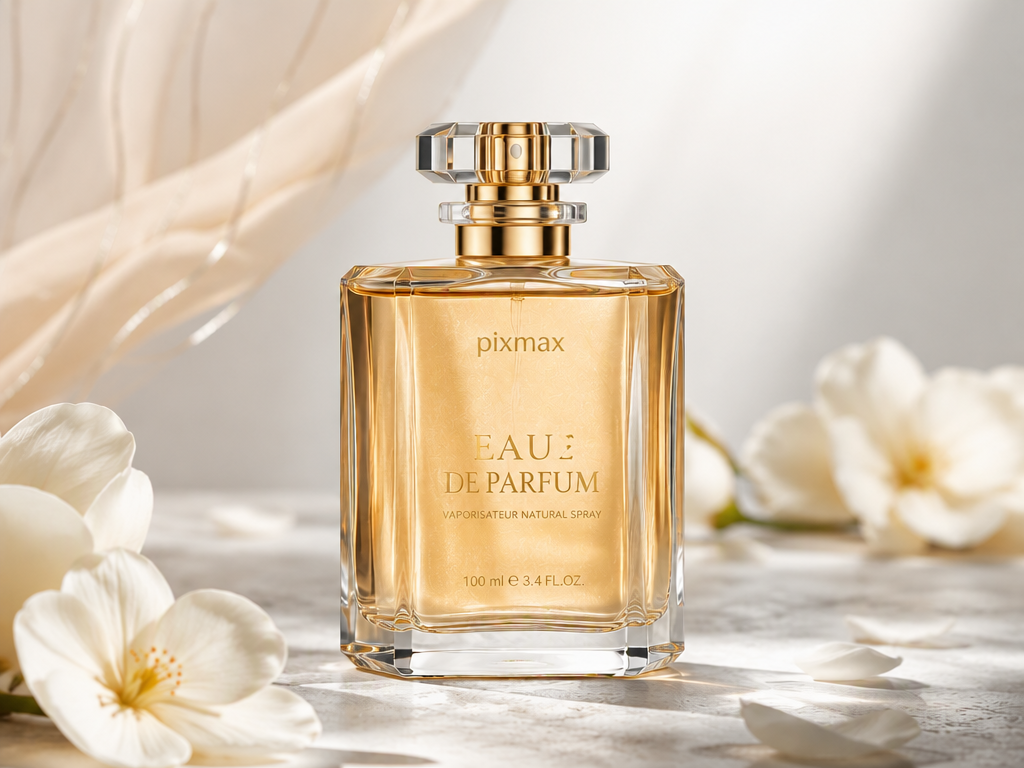
AI product photography is the use of generative AI to turn a basic product photo — or, in some cases, just a text description — into studio-quality product images, including background replacement, relighting, scene generation, and even on-model placement.
It breaks into two fundamentally different workflows:
- Image-to-image (recommended): you upload your real product photo; AI only changes the background, lighting, or context. The product itself stays true to what the camera captured.
- Text-to-image: you describe a product in a prompt and the model invents a picture from scratch. Great for concepts and mood boards — dangerous for product listings, because the model creates a plausible-looking product, not your product.
The distinction matters more than the tool you pick. Merchants on Reddit who struggled with AI product photography almost always hit the same wall: compositing from multiple tools (Midjourney background + Canva overlay + Clipdrop relight) and accepting outputs without a quality gate.
Can AI Product Photography Replace a Studio?
Partially — and the smartest teams treat it as a replacement for routine volume and an addition to hero photography, not a full studio swap.
What AI does reliably well today:
- White-background packshots at scale
- Lifestyle and seasonal scene variations (no reshoot, no props)
- Ad and social creatives in multiple aspect ratios
- A/B test variations that would cost thousands in studio time
Where it still fails — and why you see threads like "Has anyone actually used AI product photography?" on r/ecommerce — is accuracy: distorted logos and garbled label text, color drift between batches, jewelry and glass with broken reflections, and "visual drift" where the same prompt produces a different-looking product every session. None of these are cosmetic. 22% of online returns are traced to the product looking different from its photo, so a "beautiful" but inaccurate AI image can directly increase return rates and erode trust.
The verdict: AI generates product photos that convert when accuracy is treated as a hard requirement — verified at 100% zoom, checked against platform specs, and kept consistent across the catalog.
Method Comparison at a Glance
| Method | Best for | Cost | Consistency | Accuracy risk |
|---|---|---|---|---|
| Image-to-image AI | Routine packshots, scenes, seasonal | $0–$50/mo | Medium (QC needed) | Low–Medium |
| Text-to-image | Concepts, mood boards | $10–$30/mo | Low | High |
| Virtual photography / 3D | Large catalogs, 360°, video | High setup | Very high | Very low |
| All-in-one platform (Pixmax) | Photos + video ads + team scale | Subscription | High (asset library) | Low |
| AI-enhanced studio | Hero, models, reflective, regulated | $500–$2,000+/day | Very high | Very low |
5 Ways to Create AI Product Photos
Method 1: Image-to-Image AI Enhancement (Highest Feasibility)
Image-to-image AI takes your existing product photo and regenerates only the surrounding environment — the fastest, safest way to use AI for product photography. This is the default method for ecommerce.
How it works in practice:
- Shoot a clean source photo — bright, even light, neutral background, product fully visible, labels readable.
- Upload it to an image-to-image tool and generate backgrounds: white studio, marble counter, outdoor cafe, seasonal themes.
- Generate 5–10 variations per scene; never settle for the first output.
- Check every output at 100% zoom for product shape, logo text, and shadow direction before publishing.
Tools in this lane (Photoroom, Pebblely, Clipdrop, and similar) range from free tiers to ~$20/month — a realistic entry point for small brands.
Method 2: Text-to-Image Generation (For Concepts, Not Listings)
Text-to-image AI (Midjourney, DALL·E) invents images from prompts alone — use it for mood boards and pre-launch concepts, not for live product listings. The model does not know your actual product: prong counts change on rings, label text gets garbled, proportions shift. Community and marketplace evidence is consistent on this — one common AI product photography mistake guide warns that text-to-image tools "generate a fictional product, not yours," which leads to returns, disputes, and even account suspensions.
Keep it for: concept exploration, campaign mood boards, and pre-production inspiration. Combine its output with Method 1 for the creative background, then composite your real product photo over it.
Method 3: Virtual Product Photography / 3D Digital Twins (Best for Consistency)
Virtual product photography renders images from a pixel-perfect 3D model of your product instead of a camera — the strongest option when brand consistency across hundreds of SKUs is the priority. A 3D digital twin of your product can be relit, rescanned, and reshot from any angle without error, producing 360° views and video as a side effect.
The trade-offs: creating the 3D model costs money and time upfront (a 3D agency or model-from-photos service), and it suits regular, geometry-friendly products better than complex soft goods. It's the method behind the "AI can't do product photography" argument you'll see from digital-twin vendors — they're right about raw text-to-image, but that's only one method.
Method 4: All-in-One Creative Platform — Pixmax (Best for Photos + Video Ads)
An all-in-one creative platform consolidates image generation, brand assets, workflows, and video ads in one workspace — the most powerful method when your team needs product photos and the video content that feeds from them.
Ecommerce listings rarely end at stills: product showcase videos, ads, and social clips are now expected on most channels, and building them from AI product photos in a separate toolchain is where time and consistency leak.
Pixmax is the strongest current example of this approach, because it covers the entire pipeline rather than one step:
- One hub, every top model — GPT Image 2, Nano Banana, Seedream 5.0 Pro, and Midjourney in a single unified model hub, so you can match the right model to the shot (text-heavy packaging vs. lifestyle scene) without juggling subscriptions.
- Brand consistency via Asset Library — save product references, brand styles, and finished outputs for reuse across generations, solving the "visual drift" problem at catalog scale.
- Automate with visual workflows — chain text → image → video into a reusable, trackable pipeline, so a seasonal background swap across 50 SKUs runs the same way every time.
- One-click templates — categories like Ads, 2D-Comics, Animation, Live-Drama, Film-Effects, Digital-Man, and Tool let you clone a working pipeline and drop in your own assets. Ads is the natural starting point for product-shot-to-ad creatives (gallery access requires console login).
- AI Video Agent for product video/ads — turn product shots into storyboards, showcase clips, and ad creatives, with character/visual consistency and batch refinement — built for E-commerce Advertising and Product Showcase use cases.
- Built to scale with teams — real-time collaboration and one-click export let a solo founder and a 10-person brand run the same pipeline.
In other words, Pixmax doesn't just help you make AI product photos — it makes the photo the starting point of a product content system, from still to video to ad, in one canvas. That's the workflow single-purpose background generators can't offer.
Start creating product photos with Pixmax
Method 5: Hybrid — Hire a Studio for AI-Enhanced Product Photography
If you're looking to hire a studio for ai-enhanced product photography, choose one that uses AI as a production layer around real capture — not one that sells raw text-to-image output.
This keyword reflects a real shift: photographers and studios now offer "AI-enhanced" packages that combine controlled studio capture (for accuracy-critical hero shots, models, and reflective goods) with AI generation for backgrounds, variations, and scale.
How to vet such a studio:
- Ask which parts are photographed vs. generated, and request sample before/after QC files
- Check that AI is used for presentation (backgrounds, scenes), not misrepresentation (changing the product itself)
- Confirm you get commercial usage rights and your catalog retains consistent color/logo fidelity
This route costs more than DIY AI (typically a few hundred to ~$2,000+ per day) but still undercuts traditional full-studio rates and is the right call for hero campaigns, apparel on models, jewelry, and regulated products.
How Much Does AI Product Photography Cost?
- DIY AI: $0–$50/month (free tiers to small subscriptions) per tool; realistic total under $100/month for a small catalog
- All-in-one platforms: subscription tiers; per-image cost typically in the sub-dollar range
- Studio (traditional): $150–$1,500 per image or $500–$2,000+/SKU once styling and retouching are counted
- AI-enhanced studio: hybrid pricing, typically studio rates but with AI-compressed turnaround and lower reshoot costs
Most sources converge on 60–90% cost reduction and a shift from days to minutes for standard imagery. Note that no published controlled study yet proves AI product photos convert better than real photography — treat quality parity as something to A/B test on your own catalog, not as a settled fact.
Common Mistakes That Cost Money
- Skipping human review — the single biggest mistake; distorted hands, flattened jewelry, and garbled labels are easy to miss at thumbnail size
- Using text-to-image for listings — you publish a fictional product; returns and disputes follow
- Ignoring color accuracy — compare against physical swatches; wrong color = the #1 return reason
- Letting drift spread — lock prompts and style assets, review sample sets mid-batch
- Over-polishing — "edit toward accuracy, not beauty": an over-stylized AI image raises expectations the real product can't meet
How to Create Amazon & Shopify Product Photos with AI (Step-by-Step)
This workflow runs entirely inside Pixmax — the steps below follow its verified pipeline features (unified model hub, Asset Library, visual workflows, one-click delivery) so you can go from source photo to marketplace-ready imagery without touching a separate background tool or editor.
- Shoot a clean source photo. Bright, even light; no harsh shadows; neutral background; minimum ~2000px on the long edge; labels readable. A smartphone photo works — Pixmax models do the heavy lifting afterward.
- Save the product into the Asset Library. Import your source shot and store it as a reusable product reference. This gives every generation the same "ground truth" for shape, color, and packaging — the fix for the visual drift problem that kills catalog-scale consistency.
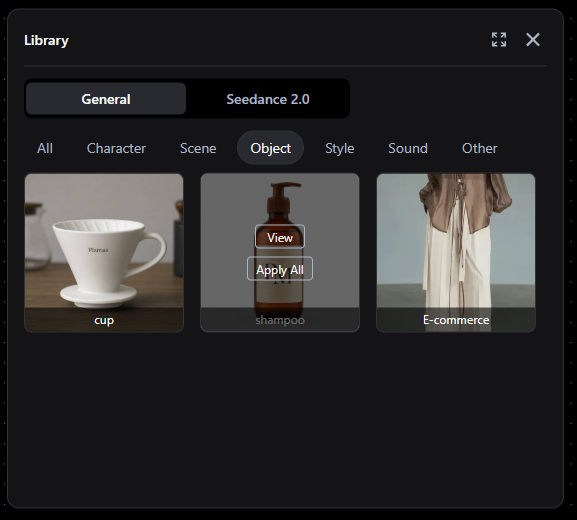
- Build one reusable visual workflow. Chain the tasks once: product reference → white-background packshot for Amazon main images, plus lifestyle scene variants for Shopify secondary images. Re-run the same workflow for every new SKU instead of prompting from scratch each time.
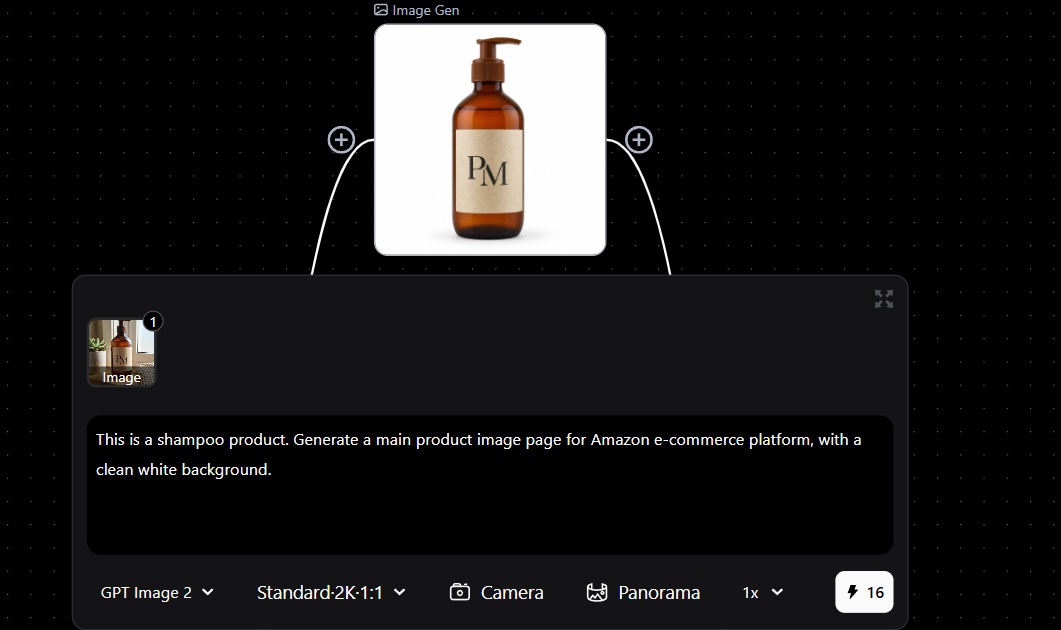
- Match the image model to the job. From the unified model hub, use the strongest text-rendering image models (e.g., Seedream 5.0 Pro or GPT Image 2) for packaging and label accuracy on white backgrounds, and creative models (e.g., Nano Banana or Midjourney) for lifestyle and scene shots. One workspace, no separate subscriptions.
- Generate variations in batches. Produce 5–10 variants per scene, then review the first 3–5 outputs before batch-running the rest of the catalog — the point where drift is cheapest to catch.
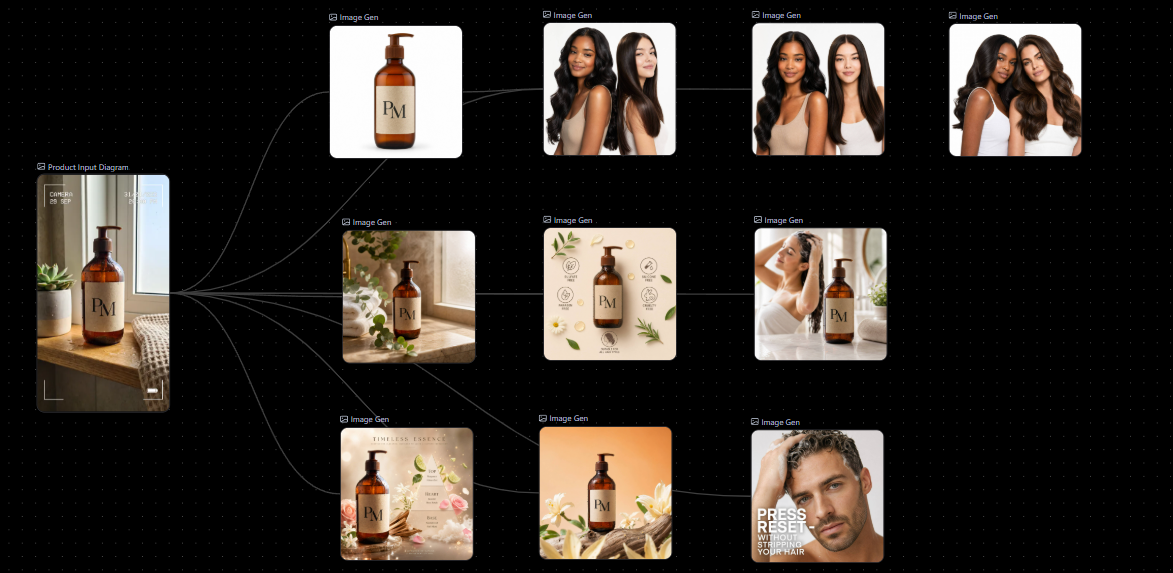
- Human QC at 100% zoom (non-negotiable). Check: product shape and proportions; logo and label legibility; shadow direction matching the light source; no floating effect; color vs. the physical swatch. Mark failures for regeneration, don't patch them manually.
- Export to platform specs. Amazon main images need pure white backgrounds (RGB 255,255,255), the product filling at least 85% of the frame, no text/watermarks/borders, and a minimum 1000px; Shopify recommends 2048px. Use Pixmax's one-click delivery to export per-channel formats and resolutions from the same project — generate once, adapt by format.
- Extend stills into video and ads.
When a listing needs more than photos, feed the approved images into the AI Video Agent or use an Ads workflow template to create a Facebook video ad, product showcase clips, and social content with the same visual style.
Frequently Asked Questions
Is AI product photography worth it?
For routine volume — packshots, lifestyle scenes, seasonal variations, ad creatives — yes; it cuts costs 60–90% and turns days of turnaround into minutes. For hero campaigns, jewelry, apparel on models, and regulated products, budget for human capture instead.
Can AI product photography replace a professional studio?
Not entirely. AI reliably handles roughly 70–85% of standard ecommerce imagery, but accuracy-critical and high-end work still favors studios. Many brands now hire studios for AI-enhanced workflows, combining real capture with AI backgrounds and variations.
Which AI product photography tool is best?
It depends on your bottleneck. For stills only, image-to-image tools (Photoroom, Pebblely, Clipdrop) are the proven entry point. If you also need product videos, ads, and team-scale consistency, an all-in-one platform like Pixmax — with its unified model hub, asset library, and AI Video Agent — eliminates the multi-tool juggling that community users report as their biggest pain.
Is AI product photography legal / safe for commercial use?
Generated output carries platform-dependent rules and usage-rights considerations; keep records of your generation process, prefer tools that grant commercial usage rights, and disclose where required. Use AI to enhance presentation — never to misrepresent what you sell.
Does AI product photography work for Amazon or Shopify?
Yes, with discipline: meet platform specs (pure white background, 85% frame fill, min 1000px for Amazon main images), QC every image, and keep product accuracy intact.
Bottom Line
AI product photography is not a replacement for photography as a craft — it's a replacement for the cost and wait time of routine production. Use image-to-image AI for volume, text-to-image only for ideas, 3D virtual photography for catalog-scale consistency, an all-in-one platform like Pixmax when photos need to grow into videos and ads, and a human (or AI-enhanced) studio for the shots that must be perfect. Do that, and you can generate product photos that convert — without a studio, and without the accuracy problems that sink careless AI use.