Short answer:
Creatify is worth testing if you need fast product-to-ad drafts and can iterate within a credit budget. It is a poor fit if you need frame-level editing, predictable generation costs, a refund option, or long-form production control.
| If this is you | Verdict |
|---|---|
| You test 10 or more product-ad concepts each month and already have usable product images | Worth testing — start with the free plan, then consider Starter or Pro |
| You want to send a product catalog through an automated workflow | Consider the API — its published credit price is lower, but you need an integration |
| You need timeline editing, precise shot timing, or brand-film control | Look elsewhere — use a full editor or a generation-first workspace |
| You have a hard monthly budget ceiling | Proceed carefully — AdFlow and generative models can consume credits unpredictably |
| You have never used Creatify | Use the free plan first — Creatify's refund policy says payments are final and non-refundable |
The 3 Questions to Answer Before Paying
1. Do you have product images you would actually use in an ad?
If not, fix the input first. Creatify can assemble an ad from a product URL, but weak or incomplete product-page assets usually produce a weak draft. Creatify also warns that firewall-protected pages can block its crawler.
2. Are you comfortable testing one concept at a time?
Creatify is built for variation and hook testing. It is less suitable when you expect one prompt to produce a finished, brand-perfect ad. Batch generation can increase volume, but every generation still needs a quality check.
3. Can you accept non-refundable billing?
If the answer is no, do not subscribe yet. Read the refund policy and test the free plan before entering payment details.
What Creatify Does Well
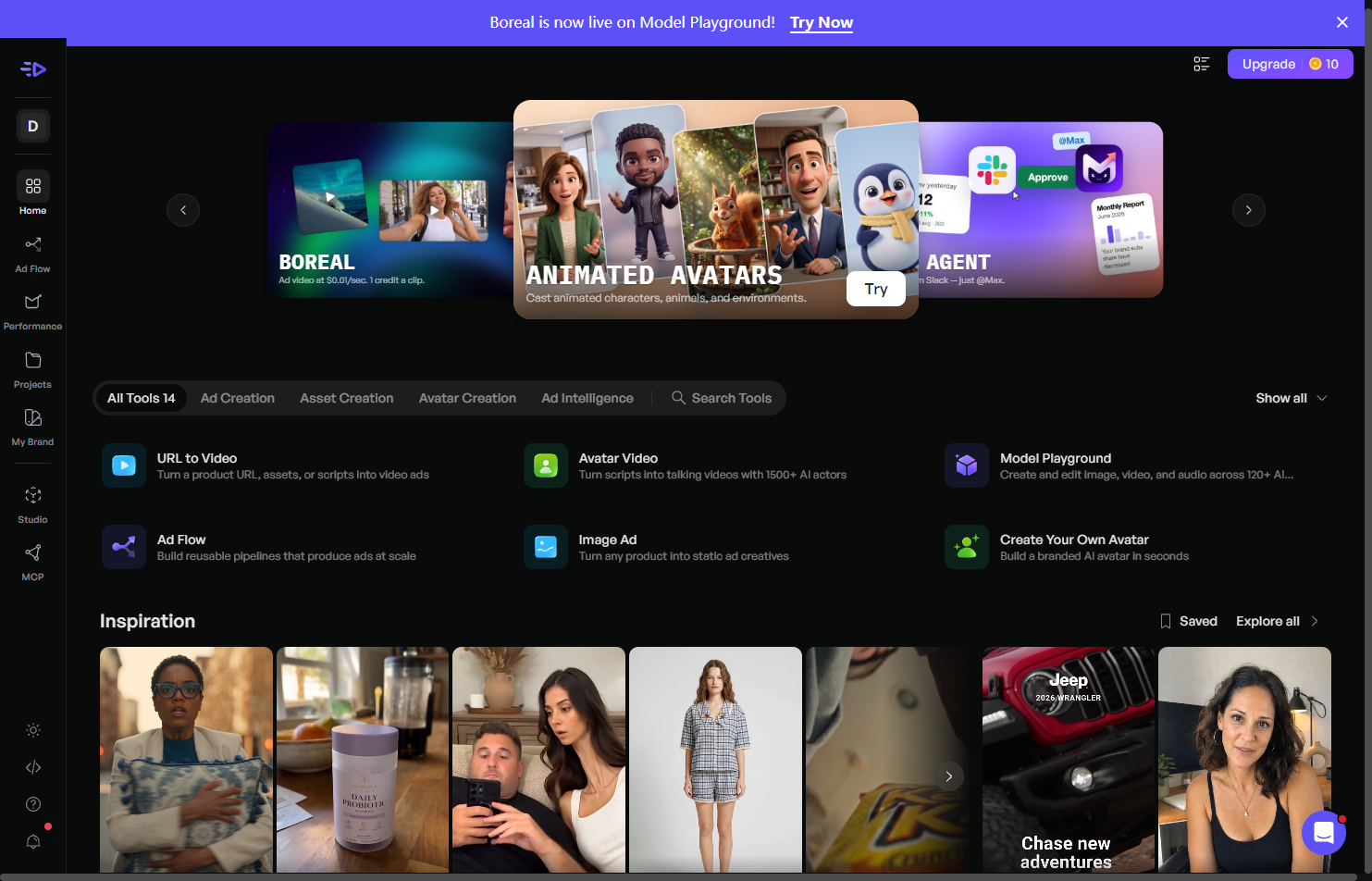
Creatify's core value is speed: a product URL or product asset can become a social ad draft without casting, a studio, or a traditional shoot. That makes it useful for:
- testing multiple hooks for one product;
- producing avatar-led product explainers;
- creating localized ad variations;
- turning a catalog or product feed into repeatable creative concepts; and
- generating disposable test material before investing in a polished production.
The platform also offers watermark removal on paid plans, AdFlow templates, AI actors, and a broad language claim on its pricing page. Treat the language numbers carefully: the pricing page says 75+ languages, while the Help Center lists 29 supported languages. Those figures may describe different scopes, so confirm the exact voice and language support for your workflow before subscribing.
What You Are Actually Buying
Creatify is primarily a throughput tool. It can help you make and test more ad variations, but the tool itself does not prove that an ad will convert.
Creatify's homepage cites performance claims such as more leads and lower production cost, but the footnote includes Creatify benchmarks and does not link to an independent study. The safest interpretation is that Creatify can reduce production friction; it cannot guarantee better campaign performance. Treat every output as a creative hypothesis and validate it with real audience data.
Pricing and Credits: The Part to Verify Twice
Creatify's current pricing page lists the Pro plan at $99 per month for 300 credits. The Help Center FAQ says AI Video Ads, Avatar Videos, and AI Shorts use 5 credits per 15 seconds, rounded up. Revisions use 3 credits per 15 seconds, also rounded up.
There is an important Pro-plan condition: revisions of a video created with those tools do not consume credits when you do not change the script, avatar, or voice. If you change one of those elements, the revision can consume credits. That means there is no single universal “number of finished ads per month.”
At the published web-app rate, 300 credits cover up to 30 fresh 30-second renders before any paid revisions or other tools. Your actual output will be lower if you use paid revisions, AdFlow, Ad Clone, or higher-cost generative models.
Monthly credits remain valid for two months according to the Help Center. They are not simply erased at the end of the billing month, but they do expire after that validity window.
App credits versus API credits
Creatify's API billing documentation lists:
| Plan | Price | Monthly credits | Cost per credit |
|---|---|---|---|
| API Starter | $99 | 500 | $0.20 |
| API Pro | $299 | 2,000 | $0.15 |
The API documents URL to Video and AI Avatar at 5 credits per 30 seconds. The lower per-credit price can make sense for a catalog or automation workflow, but only if you can build and maintain the integration.
The Three Risks That Should Slow You Down
1. Payments are non-refundable. The refund policy says payments are final and non-refundable. Cancelling prevents future charges; it does not automatically recover money already paid.
2. Credit usage depends on the workflow. A fresh URL-to-video render, a paid revision, AdFlow, Ad Clone, and a higher-cost generative model do not consume credits at the same rate. Budget from the exact tool and duration you plan to use.
3. AdFlow has variable cost and no abort button. Creatify's AdFlow documentation says credit usage can only be determined after generation completes, outputs can be experimental, and a generation cannot be stopped once it starts. Keep AdFlow on a separate test budget until you understand its behavior.
Output Quality: Useful Drafts, Limited Control
The most consistent criticism in the available review and user-discussion evidence concerns lip-sync and polish. Reports appear across review platforms and communities, while Creatify maintains a dedicated help article about lip-sync issues. That is a reason to inspect every export, especially when an avatar speaks directly to camera.
Input quality matters. Independent testers and user discussions report that low-resolution or incomplete product pages lead to thin or unfinished ads. A clean product page with strong images is a practical prerequisite.
Creatify can make a visually complete draft without making a persuasive ad. One independent test of Creatify's showcase ads gave the calls to action a low score. Use that as a quality warning, not as a universal performance benchmark.
Who Should Buy Creatify — and Who Should Skip It
Creatify is a reasonable choice for marketers, solo sellers, and small teams that need many short product-ad variations quickly and can afford to test them. Start with the free plan, export one real ad, and measure the complete workflow from input to revision.
Skip or delay a paid plan if you need precise timeline control, original cinematic footage, a fixed generation cost, or a refund option. You may also outgrow Creatify if your workflow depends on keeping existing footage and adding captions, dubbing, and controlled edits rather than generating a new ad from a product URL.
A Different Workflow to Consider: Pixmax
If your main problem is not ad volume but control over the visual production itself, compare Creatify with Pixmax. Creatify is strongest when the job is “turn this product input into many short ad drafts.” Pixmax is a better fit for workflows that need generated scenes, AI ad templates, product visuals, recurring characters or locations, multiple AI models, and repeatable iteration in one workspace.
That distinction matters: Creatify helps you test ad concepts quickly; Pixmax is designed for a broader full-pipeline AI video and visual creative workflow. Available models, credits, and pricing can change, so check the current Pixmax plans before choosing a platform.
A Safer Test Path Before You Subscribe
- Start on the free plan and export one real ad. A watermark alone does not tell you whether the workflow is useful.
- Record the full process: product-page preparation, first render, revisions, export, and cleanup.
- Calculate your real cost using the exact tool, duration, and revision behavior you expect to use.
- Test AdFlow separately because its final credit usage is variable and it cannot be stopped mid-generation.
- Compare the result with a generation-first workflow such as Pixmax if you need more control over the visuals.
FAQ
Is Creatify AI free?
Yes. Creatify offers a free plan with limited credits and watermarked output. Use it to test the workflow before paying.
Can I get a refund?
Creatify's refund policy says payments are final and non-refundable. Cancelling stops future billing but does not refund a completed payment.
How much does Creatify AI cost?
The current pricing page lists Starter at $39 and Pro at $99 per month. Pro includes 300 credits per month. API plans are priced separately at $99 for 500 credits and $299 for 2,000 credits.
How many videos can 300 Pro credits make?
At the published web-app rate, 300 credits cover up to 30 fresh 30-second renders. Paid revisions, AdFlow, Ad Clone, and other tools can reduce that number. Some Pro revisions are free when the script, avatar, and voice remain unchanged.
Do unused credits roll over?
The Help Center says monthly credits remain valid for two months. They expire after that validity window.
Can I stop an AdFlow generation?
No. Creatify's AdFlow documentation says there is no option to stop a generation once it has started.
Is Creatify better than Pixmax?
It depends on the job. Creatify is a strong fit for fast product-to-ad variations. Pixmax is better suited to workflows that need generated visuals, multi-model exploration, recurring creative elements, and more controlled iteration.
Final Verdict
Creatify is a fast ad-draft and hook-testing tool, not a replacement for a full editor or a guarantee of campaign performance. Test it if you have strong product assets and a real need for short-form variation. Before paying, verify the current pricing, credit rules, revision conditions, refund policy, and AdFlow behavior. If you need more control over the visual production process, compare it with a full-pipeline workspace such as Pixmax.