




Quick Answer
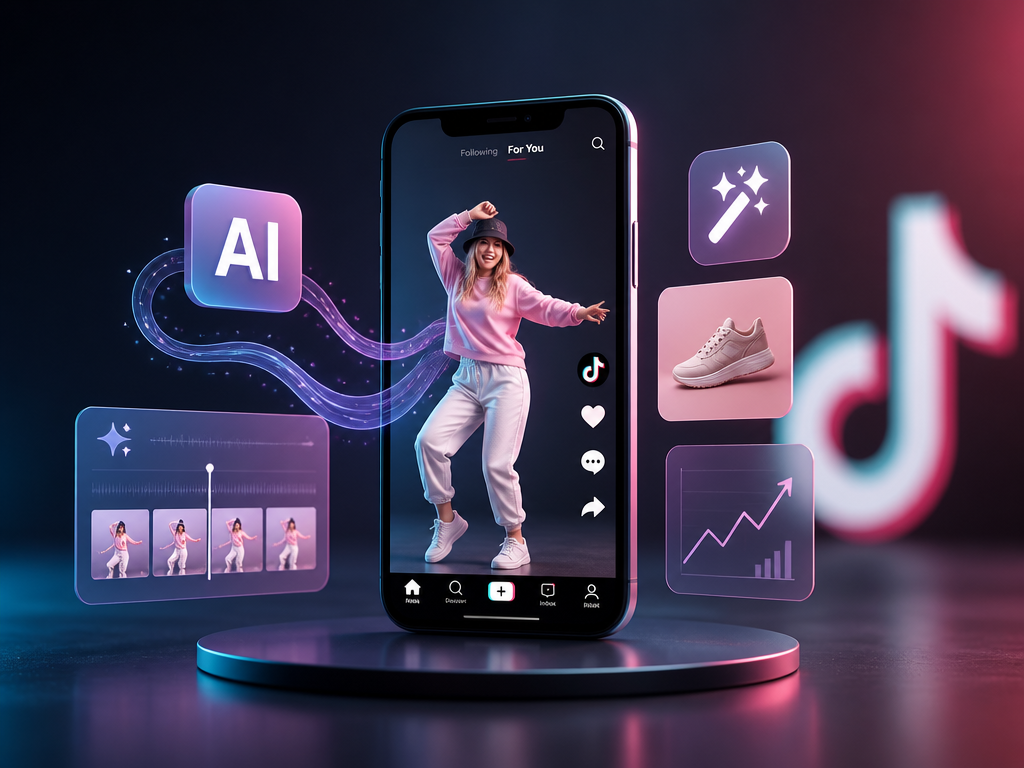
To create ads for TikTok video with AI, use one of three routes: TikTok's native Generate with AI inside Ads Manager, a URL-to-video AI ad generator, or a one-workspace video platform like Pixmax. It works — AI cuts production time from days to minutes and delivers the creative volume TikTok's algorithm rewards.
Choose by what you already have: native tools are free but still limited; generators are the fastest for UGC-style tests; a model workspace gives you character and brand consistency across every variation.
Key Takeaways
- AI TikTok ads are short-form video ads where AI (or a mix of AI tools) handles scripting, visuals, voiceover, editing, or all of them.
- Creative volume beats one perfect ad. TikTok fatigue hits fast, so ship 5–10 variations and test, rather than perfecting one render.
- Build vertical first: 9:16 at 1080×1920, 5–60 seconds (15–30 is the sweet spot).
- Disclosure is mandatory. Content "significantly" edited or generated by AI must be labeled in TikTok Ads Manager.
- Match the tool to the job: no single tool fits every ad format, and "free" hides watermarks, credit caps, and missing commercial rights.
What Are AI TikTok Ads?
An AI TikTok ad is a vertical video ad produced with artificial intelligence instead of a camera crew. AI writes the hook, generates product footage, clones a presenter's voice, edits pacing, and adds captions.
That definition matters because it changes the economics. A traditional UGC-style TikTok ad costs hundreds to thousands of dollars per video; an AI version costs minutes and nearly nothing in comparison. The trade-off is testing discipline — AI only pays off when you generate variations, not when you bet on one output.
What Makes an AI TikTok Ad Effective?
An AI TikTok ad is effective when it communicates one benefit quickly and feels native to the feed.
Use this structure:
- Hook: State the problem, result, or surprising insight immediately.
- Proof: Show the product, process, result, or customer experience.
- Payoff: Explain why the viewer should care.
- CTA: Tell the viewer exactly what to do next.
TikTok’s official creative guidance emphasizes vertical, mobile-first creative. Use a 9:16 layout, readable captions, fast visual changes, and enough contrast for small screens.
3 Ways to Create TikTok Video Ads with AI
| Method | Best for | Feasibility | Main limitation |
|---|---|---|---|
| TikTok's native Generate with AI | Shop/Smart+ sellers with a live product feed | High where available | English-only, roll-out limited, 2 objectives |
| URL-to-video AI ad generators | Small teams needing UGC-style volume fast | Medium | Avatars can feel generic; watermark/credit traps |
| One-workspace platform (e.g. Pixmax) | Brands needing model choice + brand consistency | High | Slight learning curve |
Method 1: TikTok's Native Generate with AI
Generate with AI is TikTok's built-in ad creator inside Ads Manager — free to use, zero third-party software. It analyzes your product content and auto-produces ready-to-run creative assets, including video, images, AI scripts, voiceovers, and avatars.
How to use Generate with AI (and where it's limited):
- Create a campaign with the product sales or Smart+ for web objective — Generate with AI supports only these two today.
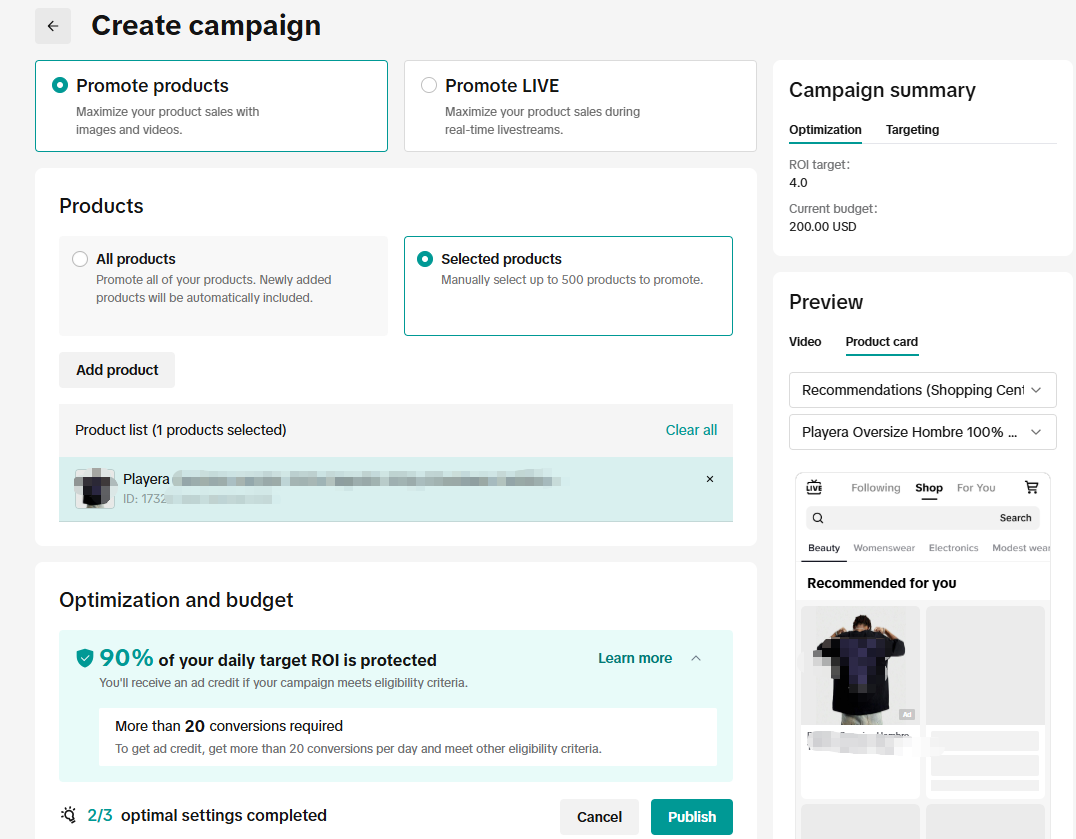
- Enter content: a single-product URL, a TikTok Shop product ID, or manual input of your product, price, and selling angle.
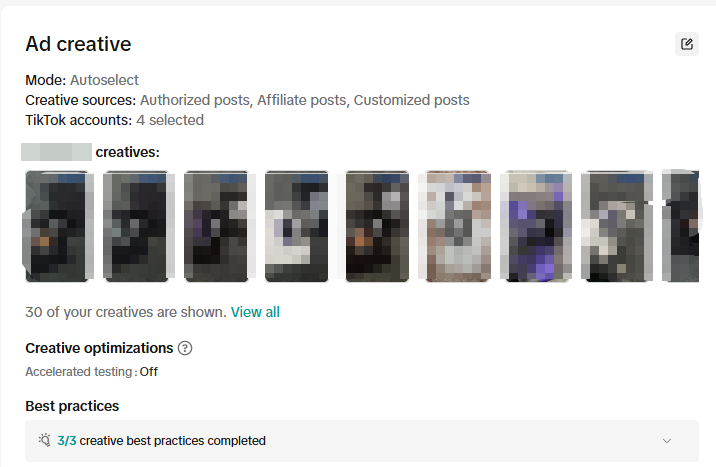
- Let the AI generate creative and auto-select up to 10 best-fit ads; add or remove any you don't like.
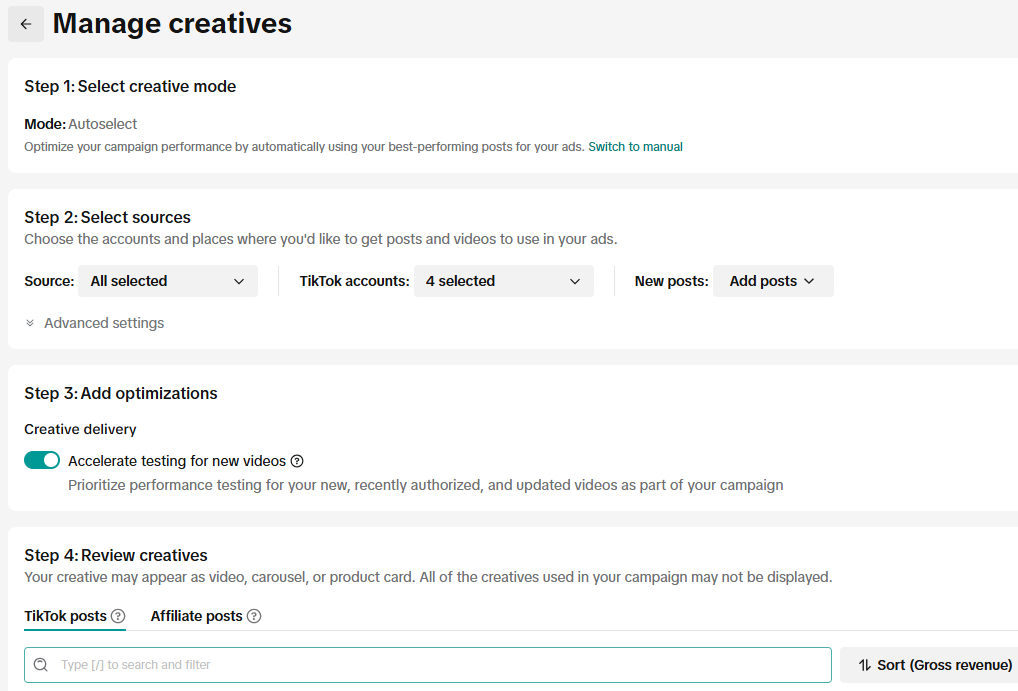
- Review, launch, and measure in Ads Manager.
Know the constraints before you count on it (per TikTok's official help center): it is being rolled out to select advertisers only; it is English content only, and each URL must contain a single item only.
Feasibility: high where it's available — it's the fastest zero-cost path, but you can't rely on it if your account isn't opted in or your creatives need to be multilingual.
Method 2: One Workspace with Leading Video Models — Pixmax
A one-workspace AI platform keeps top video, image, and audio models in a single project, so you generate on-brand TikTok video ads without juggling subscriptions. Pixmax bundles flagship video models (Seedance 2.5, Kling 3.0, Veo 3.1, Hailuo 2.3, Vidu, and more) with image and audio models, then pipelines a script straight into characters, storyboards, and finished clips.
Why this route matters for TikTok specifically:
- Character and brand consistency. The Asset Library saves characters, scenes, and brand styles for reuse — the difference between a coherent ad series and five unrelated AI clips. Most tool roundups never mention this, yet it's the #1 reason AI ads look "off."
- Model choice per scene. Use one model for product shots and another for talking-face scenes, all inside the same project workspace.
- Ad templates that slot into testing. The AI Ad Templates and workflow templates are built to feed TikTok and Facebook creative tests directly.
How to create a TikTok ad in Pixmax:
- Sign up (new accounts start with free credits).
- Paste a script or idea, a product profile, or clone an AI ad template.
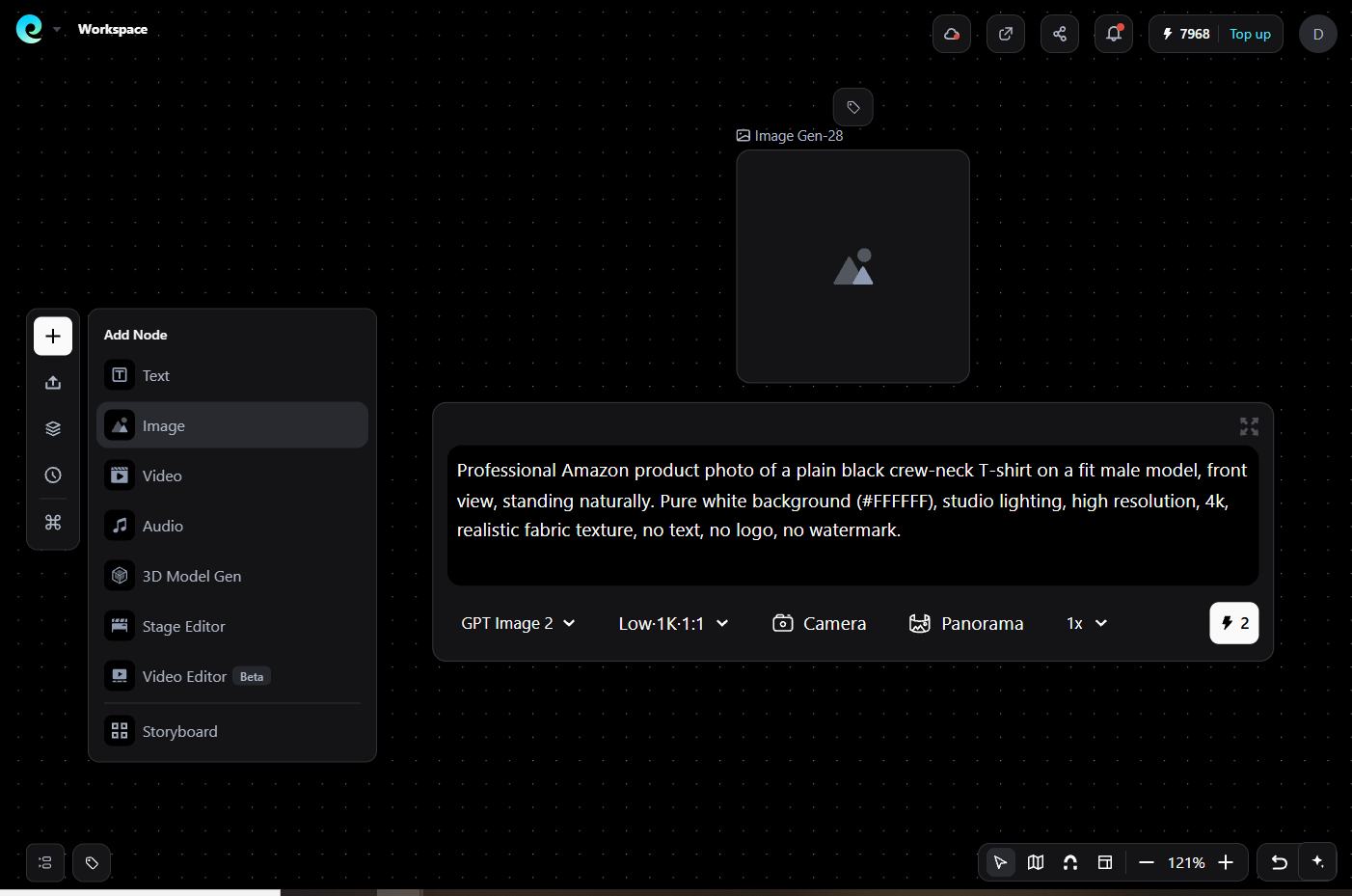
- Auto-generate characters and scenes; preview storyboards and clips.
- Refine prompts and swap models until visual quality passes.
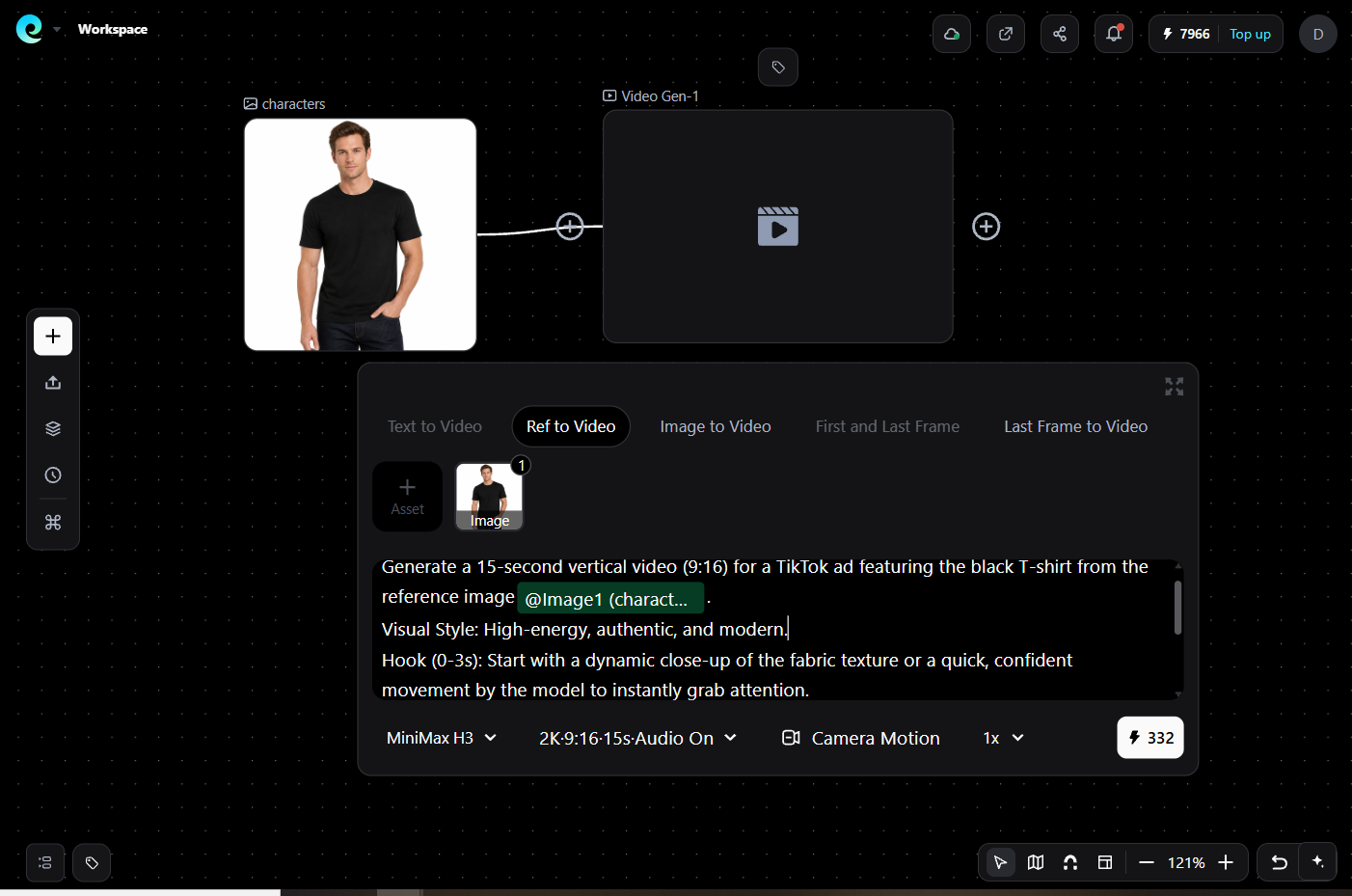
- Add captions and voiceover, export in 9:16, and upload to Ads Manager.
Feasibility: high for teams that need volume plus consistency. It's the strongest fit when you'll run 10+ variations of the same product and must keep the character, product, and logo identical across all of them.
Method 3: URL-to-Video AI Ad Generators
An AI ad generator turns a product link or brief into complete short video ads — script, visuals, avatar, voiceover, and captions — in minutes. This is the go-to route when you need fast UGC-style variations without a studio.
How the URL-to-video workflow works:
- Paste your product URL or paste a short brief (benefit + target audience).
- Generate 5–10 hooks/scripts, pick the message you want to test first.
- Select a visual style: AI avatar, product demo, or text-overlay footage.
- Render 5–15 variations across hooks, avatars, and CTAs.
- Export vertical 9:16 MP4 and upload to TikTok Ads Manager (or render directly from the tool's Ads Manager integration).
Watch three traps before you commit:
- Watermarks — a stamped export can't ship; check whether the logo only shows in preview.
- Commercial rights — "free to generate" is not "free to run as an ad"; only a commercial plan grants usage rights.
- Credits that don't refresh — a one-time 50-credit grant ends your testing loop in a week.
Feasibility: medium — great for volume, but generic avatar output is the common complaint, so pair it with your own footage or product shots when the format demands realism.
TikTok Ad Specs and Rules You Can't Skip
Wrong specs get ads rejected; missing AI disclosure gets you flagged. Fix both before you upload.
| Requirement | Value |
|---|---|
| Aspect ratio | 9:16 vertical; 1080×1920 recommended (min 540×960) |
| Duration | 5–60 s; 15–30 s performs best |
| File | MP4/MOV, max 500 MB |
| Safe zone | Keep hooks, faces, logos, and text inside the center so the right-side UI and bottom caption don't cover them |
| Captions | Add them — most TikTok viewing starts sound-off |
| AI disclosure | Required: label content significantly edited/generated by AI (TikTok's AI label or a visible disclaimer), and TikTok may tag your ad "advertiser labeled as AI-generated" |
TikTok's advertising policy requires disclosure of AI-generated or significantly AI-edited content — it's not optional and it's the fastest way to burn a well-made ad. Read the reporting on TikTok's AI label requirements.
Mistakes That Kill AI TikTok Ads
- Shipping one creative. One render = one data point. Generate 5–10 variations and let data pick the winner.
- Ignoring the safe zone. A hook buried under TikTok's UI icons is invisible.
- Skipping disclosure. Non-disclosed AI ads risk rejection and erode trust with the "advertiser labeled as AI-generated" tag anyway.
- Chasing realism over clarity. Native-feeling beats polished: honest, handheld energy converts better than studio gloss.
- Starting a 16:9 video. Your campaign is vertical — build 9:16 first, adapt later.
- Not testing hooks. The first 3 seconds decide the scroll. Test 5 hooks before you scale spend.
FAQs
Do AI-generated TikTok ads actually work?
They work when tested at volume, not as one-shot bets. Practitioners on r/FacebookAds and r/TikTokAds consistently report AI creator-style ads hold their own on hook and testimonial formats — provided you iterate on variations rather than betting on a single render.
Is it allowed to run AI-generated videos as TikTok ads?
Yes — with disclosure. TikTok's business advertising policy requires advertisers to label content that is significantly edited or generated by AI, either with TikTok's AI label or a visible disclaimer.
Can I create TikTok ads with AI for free?
Yes. TikTok's native Generate with AI (where available) is free inside Ads Manager, and platforms like Pixmax start with free credits. Just check two things on any free tier: whether the export carries a watermark and whether the plan grants commercial rights.
What are the specs for a TikTok video ad?
9:16 vertical at 1080×1920 (minimum 540×960), 5–60 seconds (15–30 recommended), MP4 or MOV up to 500 MB, with key content kept inside the safe zone and captions added for sound-off viewers.
Which AI tool is best for creating TikTok ads?
Match the tool to the job: native Generate with AI for zero-cost Shop/Smart+ creatives, URL-to-video generators for fast UGC-style volume, and a one-workspace platform like Pixmax when you need consistent characters and brand assets across many variations.
Bottom Line
To create ads for TikTok video with AI, start by picking a path: TikTok's native Generate with AI is free but still limited, generators are the fastest for UGC-scale testing, and a one-workspace platform like Pixmax earns its place when brand consistency across ten variations matters more than a one-click pipeline. Build 9:16, disclose your AI content, ship variations, and let the algorithm pick your winner.