Quick Answer
Quick answer: Yes — image to video AI works well in 2026, and there is a tool for nearly every budget.
The best image to video AI tools this year are Runway, Kling, Pixmax, Hailuo, Luma Dream Machine, Pika, Seedance 2.5, PixVerse, Google Veo / Sora, and SVD / Genmo Mochi, each suited to a different budget, workflow, and quality bar.
Free tiers are real but carry three consistent trade-offs: a watermark, a 720p ceiling, and personal-only commercial rights.
If your goal is a publishable 5–10 second clip from one still, the best value path in 2026 is: generate a strong reference image first, feed it into an image-to-video model, and pay only for the tier that unlocks commercial use.
The Best Image to Video AI Tools at a Glance (2026)
| Tool | Best for | Core strength | Main limitation | Entry price |
|---|---|---|---|---|
| Pixmax (Featured) | All-in-one model hub & multi-scene AI Agent | Access Kling 3.0, Seedance 2.5, Hailuo, Veo 3.1 & Vidu in 1 workspace | Newer platform | Free tier (No CC required) → |
| Runway | Professional cinematic control | Motion brush, camera controls, film-grade color grading | Credits expire monthly; costly retries | ~$12–15/mo |
| Kling AI | Realistic motion at low cost | Superior physics, long clips, strong character stability | Western UI/moderation quirks | Free tier + ~$8/mo |
| Hailuo (MiniMax) | Free daily generation | Natural human micro-movements, generous free credits | ~6-second clip ceiling | Free tier |
| Luma Dream Machine | Cinematic 3D camera moves | Smooth orbits, parallax depth, dreamlike motion | Morphing artifacts on long clips | ~$10–30/mo |
| Pika | Creative social effects | Pikaffects (melt, inflate), built-in lip sync | Shorter clips, lower free res | ~$8/mo |
| Seedance 2.5 | Extended runtime & action physics | Fluid 1080p motion, complex camera swings, long clips | Public portal queue congestion | Free on Pixmax |
| PixVerse | High-speed social content | Fast rendering, generous credits, rich style presets | Motion noise on high-speed pans | Free tier |
| Google Veo / Sora | Studio-grade photorealism | Top prompt adherence, native audio, hyper-realism | Gatekept access, steep cost | Pay-per-use / High tier |
| SVD / Genmo Mochi | Local GPU open-source | 100% free, private, watermark-free, unmonitored | Requires 16GB+ VRAM & setup | $0 (Self-hosted) |
What Is Image to Video AI?
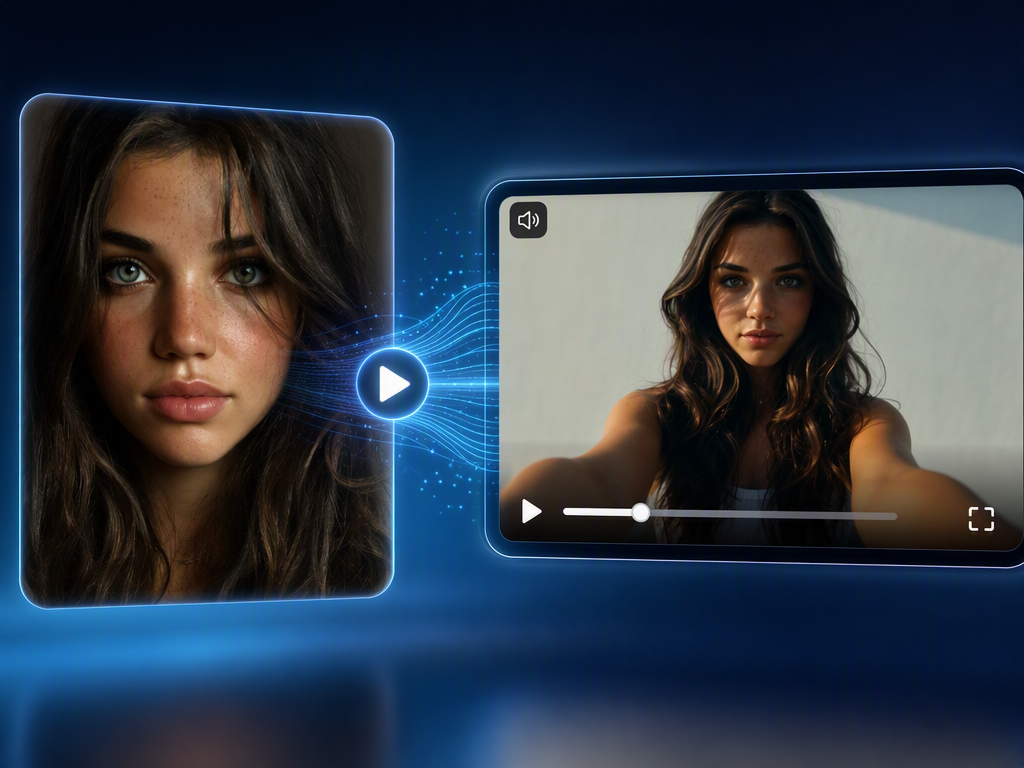
Image to video AI is a class of artificial intelligence tools that take one still image — a photo, a generated artwork, a product shot, or a character design — and animate it into a short video clip, adding motion, camera movement, and often audio. Unlike text-to-video generators, which build a scene from nothing but a prompt, image to video AI uses your uploaded picture as the visual anchor: composition, colors, lighting, and subjects stay locked to the source image while the model predicts what happens next. That anchor is why image to video produces far more predictable results than text-to-video — and why nearly every professional creator workflow in 2026 is image-first rather than prompt-first.
What these tools are good at: turning product photos into ad clips, animating portraits and characters, bringing concept art and storyboard frames to life, and turning single AI-generated images into social videos.
Where they still struggle: consistent hands, complex object interactions, and anything longer than 10–15 seconds per clip. Character drift — the famous "the face changes between shots" problem — is the single most common complaint across Reddit and creator communities.
How We Evaluated These Tools
A demo clip can make any tool look perfect. So instead of judging on one showcase video, we evaluated every tool on six criteria that decide whether it actually works for you:
- Cost per usable clip — not the advertised price, but what a publishable (watermark-free, acceptable resolution) clip costs after retries. This metric matters more than any spec sheet.
- Character and scene consistency — how well the tool preserves faces, clothing, and objects across frames and across multiple shots.
- Motion quality and physics — whether movement looks natural or "melting plastic."
- Clip length and resolution — real limits, not marketing numbers.
- Free tier honesty — what you actually get at \$0: watermark, resolution cap, daily credits, commercial rights.
- Workflow fit — whether the tool fits into a real pipeline (generate image → animate → edit), or traps you inside one platform.
We cross-checked each candidate against community consensus on r/aivideo, r/generativeAI, and r/StableDiffusion, plus hands-on reviews published in 2026. Prices below are approximate entry points as of mid-2026 — always confirm current plans on the official pricing page before paying.
Top 10 Image to Video AI Tools Reviews on 2026
1. Runway — Best for Professional Cinematic Control
Runway (Gen-4 family) remains the reference point for professional image-to-video. Its motion brush lets you paint exactly which parts of the image should move, camera controls support real directed shots, and its output has the most consistent film-grade look. If you need granular control and work at agency quality, Runway is the safest pick — it is also the tool professional creators on Reddit most often name for cross-scene character consistency.
Watch out for: the credit model. Multiple community threads and reviews flag monthly credit expiry ("use it or lose it") and the fact that credits evaporate fast when you retry clips at high quality. Budget for the cost per usable clip, not the subscription price.
2. Kling AI — Best for Realistic Physics & Motion
Kling is the community favorite for realistic physics and character consistency, and it does it at a fraction of Runway's cost. In image-to-video mode, Kling keeps faces, clothing, and proportions stable through complex camera moves, and its ability to handle human motion — eating, running, natural hand movement — is repeatedly cited on r/aivideo as the best available. The free tier (roughly 60+ daily credits) is genuinely useful, and paid plans are among the most affordable for quality output.
Watch out for: moderation quirks and a UI that Western users sometimes find less polished — a common workaround is accessing Kling through an aggregator platform rather than the native site.
3. Pixmax — Best Multi-Model Aggregator & Full Video Production Agent
Best for: creators who want to stop juggling five subscriptions and credit systems, and who need more than a 5-second clip — short dramas, ads, product stories, or multi-scene videos built from one reference image.
Pixmax brings leading video, image, text, and audio models into one workspace, including Kling 3.0, Seedance 2.0, Hailuo 2.3, Vidu Q3 Pro, PixVerse V6, Veo 3.1, Seedream 5.0 Pro, and GPT Image 2.
Its AI Video Agent goes beyond one-shot animation: it helps plan, generate, and refine the full workflow, from script and storyboard to characters, scenes, batch refinement, and export.
If you start from a single character image, the Asset Library lets you save that character once and reuse it across scenes without re-prompting, which directly attacks the character-drift problem that dominates Reddit complaints. The platform supports visual workflows with editable nodes, so you can chain image → video → voiceover → captions and re-run any step.
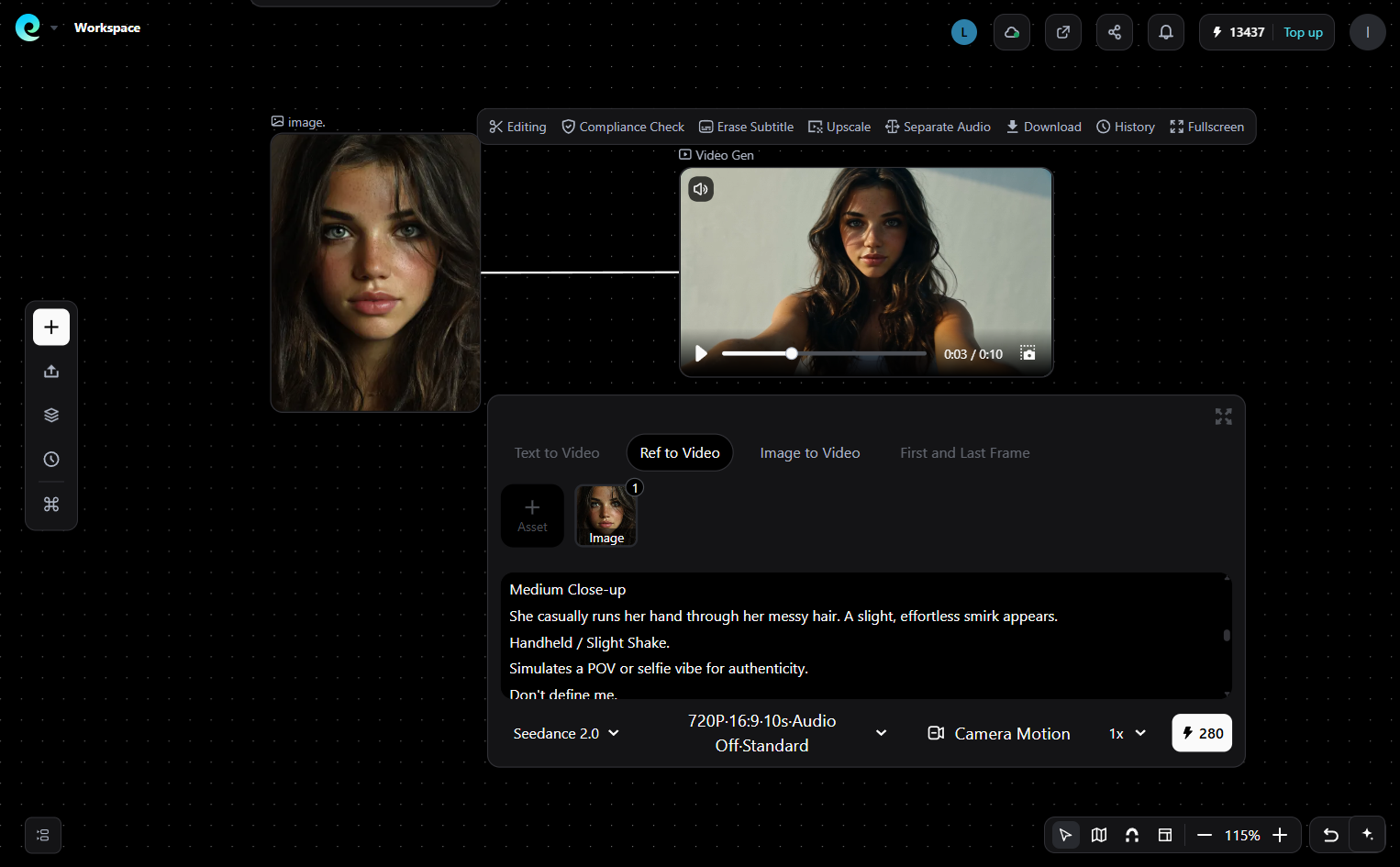
There are also ready-to-use Pixmax workflow templates for common creative use cases.
Main limitations: Pixmax is a newer platform, so the independent review trail is thinner than Runway's or Kling's, and exact credit pricing for video depends on model, duration, and resolution. Subscription credits reset each cycle, while separately purchased credits do not expire. Free users get access to selected models with limited credits — enough to test your hardest image before paying, but not enough for daily volume.
Verdict: choose Pixmax when your project outgrows "one image → one clip" — or when you're tired of maintaining three subscriptions to get the same character consistency, multi-scene output, and post-production steps that one platform handles end to end.
Try Pixmax for free — no credit card required
4. Hailuo (MiniMax) — Best Free Image to Video AI
If "best free ai image to video generators 2026" is your actual query, start with Hailuo. It offers the most generous free daily generation among quality tools, produces the most natural human micro-movements (weight shifts, breathing, gesture), and is fast — which is why community threads describe it as the "sketch pad" for testing motion ideas before spending paid credits elsewhere. For free-tier quality-to-volume ratio, no tool beats it this year.
Watch out for: clips are short (around 5–6 seconds), so anything longer means stitching clips in an editor.
5. Luma Dream Machine — Best Cinematic Camera Moves
Luma is the pick when your image needs a dramatic camera — smooth orbits, parallax, spatial depth — with a dreamy, cinematic finish. Its monthly free credit pool (hundreds of credits, resetting monthly) makes it a reliable free option for polished short clips, unlike daily-drip rivals.
Watch out for: Reddit consensus is blunt here — Luma tends to "morph" on longer or extended clips. Use it for clips, not movies.
6. Pika — Best Creative Effects for Social
Pika's image-to-video leans into spectacle: Pikaffects can melt, explode, inflate, or dissolve objects inside your image — effects no competitor matches — which is why Pika output dominates TikTok and Instagram. It also offers portrait lip-sync for talking-character clips. If your goal is a viral short, Pika is the fastest path.
Watch out for: shorter clips, lower resolution on free tier, and less temporal consistency than Kling or Runway on longer generations.
7. Seedance 2.5 (ByteDance) — The Unsung Value & Physics Beast
Best for: Creators who hate arbitrary 5-second limits, demand complex dynamic motion, and want maximum runtime per credit.
Core Strength: Let’s stop pretending ByteDance only makes social algorithms. Seedance 2.5 is quietly embarrassing Western rivals on raw physics and value. While legacy platforms drip-feed 4-second clips at premium rates, Seedance 2.5 delivers fluid, cinematic 1080p motion across extended runtimes with uncanny character stability. The 2.5 upgrade specifically fixes the "stiff limbs" issue of earlier models, allowing fast-paced action shots, natural cloth physics, and aggressive camera swings without causing prompt breakdown or facial distortion.
Limitation: The official native portals still suffer from peak-hour queue bottlenecks, and its fine-grained manual spatial control is not quite as surgical as Runway’s Motion Brush.
Verdict: The undisputed heavyweight for long-form visual storytellers and action sequences who refuse to compromise on resolution.
💡 The Workaround: Don’t waste time battling queue congestion or managing regional logins. You can tap into Seedance 2.5 directly on Pixmax using your free daily credits, with zero regional friction and no extra subscriptions required.
8. PixVerse — Fast, Dirty, and Made for Social Volume
Best for: Social media managers and short-form creators running a high-volume content pipeline.
Core Strength: If Runway is a slow, methodical film director, PixVerse is a hyperactive content creator living on energy drinks. It is fast. Really fast. It does not give you deep cinematic controls, but it excels at turning a single reference shot into a punchy, stylized clip in seconds. The built-in style toggles, including Cyberpunk, Anime, and 3D Render, are not just gimmicks; they actively help mask subtle AI generation artifacts that usually ruin short-form posts.
Limitation: Pushing it past high-speed camera pans is a risk. Complex human interactions tend to degrade into classic AI noise, and fine facial traits can lose fidelity if your source image is not pin-sharp.
Verdict: It will not win an Oscar, but for pumping out 20 TikTok or Instagram Reel variations an hour, nothing touches its speed-to-cost ratio.
9. Google Veo 3.1 & Sora (OpenAI) — Gatekept Enterprise Excellence
Best for: Ad agencies and high-budget production houses where "good enough" gets you fired.
Core Strength: Let’s be brutally honest: Veo 3.1 and Sora live in an ivory tower. Visually? They are absolute monsters. Veo 3.1’s ability to handle complex physical dynamics, real-world lighting, and native synchronized audio puts almost every indie tool to shame. Sora’s spatio-temporal consistency is still the benchmark. But for 95% of individual creators, they are practically vaporware, locked behind corporate waitlists, steep price tiers, or safety filters that flag innocent prompts.
Limitation: You will spend more time waiting for access or budgeting your burn rate than actually creating content. They are studio tools, not everyday creator tools.
Verdict: Unmatched quality, but irrelevant for fast, solo workflows unless you have corporate backing.
10. Stable Video Diffusion / Genmo Mochi — Hardcore, Free, and Unforgiving
Best for: Tech nerds, privacy purists, and GPU power users who refuse to pay monthly SaaS fees.
Core Strength: Open-source video AI is the wild west. SVD and Genmo Mochi are completely free, 100% private, and carry zero watermarks if you have the technical stomach for them. Running these locally via ComfyUI gives you absolute control over noise schedules, LoRAs, and camera vectors that no commercial platform will ever expose to you. There are no censors, no subscriptions, and no cloud outages.
Limitation: Unless you own a $2,000 GPU with 16GB–24GB VRAM minimum and actually enjoy troubleshooting broken Python dependencies at 2 AM, the barrier to entry is brutal. Plus, out-of-the-box clip lengths are short and require manual stitching.
Verdict: The ultimate flex for technical purists, but a complete productivity killer for anyone who just needs a video published today.
What "Free" Image to Video AI Actually Means in 2026
The most common misconception in free-tier threads is assuming "free" means "free to publish." Every genuinely free image-to-video AI plan trades off three things: a watermark, a resolution cap (usually 720p), and personal-only commercial rights. Read that last one twice — on most free tiers (Luma, Pika, KREA, and others), you cannot legally use the output in ads or client work, even if there is no visible watermark. Commercial rights and watermark-free export almost always unlock on the cheapest paid plan.
Also understand the two shapes of free access:
- Permanent daily/monthly allowance (Hailuo, Kling, PixVerse, Luma, Pixmax free tier): small but recurring credits — enough for roughly 5–6 short clips a day — with watermarks or resolution limits.
- One-time trial credits (Runway, OpenArt): a single bundle at signup, often at full quality, designed to show you the best output before you pay. Once spent, free access ends.
One practical rule: free tiers are for testing whether a model suits your material — run your hardest image through 2–3 free tools before paying for anything. And beware "unlimited, watermark-free, no login" sites: they almost always compensate with weaker models, ad injection, or prompt harvesting for training. A transparent, limited free tier is the safer choice.
What the Community Says: Reddit Consensus on Image to Video AI
Creator communities are the most honest testing ground for these tools, and the consensus in 2026 is consistent:
- The pro workflow is image-first, not text-first. On r/aivideo and r/StableDiffusion, the standard pipeline is: generate a strong reference image (Midjourney, Flux, or any good image model) → feed it into Kling, Runway, or Luma for animation → finish in an editor. Text-to-video is used for ideation, rarely for final shots.
- Character drift is the number one complaint — "the face changes between clips" ruins more projects than any other failure. The fix professionals use: lock an anchor image of the character, keep the identity description identical across runs, and change only one variable (action, camera, or atmosphere) at a time. Tools with element binding or asset libraries — Kling's Bind Subject, or Pixmax's Asset Library and character-consistent agent pipeline — exist specifically to solve this.
- Watch the credit expiry policies. Expiring credits ("use it or lose it") are the most-cited reason creators cancel subscriptions. Before subscribing, check whether credits roll over or expire monthly — this single line determines your real cost per clip.
- Evaluate by cost per usable clip, not by demo videos. Track credits spent, failed attempts, queue time, and how many clips pass your quality bar — that number, not the model name, decides whether a tool supports your weekly output.
How to Choose Your Image to Video AI Tool
Ask these 4 questions in order:
- What am I making? One-off social clip → start free with Hailuo or Pika. Product/brand work → Kling or Runway. Multi-scene story or series → Pixmax's agent pipeline. Cinematic 3D moves → Luma.
- Does the tool keep my subject consistent? Test with your hardest image — a face, a logo, a product — in the free tier first. If the second generation drifts, the tool is wrong for you regardless of specs.
- Can I legally use the output? Check the commercial license on the exact plan you'll use. Free tier ≠ commercial rights, and sometimes not even paid-tier-to-be.
- What is my cost per usable clip? Calculate credits per attempt × attempts per usable clip × plan price. This is the metric that decides whether a tool sustains your workflow.
FAQs
What is the best image to video AI tool?
There is no single winner for every job. Runway is best for professional cinematic control, Kling for realistic physics and motion, Pixmax for multi-model aggregation and full video production, Hailuo for free daily generation, Luma for cinematic camera moves, Pika for viral effects, Seedance 2.5 for extended runtime and action physics, PixVerse for high-speed social content, Google Veo / Sora for studio-grade photorealism, and SVD / Genmo Mochi for local open-source workflows.
Is there a free image-to-video AI generator?
Yes, in the sense of recurring free credits: Hailuo offers strong free daily generation, Kling provides daily credits, and Pixmax gives selected model access with limited free credits. Free tiers usually add a watermark, cap resolution, or restrict commercial use.
What is the best free ai image to video generator without a watermark?
A fully watermark-free free route means running open-source models like Stable Video Diffusion or Genmo Mochi on your own GPU (16–24GB VRAM) — unlimited, private, and commercial-use-free, at the cost of 5-second low-res clips and setup effort. Among hosted tools, free exports generally carry a watermark until you pay.
Which AI turns photo into video with best character consistency?
Kling is a strong choice for realistic motion and subject consistency, while Runway offers more professional control. Pixmax is useful when you need to keep characters consistent across a broader image-to-video workflow with assets, models, audio, and multi-scene production in one workspace.
How long are AI image to video clips?
Most tools generate 5–10 seconds per clip. Runway reaches 10–16 seconds, Kling can go longer on paid plans, Sora up to \~20 seconds. For longer videos, stitch clips in an editor — Pixmax's agent workflow automates multi-scene stitching for you.
Can I use free AI image to video output commercially?
Usually not. Most free tiers restrict output to personal, non-commercial use even without a visible watermark. To use clips in ads or client work, check the license on the paid plan itself — that is the single most important fine print in this category.
Image to video vs text to video: which is better?
For control and consistency, image to video wins: your uploaded image locks composition, lighting, and character identity. Text to video is better for generating completely new scenes from scratch. The professional consensus in 2026 is to use both in sequence — generate the image, then animate it.
Final Thoughts
Image to video AI in 2026 is genuinely usable — the remaining gap is not "can it work" but "which tool fits your pipeline and what the fine print costs you." Our advice: test free tiers with your hardest image, anchor characters with reference images, calculate cost per usable clip before subscribing, and check commercial rights before you publish. If you need more than a single 5-second clip — a product story, a short drama, an ad with consistent characters — an all-in-one platform like Pixmax (try it free) replaces the three-subscription juggling act with one workflow, from your first image to a finished video.