Quick Answer
The best image to 3D model AI tools in 2026 include Tripo AI (200 free credits/month, up to 2M polygons), Meshy (rigging and animation built-in, Meshy 7 engine), Hunyuan3D (open-source, free self-hosting), and Pixmax (unified platform with Hunyuan3D Pro 3.1). Most free generators let you preview a rotating 3D model, but exporting GLB, OBJ, or STL files requires a paid plan. Multi-image input and post-processing in Blender or Unity remain essential for production-ready output.
How Does Image to 3D AI Work? (Quick Overview)
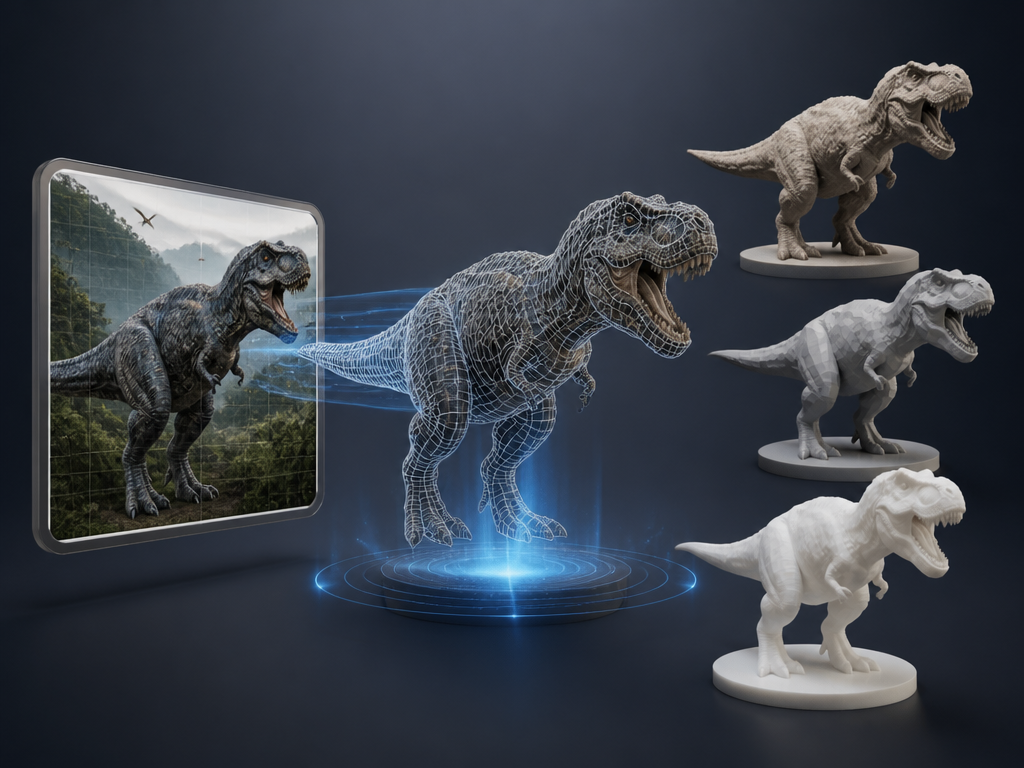
Image to 3D model AI is software that uses neural networks to reconstruct a three-dimensional mesh, textures, and materials from one or more 2D photographs or concept images. Unlike traditional photogrammetry — which demands dozens of photos and expensive hardware — modern AI generators produce a usable 3D model from a single image in 30 seconds to 3 minutes.
The category has matured rapidly through 2025–2026. Reddit's r/generativeAI and r/TopologyAI regularly feature comparison threads, and platforms like Meshy, Tripo AI, and Hyper3D now serve millions of creators. But the gap between "it generates something" and "it's production-ready" remains significant. Output quality depends on input image clarity, subject complexity, and how many reference angles you provide.
Top AI 3D Generators at a Glance (Comparison Table)
| Tool | Free Tier | Export Formats | Multi-Image | Rigging | Max Polygons | Best For |
|---|---|---|---|---|---|---|
| Tripo AI | 200 credits/month | GLB, FBX, OBJ, USD, STL, 3MF | Yes (Pro+) | Yes | 2M+ | All-round value |
| Meshy | 100 credits/month | GLB, FBX, OBJ, STL, USDZ, 3MF, Blend | Yes (up to 4) | Yes | N/A | Game development |
| Hunyuan3D | Free (open source) | GLB | Single (forks: multi) | No | N/A | Developers |
| Pixmax | Free credits on signup | OBJ, FBX, GLB | Yes (up to 8) | No | N/A | Video + 3D pipeline |
| AI3DGen | No signup, free | OBJ (free), GLB, STL (paid) | Single | No | 40K | Quick tests |
| Hi3D | 100 lifetime credits | STL, OBJ, 3MF, GLB, USDZ | Yes | No | N/A | 3D printing |
| Rodin | Preview free | STL, FBX, OBJ, GLB, GLTF, USDZ | Yes (up to 5) | No | 10M+ | Professional assets |
Best Free and Paid Image to 3D Model AI Tools (2026)
1. Tripo AI — Best Free Image to 3D Model Generator
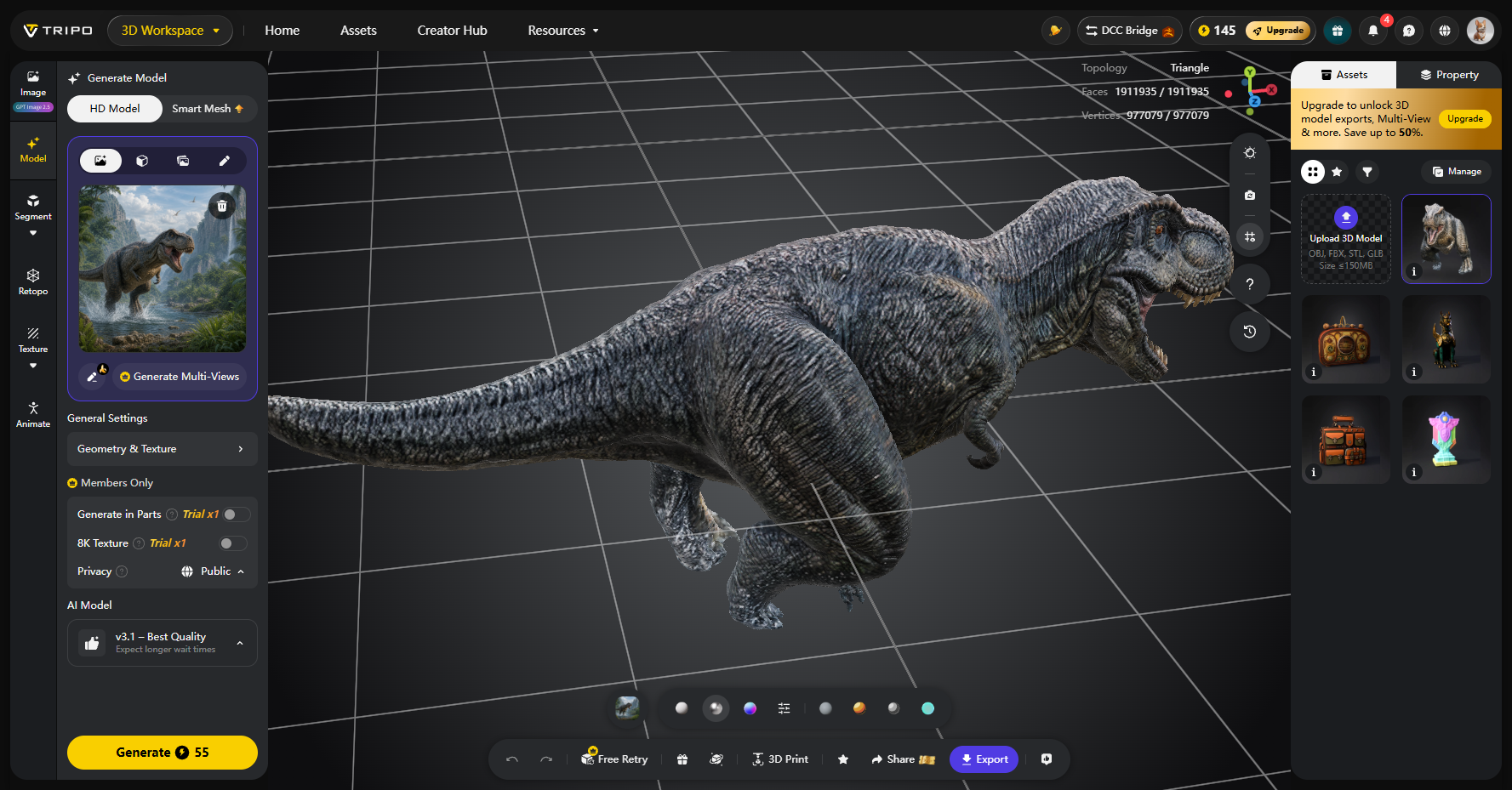
Tripo AI offers the most generous free tier: 200 credits per month (≈13 models) with no credit card required. Two generation modes serve different needs — High Detail Model (up to 2M polygons) for rendering and VFX, and Smart Mesh (500–25K polygons, native quad mesh) for game-ready assets.
Key features:
- High Detail Model: up to 2M polygons with sharp surface detail
- Smart Mesh: native quad meshes with artist-quality edge flow, engine-ready
- Auto-rigging for characters and creatures
- PBR texturing up to 8K resolution
- Smart segmentation for 3D printing — auto-splits models into printable parts
- Multi-view to 3D (Pro plan and above)
- DCC Bridge plugin for Blender, 3ds Max, Unity, Unreal, Maya, Cocos, Godot, ZBrush, Roblox
- Free: $0 — 200 credits/month ≈ 13 models, standard queue, non-commercial
- Pro: $20/month (billed annually) — 3,000 credits ≈ 200 models, commercial use
- Max: $90/month — 25,000 credits ≈ 1,660 models, 8K textures unlimited
- Team: $55/seat/month — 90,000 credits ≈ 6,000 models, shared workspace
Pros
- Two distinct output modes (detail vs. topology) cover both rendering and game pipelines
- Smart segmentation eliminates manual part-splitting for 3D printing
- Native quad meshes from Smart Mesh reduce retopology work
Cons
- Exporting GLB/FBX/OBJ requires paid plan (free tier limited to 15 exports of H2.5 models)
- Multi-view to 3D locked behind Pro plan
- 8K textures locked behind Max plan ($90/month)
- Free tier uses standard queue — slower during peak hours
- Organic shapes (characters, animals) still show occasional geometry artifacts
- No built-in texturing style transfer from reference images
Verdict:
Tripo AI is the strongest all-rounder for free experimentation and mid-tier production. The dual High Detail / Smart Mesh approach gives creators genuine flexibility — you're not choosing between "pretty preview" and "usable asset."
For indie game developers, the Smart Mesh output with native quads and auto-rigging is a serious workflow accelerator. The main gap is that the best features (multi-view, 8K textures) are gated behind higher tiers, but the free tier is genuinely useful for evaluation.
Best for: indie creators, game developers, and 3D printing enthusiasts who want the most value per dollar.
2. Meshy — Best for Game Assets, Rigging, and Animation
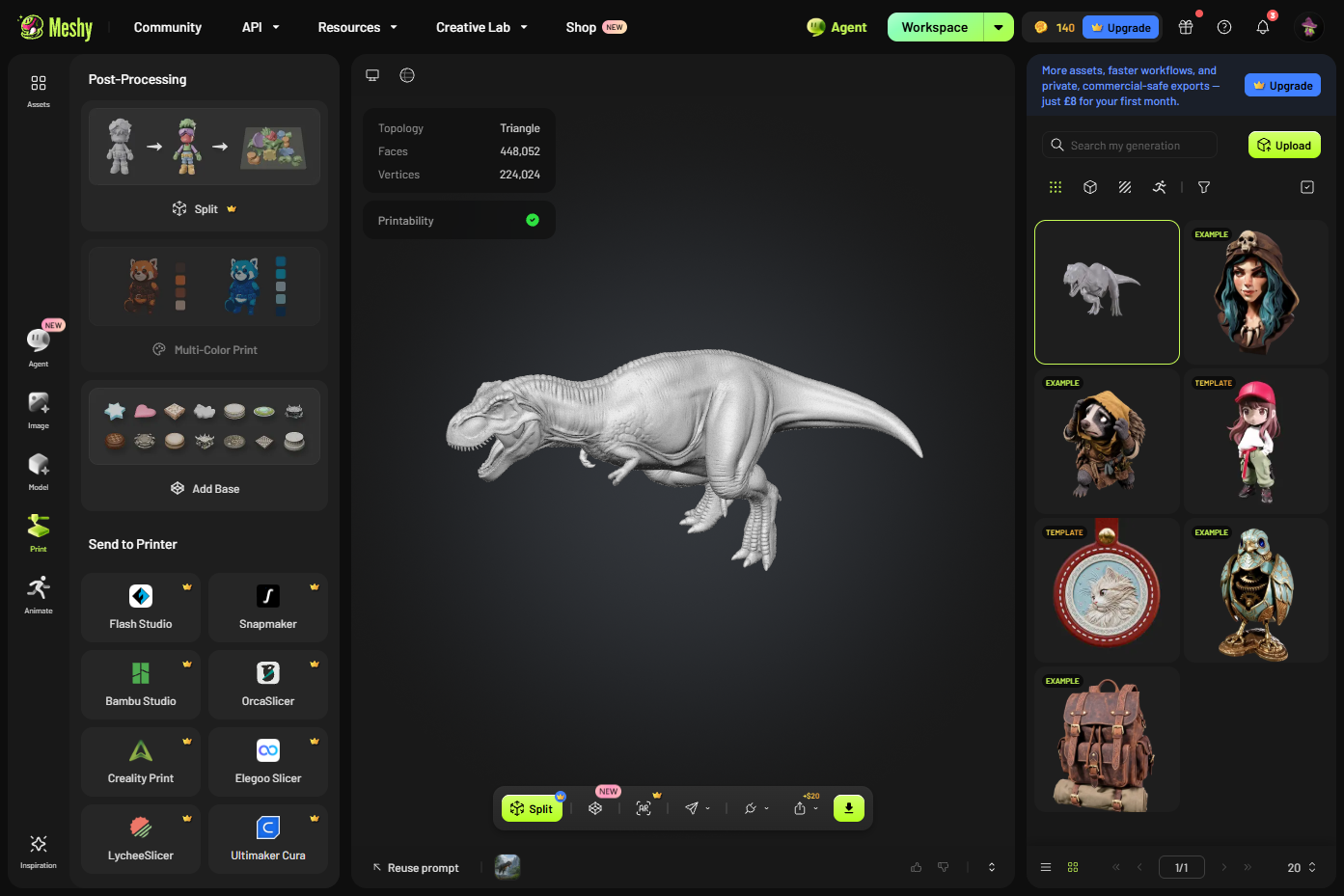
Meshy is the most feature-complete platform for game asset creation, combining image-to-3D, texturing, remeshing, rigging, and animation in one workspace. Its latest Meshy 7 engine focuses on input-to-output alignment, and the Smart Topology mode generates game-ready meshes in as fast as 2 seconds.
Key features:
- Meshy 7 (2026): highest detail, under 1 minute generation
- Smart Topology: Meshy T2 (5 credits, ~2 seconds) for game-ready meshes, T1 (20 credits, ~3 minutes) for legacy compatibility
- 3D Agent Chat: conversational workflow from idea to finished model
- AI Texturing: PBR maps up to 8K from text prompts or reference images
- AI Auto Rigging and Animation: rig characters in seconds
- Multi-image to 3D: up to 4 reference angles
- AI Image Generator: creates 3D-ready concept art with clean backgrounds
- API, MCP Server, and CLI for programmatic access
- Export: GLB, FBX, OBJ, STL, USDZ, 3MF, Blend
Pricing (verified):
- Free: $0 — 100 credits/month, CC BY 4.0 license (attribution required)
- Pro: $20/month — 1,000 credits, commercial use, private models
- Premium: $40/month — larger credit allowance
- Ultra: $100/month — heavy generation needs
- Studio: $70/seat/month — team workflows
- Enterprise: custom pricing
Pros
- Only major platform with integrated rigging and animation pipeline
- Smart Topology T2 generates game-ready meshes in ~2 seconds — fastest in the category
- 3D Agent Chat guides beginners from idea to finished model through conversation
- Largest ecosystem: plugins for Blender, Unity, Unreal Engine, Maya
- AI Image Generator creates optimized concept art that feeds directly into Image to 3D
Cons
- Free models cannot be downloaded — paid plan required for export
- 100 free credits/month is half of Tripo's offering
- Smart Topology T2 is limited to game-ready meshes — not suitable for high-fidelity rendering
- Premium features (8K textures, advanced rigging) locked behind $40–$100/month tiers
- Complex organic models can take 2–5 minutes on standard models
- Texture consistency drops on highly detailed surface patterns
Verdict:
Meshy is the clear winner for game development pipelines. The combination of Smart Topology (2-second game meshes), auto-rigging, animation, and engine plugins creates a workflow that no competitor matches. The trade-off is that the free tier is restrictive for download/export, and the best features require $40+/month.
If you're building games and need rigged, textured characters ready for Unity or Unreal, Meshy is the platform to beat.
Best for: game developers, animators, and studios needing a complete 3D asset pipeline.
3. Hunyuan3D — Best Open-Source Option
Tencent's Hunyuan3D is an open-source model available on Hugging Face with Blender and Unity plugins. It converts single images into GLB meshes with configurable octree resolution (1–1024).
Key features:
- Open-source model weights on Hugging Face for self-hosting
- Configurable octree resolution for quality control
- Blender and Unity plugin integration
- AI texturing as optional add-on
- GLB output compatible with most 3D pipelines
- Available through third-party platforms (Pixmax, fal.ai) for managed access
Pricing (verified):
- Free: self-hosting (requires GPU, Python environment)
- Managed instance on fal.ai: $0.40 per generation (Tripo P1), $0.16 (white mesh on v2), $0.48 (textured on v2)
- Online versions: limited free tiers on some platforms
Pros
- Completely free — no credits, no subscriptions, no restrictions when self-hosting
- Active open-source community on GitHub and Hugging Face
- Blender/Unity plugins streamline workflow integration
- Configurable parameters give fine control over output quality
- Multi-view support available through community forks
- No vendor lock-in — you own the model weights
- Pixmax offers Hunyuan3D Pro 3.1 with up to 8-view support
Cons
- Requires technical setup for self-hosting (GPU, Python, dependencies)
- No built-in rigging, animation, or remeshing tools
- Online managed versions charge per generation — costs add up
- Documentation scattered across GitHub and community forums
- Output quality depends heavily on parameter tuning expertise
- Single-image mode produces weak back views without multi-view input
- Community forks may lag behind official releases
Verdict:
Hunyuan3D is the best choice for developers, technical artists, and studios who want zero subscription costs and full control.
Self-hosting eliminates per-generation fees entirely, making it ideal for high-volume workflows. The trade-off is technical complexity — you need GPU infrastructure and Python expertise.
For non-technical creators, managed instances through Pixmax provide access without setup.
Best for: developers, technical artists, and studios with GPU infrastructure who want open-source freedom.
4. Pixmax — Best All-in-One Platform with Hunyuan3D Pro 3.1
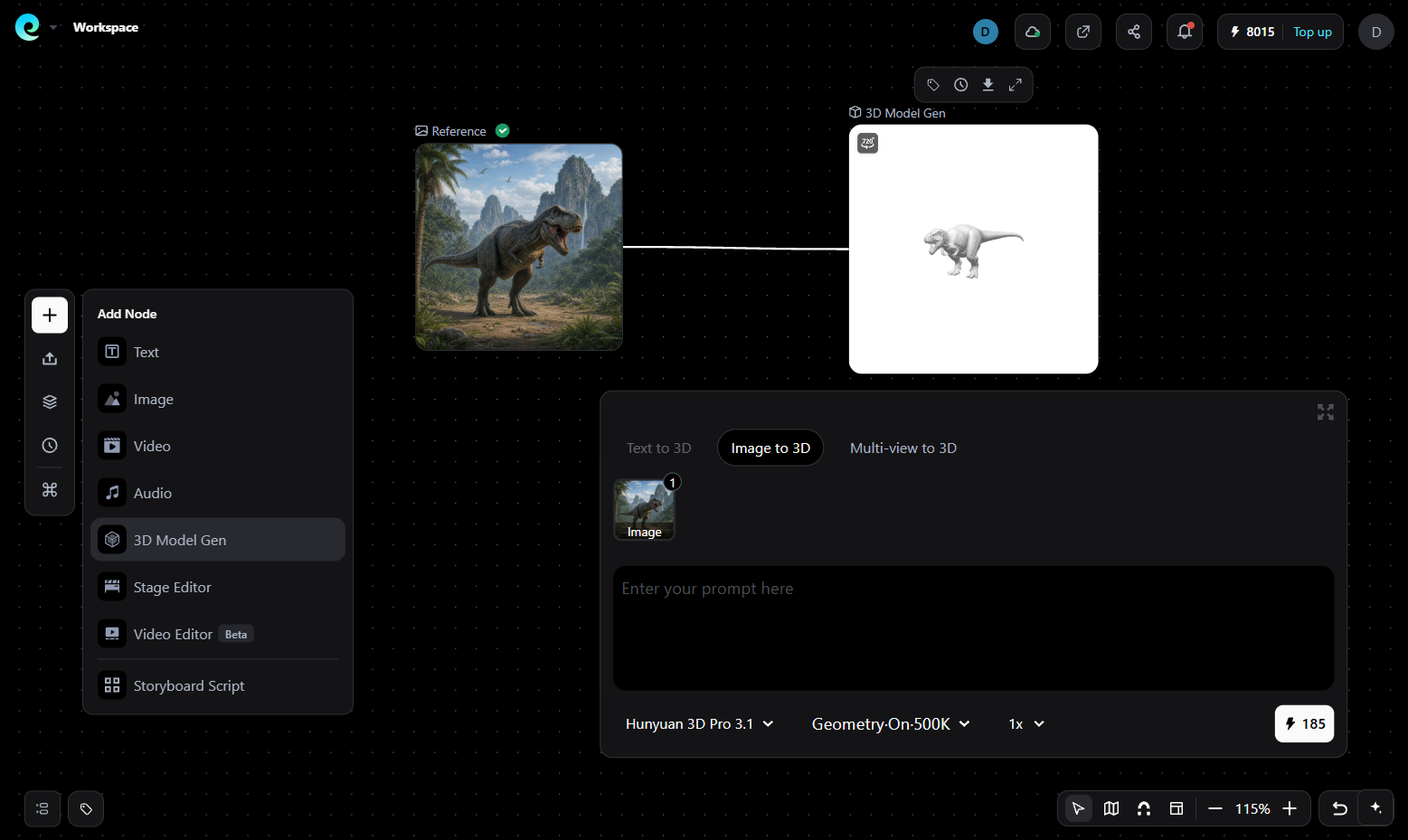
Pixmax is a multi-model creative platform hosting Hunyuan3D Pro 3.0 and Hunyuan3D Pro 3.1 — the latest version supporting up to 8-view input, high-precision geometry, PBR materials, and export in OBJ, FBX, and GLB.
Unlike standalone generators, Pixmax integrates 3D model creation into a full production pipeline with video, image, audio, and text models in one workspace.
Key features:
- Hunyuan3D Pro 3.1: up to 8-view multi-view consistency, high-precision geometry
- 3 Ways to generate a 3D model: Text to 3D, Image to 3D, Multi-view to 3D
- One-click reference export for AI video generation pipelines
- 30+ AI models across video, image, text, and audio
- Team collaboration features for shared projects
- Unified workspace keeps assets, scenes, and production references in one project
- Free credits on signup for testing and earn up to 2,000 credits by inviting friends
- Credit-based systems across all AI models
- Stage editor - motion library (Limited-time free)
- Pay-as-you-go plan: Get a 120% bonus on the $1,999 offer
Pros
- Only platform combining 3D generation with video scene planning
- Hunyuan3D Pro 3.1 produces sharper geometry than earlier versions
- Multi-view input up to 8 views for strong 360° consistency
- PBR material generation for realistic lighting in games and film
- Eliminates export/import friction between 3D and video tools
Cons
- No built-in rigging or animation for generated 3D models
- Newer platform — smaller community than Meshy or Tripo AI
- Advanced features require paid credits beyond the free tier
Verdict:
Pixmax fills a unique niche: creators who need 3D assets feeding directly into AI video, animation, or cinematic workflows. The 3D Model Gen feature — building scenes, blocking characters, setting cameras — is something no standalone 3D generator offers.
If your workflow is "concept image → 3D model → animated video," Pixmax eliminates the tool-switching tax. The trade-off is that it's not the best choice for pure 3D asset generation — Tripo or Meshy produce more polished standalone models.
Best for: video creators, ad producers, and teams building AI cinematic pipelines.
5. AI3DGen — Best No-Signup Free Generator
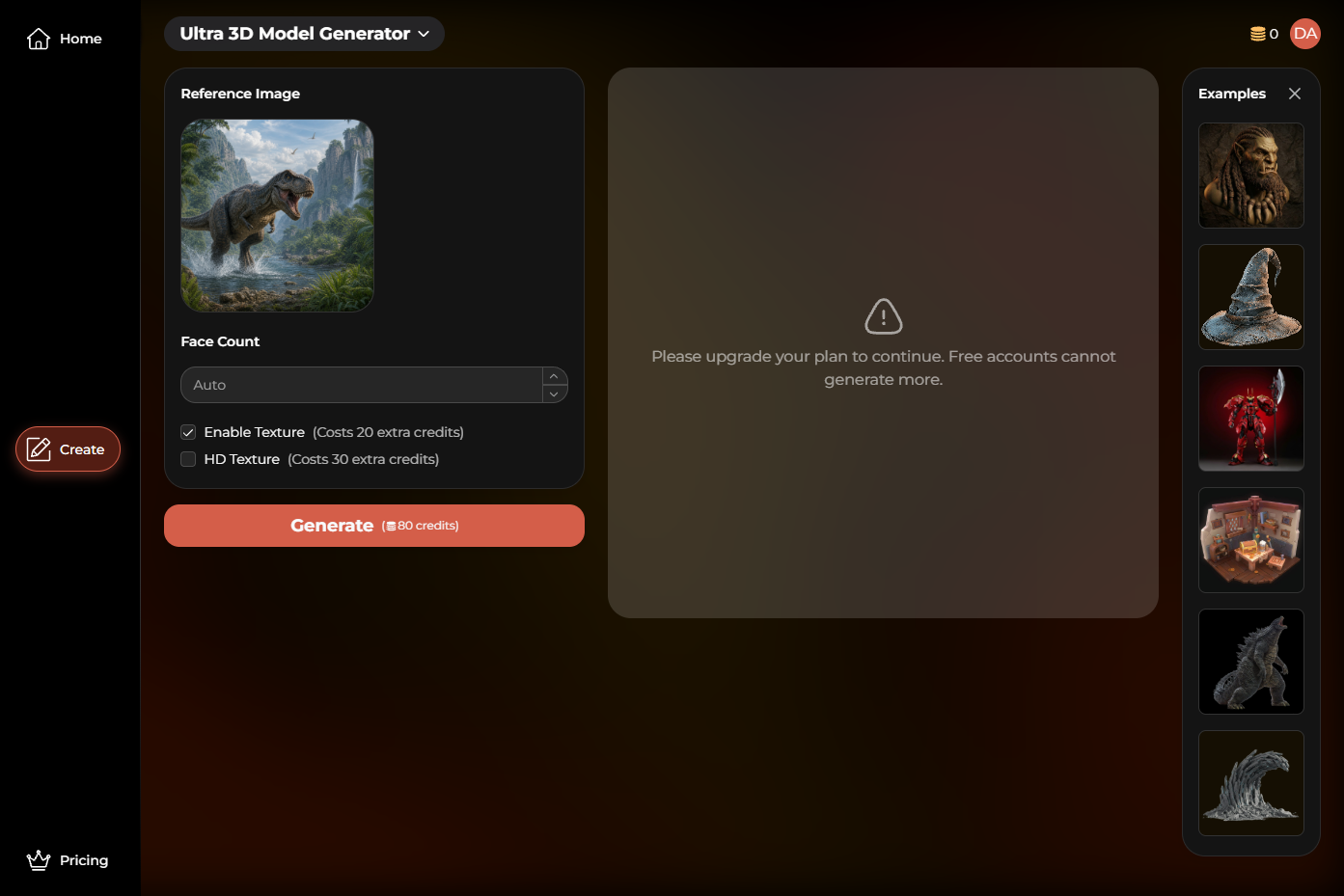
AI3DGen lets you upload an image and generate a 3D model without creating an account. Three quality tiers (Base, Pro, Ultra) scale from quick drafts to production-ready assets.
Key features:
- Zero-signup workflow — upload and generate immediately
- 3 tiers: Base (standard), Pro (better textures), Ultra (mecha, monsters, architecture)
- Export: OBJ (free), GLB/STL (paid)
- Adjustable face count from 5K to 40K polygons
- PBR texture and UV map generation (paid tiers)
- Background remover for image prep
Pricing (verified):
- Free: Lite model, OBJ only, queue during peak, limited daily generations, no PBR textures
- Pro: OBJ/GLB/STL, PBR textures, unlimited generations, priority processing
- Ultra: Highest detail, trained on professional assets (mecha, monsters, game props, architecture)
- 8,000+ creators joined
Pros
- Multiple export formats on paid tiers (OBJ, GLB, STL)
- Ultra mode trained specifically on complex subjects (mecha, monsters, architecture)
- Background remover doubles as image prep — improves final mesh quality
- Draft-then-refine loop practical for production work
- Supports JPG, PNG, WebP input
- Generation time: 70–180 seconds depending on tier
Cons
- Free account cannot generate 3D model
- Free plan uses Lite model with queueing delays
- Free tier outputs only OBJ — no GLB or STL
- No multi-image input — single image only
- No rigging, animation, or remeshing tools
- Texture quality on free model is noticeably lower than paid tiers
- No plugin integration with Blender or game engines
- Queue times during peak usage periods
- Ultra mode requires paid subscription
Verdict:
AI3DGen is the best "zero friction" option for quick tests and one-off generation. If you want to evaluate whether AI 3D fits your project before committing to a subscription, this is where to start. The Ultra mode is genuinely capable for complex subjects like mecha and architecture. The main limitation is the single-image-only workflow and the lack of post-generation tools.
Best for: quick tests, beginners evaluating AI 3D, and one-off model generation.
6. Hi3D — Best for High-Fidelity Textures and 3D Printing
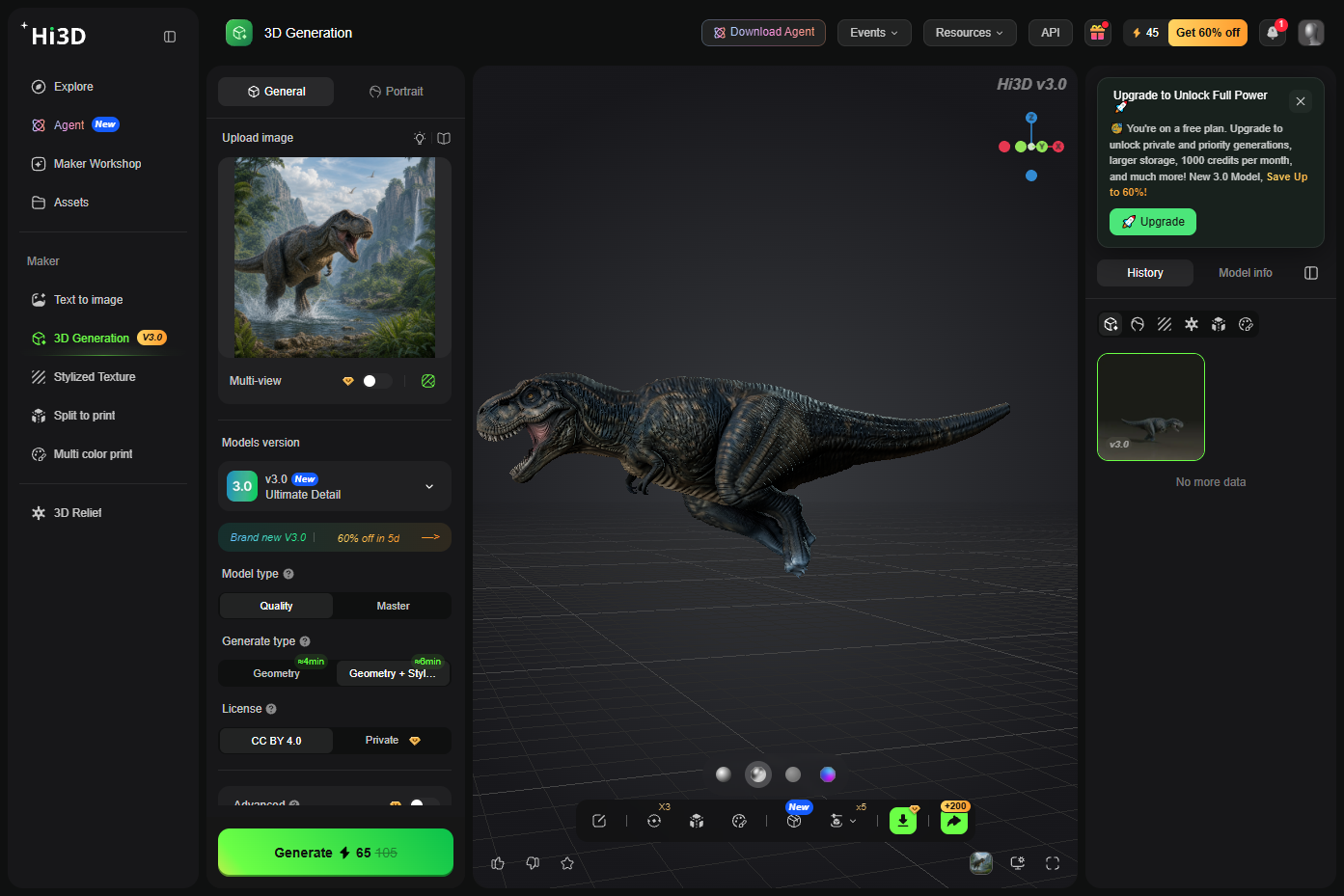
Hi3D launched V3.0 in August 2026 with 2048³ voxel resolution. It specializes in image-to-3D generation with up-to-8K textures, split-to-print functionality, and multi-color printing support.
Key features:
- Hi3D V3.0: 2048³ voxel resolution
- Split-to-Print: Character Mode (6 templates) and General Mode for automatic part splitting
- Auto connectors: snap-fits, mortise joints, ball joints with press-fit tolerance
- Multi-color print support with precise color region control
- Smart build plate optimization for orientation and support
- 3D Relief generation from flat images
- Text-to-Image generator for creating reference images
- Export: STL, OBJ, 3MF, GLB, USDZ
- Integrations: Bambu Studio, OrcaSlicer, Creality Print, Elegoo Slicer, Blender plugin
Pricing (verified):
- Free: 100 lifetime credits (not monthly — consumed permanently)
- Pro: $19.90/month (1,000 credits)
- Max: $39.90/month (2,400 credits)
- Ultra: $129.90/month (8,000 credits)
- API: $0.02/credit ($0.40–$9.10 per generation depending on model/resolution)
Somethings you need attention:
- Pro tier at $19.90/month required for continued use
- Annual plans at 70% off are promotional — may increase after campaign
- 100 lifetime credits are consumed permanently — no monthly refill
Pros
- 2048³ voxel resolution delivers detail preservation at extreme zoom levels
- Split-to-Print with auto connectors is genuinely unique — saves hours of manual work
- Multi-color printing eliminates manual painting post-print
- Smart build plate optimization reduces print failures
- 3D Relief feature converts images into textured wall art
- Up-to-8K textures with self-developed UV completion algorithm
- Direct integration with major slicers (Bambu Studio, OrcaSlicer, Creality)
Cons
- Generating a 3D model wastes more time than other tools mentioned in this articles
- Focused on printing and collectibles — less suited for game/film pipelines
- No rigging or animation features
- V3.0 master resolution costs 455 credits ($9.10) per generation — expensive for experimentation
Verdict:
Hi3D is the best choice for 3D printing enthusiasts and collectible designers. The Split-to-Print feature with auto connectors and smart build plate optimization solves real pain points that no other tool addresses.
The 2048³ voxel resolution produces sharper detail at extreme zoom levels. The trade-off is the permanent credit system and the narrow focus on physical production.
If your goal is digital assets for games or film, look elsewhere.
Best for: 3D printing makers, collectible designers, and physical product creators.
7. Hyper3D Rodin — Best Pay-Per-Result Quality
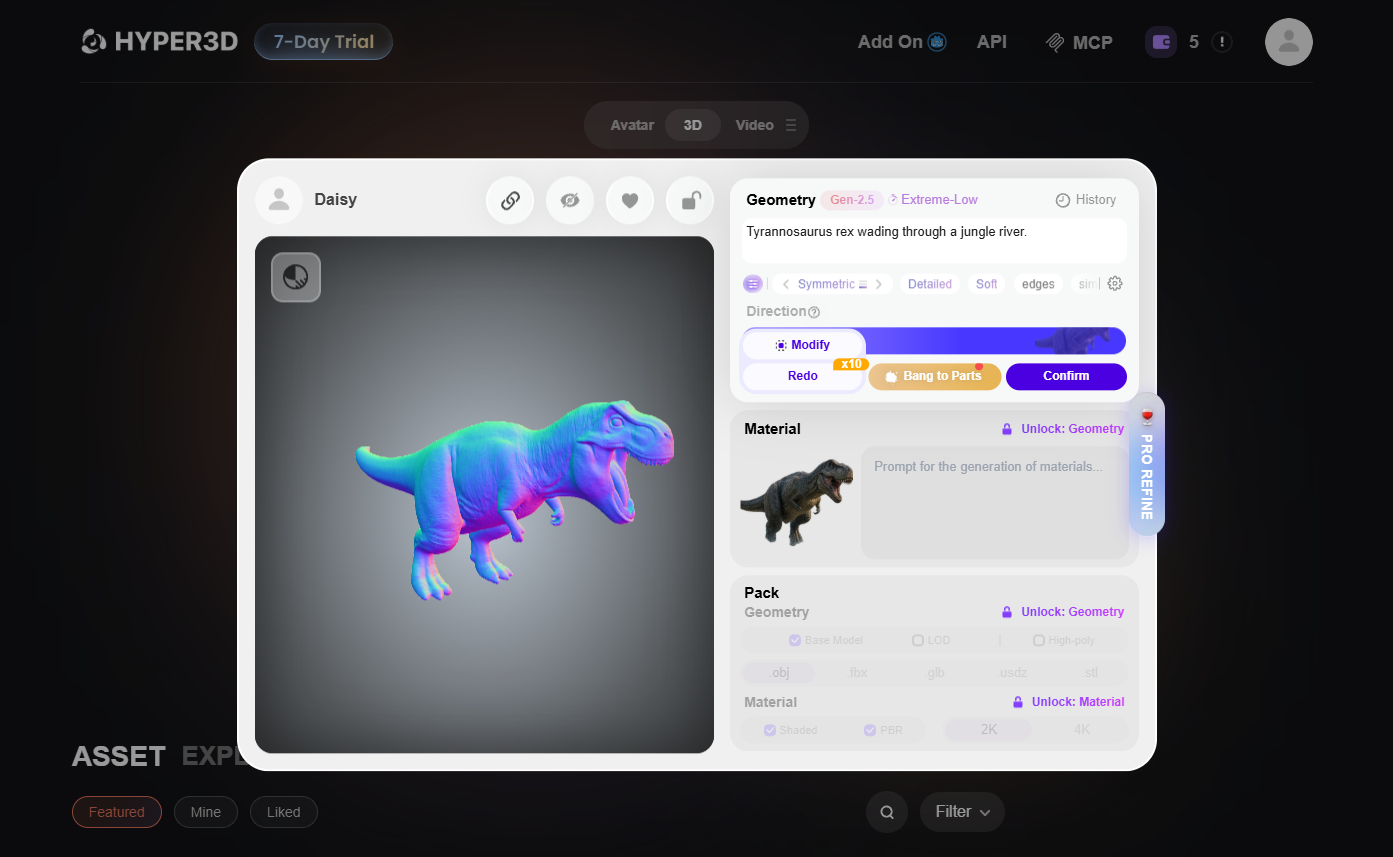
Hyper3D's Rodin Gen-2.5 (launched May 2026) generates high-fidelity 3D models with sculpt-level geometric detail. It offers the most granular control over geometry, materials, and mesh structure in the category.
Key features:
- Rodin Gen-2.5: sculpt-level detail, up to 10M+ polygons at highest quality
- Adaptive generation modes: 4s (ultra-fast) to 80s (maximum fidelity)
- 3D ControlNet: bounding box, voxel, and point cloud guidance
- Partial Edit: modify selected regions without rebuilding entire model
- Smart Low-Poly: convert detailed assets into game-ready meshes
- Production quality: clean topology, PBR materials, ready-to-use UVs
- OmniCraft: mesh simplification, format conversion, texture changes
- Export: STL, FBX, OBJ, GLB, GLTF, USDZ
- Plugins: Blender, Unity, Unreal
Pricing (verified):
- Free: Pay-by-result at $1.50/credit, limited generation, basic features
- Creator: $30/month (30 credits/month) — multi-image, Smart Low-Poly, HD textures
- Business: $120/month (208 credits/month) — full API access, higher geometry options
- Education: $24/month (30 credits/month)
- Enterprise: custom pricing
- fal.ai API: $0.40/generation, HighPack: $1.20/generation
Pros
- Highest raw fidelity in the category — 10M+ polygons at maximum quality
- Pay-by-result model means no wasted money on unused monthly credits
- 3D ControlNet provides spatial guidance no competitor offers
- Partial Edit lets you fix specific regions without full regeneration
- Smart Low-Poly bridges high-fidelity generation and real-time deployment
- OmniCraft adds mesh editing, format conversion, and texture tools
- Enterprise clients include NVIDIA, Tencent, Bambu Lab, Meta, Google DeepMind
- Adaptive generation (4s–80s) lets you choose speed vs. fidelity
Cons
- Per-generation cost adds up for high-volume workflows
- No free tier beyond preview — every download costs credits
- Creator plan at $30/month required for regular use
- No rigging, animation, or texturing tools
- Business plan at $120/month is expensive for small teams
- Some texture-enhancement settings can introduce artifacts (per Hyper3D's own warning)
- Output quality depends on input image quality
Verdict: Rodin is the "Ferrari" of image-to-3D — maximum quality and control, but premium pricing. The 3D ControlNet and Partial Edit features are genuinely unique and useful for professional asset creation. The pay-by-result model at $1.50/credit works well for targeted, high-quality generation.
For studios producing hero assets where geometric detail matters most, Rodin delivers results no competitor matches. The trade-off is cost and the lack of post-generation tools.
Best for: professional studios, enterprise teams, and creators who need maximum geometric fidelity.
How to Choose the Right Image to 3D Model AI Tool
For free experimentation: Start with Tripo AI (200 credits/month) or AI3DGen (no signup). Both offer immediate access with no financial commitment.
For game development: Meshy's Smart Topology (2-second game meshes), auto-rigging, and animation pipeline saves significant manual work.
For video production: Pixmax combines 3D generation with 3D Stage scene building and AI video workflows in one platform.
For maximum fidelity: Rodin's Gen-2.5 produces 10M+ polygons with sculpt-level detail and 3D ControlNet spatial guidance.
For open-source freedom: Hunyuan3D self-hosting eliminates subscription costs entirely.
For 3D printing: Hi3D's Split-to-Print with auto connectors and smart build plate optimization addresses physical production needs directly.
---
Frequently Asked Questions
Can I convert an image to a 3D model for free?
Yes. Tripo AI offers 200 free credits/month (≈13 models), AI3DGen requires no signup, and Hunyuan3D is free to self-host. Most free tiers let you preview and rotate models, but downloading files typically requires a paid plan.
What is the best fully free unrestricted AI image to 3D model generator?
AI3DGen offers the most unrestricted free experience — no signup, immediate generation. Hunyuan3D is the best open-source option for developers with GPU infrastructure. Tripo AI's 200 free credits/month is the most generous paid-platform free tier.
How many images do I need for a good 3D model?
A single image works for basic shapes, but providing 2–4 reference angles dramatically improves geometry accuracy. Meshy supports up to 4 views, Tripo AI supports multi-view on Pro plans, and Pixmax's Hunyuan3D Pro 3.1 supports up to 8 views.
What file formats do image to 3D model AI tools export?
Most tools export GLB (web/AR), OBJ (Blender/editing), and STL (3D printing). Meshy adds USDZ (Apple AR) and Blend; Tripo adds USD and 3MF; Rodin adds GLTF.
Is AI-generated 3D production-ready?
Not directly. AI output provides a strong base mesh that typically needs retopology, UV cleanup, and texture refinement in Blender or Maya before use in games, film, or commercial projects. Meshy and Tripo's Smart Mesh modes come closest to engine-ready output.
Where can I find image to 3D model AI on Hugging Face?
Hunyuan3D and TRELLIS are available on Hugging Face for self-hosting. Search the models hub for "image to 3d" to find the latest releases.
Conclusion
Image to 3D model AI has matured from experimental novelty to practical production tool in 2026. Tripo AI delivers the best all-round value with 200 free credits and dual output modes. Meshy dominates game development pipelines with Smart Topology and auto-rigging. Rodin pushes maximum fidelity with 10M+ polygons and 3D ControlNet. Pixmax uniquely bridges 3D generation and video production. Hi3D solves real 3D printing pain points with Split-to-Print. Hunyuan3D offers open-source freedom for developers. AI3DGen provides zero-friction entry for beginners. Multi-image input is the single most impactful quality lever — always provide multiple reference angles when possible. For professional output, treat AI generation as the first step in a pipeline that includes manual refinement in Blender or Unity.