
Quick Answer
There is no single best AI product image generator for every e-commerce business. Photoroom is best for fast marketplace listings, Flair.ai for branded scene composition, getimg.ai and Pixmax for multi-model workflows, Pebblely for simple scene testing, and Adobe Firefly for teams already using Creative Cloud. Choose based on product image workflow templates, product accuracy, commercial rights, batch support, and cost per usable image.
How We Compared AI Product Image Generator Tools
This comparison is based on official product documentation, published pricing pages, and publicly available feature lists — not on hands-on testing with identical products and prompts. We did not run the same product photo through each tool, use the same prompts, or produce sample outputs for side-by-side comparison.
We compared each tool across six criteria relevant to e-commerce sellers:
- Product accuracy — Does the tool claim to preserve the real product's shape, color, logo, and packaging text?
- Background replacement — Can the tool remove an existing background and generate a new one?
- Lifestyle and scene generation — Can the tool place a product into contextual environments?
- Batch and catalog workflow — Does the tool support high-volume generation or templates?
- Pricing and credits — What does each plan cost, and how many images or credits are included?
- Commercial rights — Can generated images be used in paid ads and marketplace listings?
Important caveat: AI product image generators can reduce the need for some studio and post-production work, but they do not eliminate the need for human review. Common issues reported by users include logo and packaging text distortion, proportion shifts, material texture errors, color cast changes, and unnatural lighting where the product meets the background. Always verify generated images against your actual product before publishing on a live listing.
Quick Comparison of AI Product Photo Generators
| Tool | Best For | Entry Price | Commercial Rights | Batch Support | Key Limitation |
|---|---|---|---|---|---|
| Pixmax | All-in-one multi-model platform (image, video, audio) | Pay As You Go; see current pricing | Included | Yes | Pay As You Go pricing is credit-based; best value requires higher upfront commitment |
| Photoroom | Background removal and marketplace listings | Free (limited); Pro $12.99/mo | Paid plans only | Yes (1,000–10,000 exports/mo by tier) | Free plan not for commercial use; AI credits metered separately from exports |
| Flair.ai | Brand-controlled scene composition | Free (5 images); Pro+ $26/mo | Pro+ and above | Up to 10 images per batch | Pro plan has no image quota — photography starts at Pro+; pricing per image is higher than competitors |
| getimg.ai | Multi-model access and e-commerce backgrounds | Free (100 credits); Basic $12/mo | All paid plans | Batch size up to 10 | Credits do not roll over monthly; model selection can require experimentation |
| Pebblely | Simple scene tests for small catalogs | $9/mo (30 images) | Paid plans | Limited (no batch mode) | No custom model training; limited to scene generation — no lifestyle on-model or ad creative |
| Adobe Firefly | Teams already in Adobe Creative Cloud | Free (limited); Standard $9.99/mo | Commercial license included | Via Adobe apps | Not product-first — designed for general creative work, not dedicated e-commerce product workflows |
Prices reflect publicly available plans as of September 8, 2026. Check each provider's pricing page for current rates, as plans and credits may change.
Flair.ai — Best for Brand-Controlled Scene Composition
Flair.ai takes a different approach: instead of preset templates, it gives you a drag-and-drop canvas where you compose product scenes with props, backgrounds, and lighting — then AI renders the final image.
What it does well: Scene control is designed to be a notable strength here. You position your product, add props, set the mood, and Flair generates a photorealistic render. Custom model training is designed to help maintain your product's shape and branding across multiple generations. Also supports AI fashion models and product videos.
Where it falls short: Unable to generate product photos with a prompt. The Pro plan ($8/mo) does not include a generated image quota — it only unlocks speed, upscaling, and video. Real image output starts at Pro+ ($26/mo for 80 images). Instant image generation costs 4x the standard quota, meaning Pro+ effectively produces 20 instant images or 80 standard ones. At Pro+ pricing, cost per image is roughly $0.33–$1.30 depending on mode.
Flair.ai Pricing (September 8, 2026): Free (5 images, 1 custom model); Pro $8/mo; Pro+ $26/mo (80 images, commercial license); Scale $38/mo (150 images); Enterprise: custom.
Best for: Brands and agencies that need full creative control over scene composition, lighting, and brand consistency.
2. Pebblely — Best for Quick Scene Tests
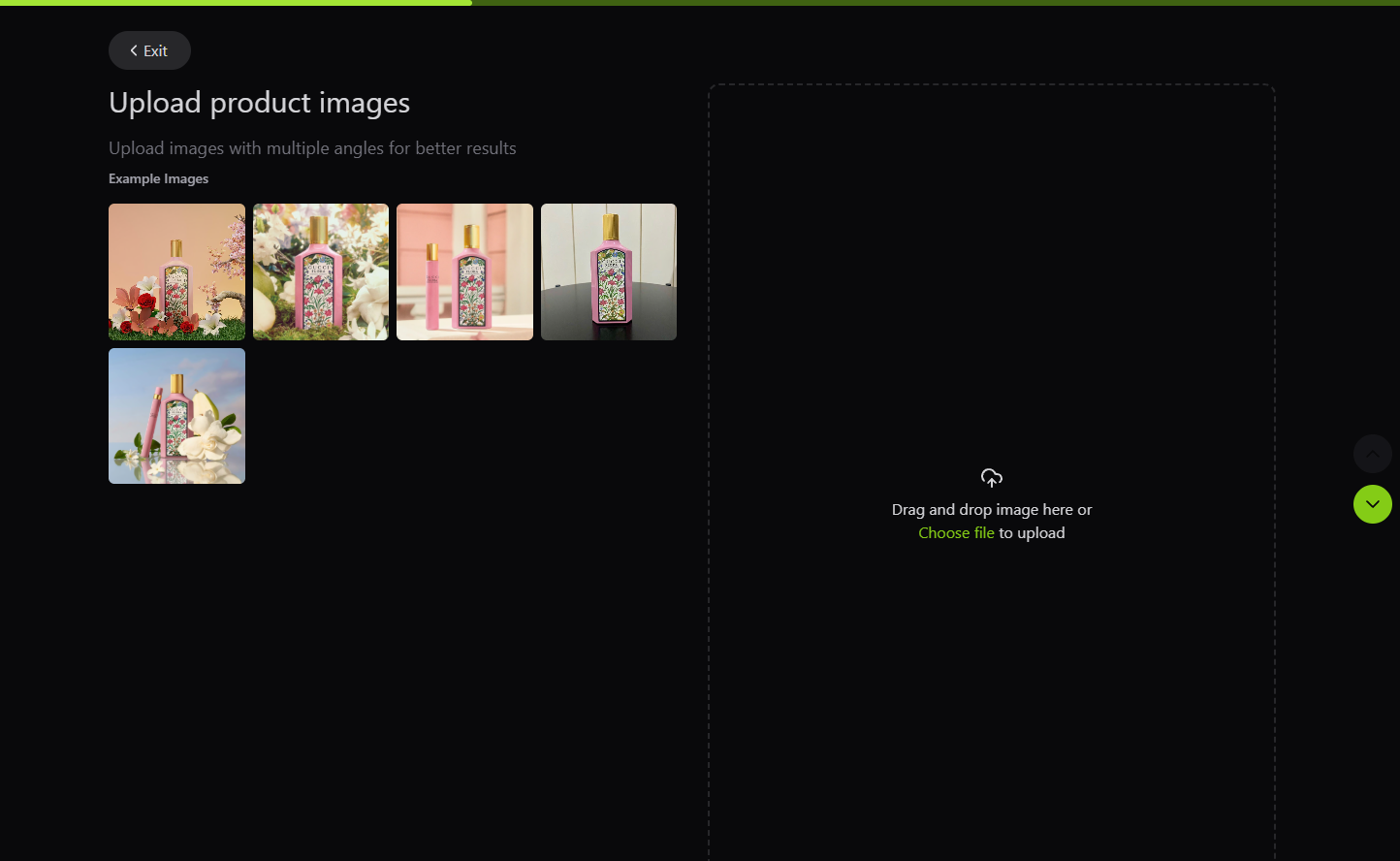
Pebblely is the simplest tool in this comparison: upload a product photo, pick a theme, get a staged scene. No prompt engineering, no canvas, no custom models.
What it does well: speed and simplicity. You can test whether a lifestyle scene works for your product in under a minute. Pricing is transparent — you buy images, not credits.
Where it falls short: Not free to try. Limited to scene generation. No on-model photography, no ad creative generation, no batch processing, no custom model training. For sellers who only need to test a few scene concepts before committing to a larger shoot, it works. For catalog-scale production, it is too constrained.
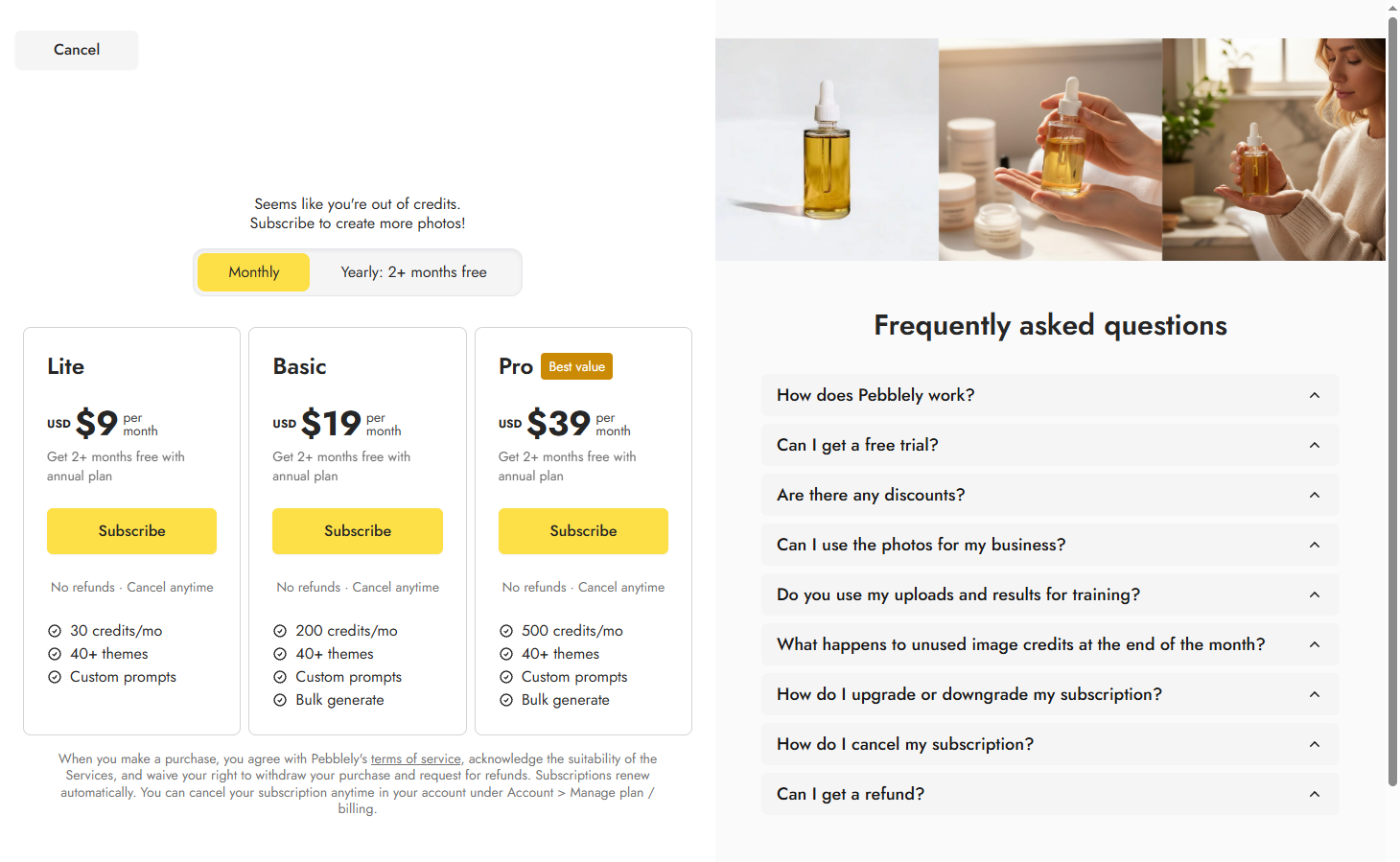
Pebblely Pricing (September 8, 2026): Lite $9/mo (30 images), Basic $19/mo (200 images), Pro $39/mo (500 images). Bulk generator available on Basic and Pro.
Best for: Small sellers who want to quickly test whether AI-generated scenes improve their product page conversions.
3. Adobe Firefly — Best for Existing Adobe Creative Cloud Users
Adobe Firefly is not a dedicated e-commerce product photography tool, but it integrates directly into Photoshop, Illustrator, and Express — workflows many design teams already use.
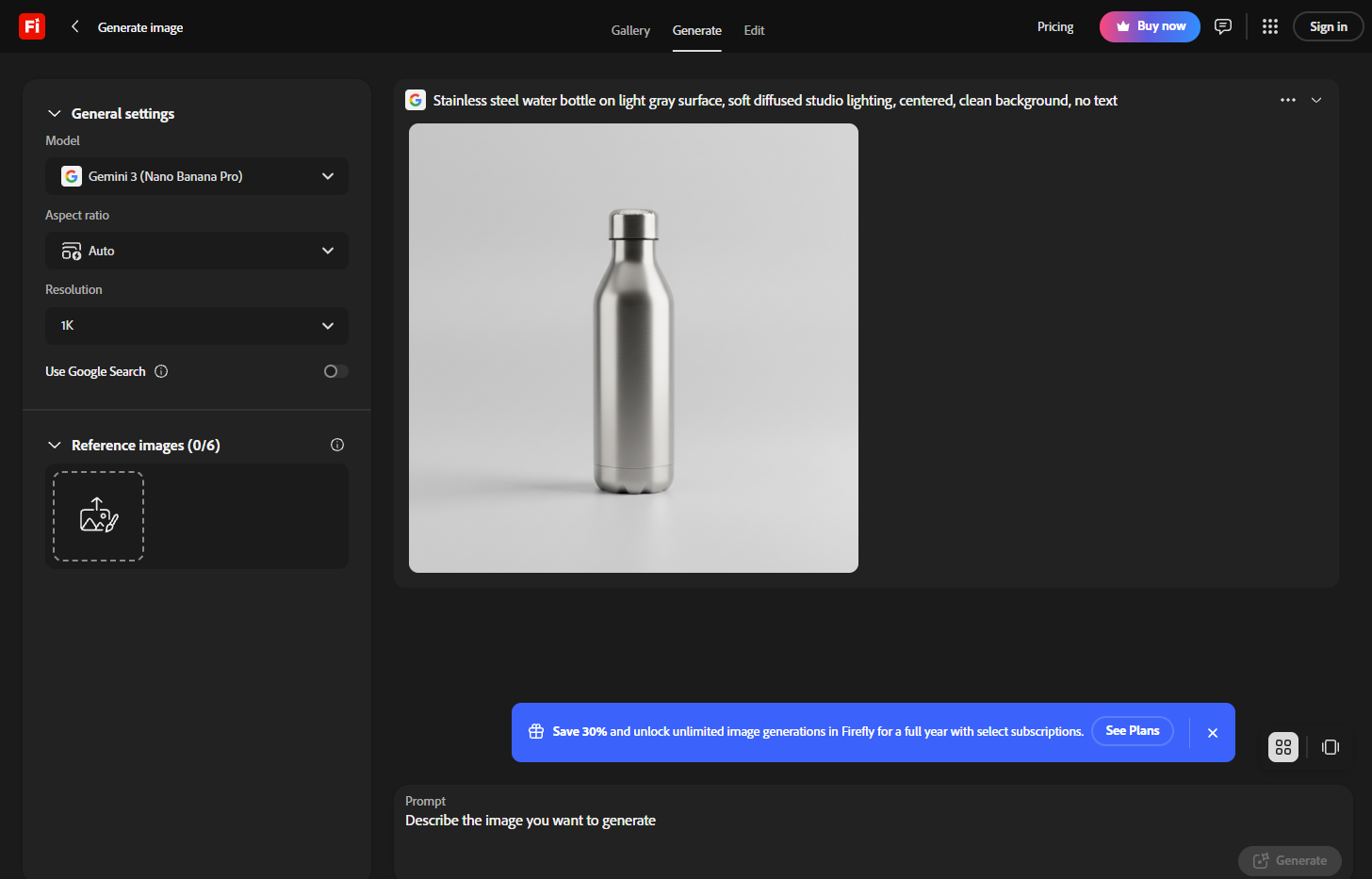
What it does well: Free to generate product photos in guest mode. If your team already pays for Creative Cloud, Firefly's generative fill, expand, and background tools work inside Photoshop without switching apps. Commercial IP indemnification is available for eligible outputs under qualifying Adobe agreements.
Where it falls short: Firefly is designed for general creative work, not product-first e-commerce photography. It does not offer product consistency systems, marketplace-specific templates, or batch catalog workflows. You will still need separate tools or manual work for high-volume product image production.
Adobe Firefly Pricing (September 8, 2026): Free (limited daily generations). Standard: $9.99/month (2,000 generative credits). Pro: $19.99/month (4,000 credits). Pro Plus: $49.99/month (10,000 credits). Premium: $199.99/month (50,000 credits). Creative Cloud Pro: $59.99/month (4,000 credits + 20+ apps). .
Best for: Design teams already in the Adobe ecosystem who need AI image tools integrated into their existing creative workflow.
4. Pixmax — Best All-in-One for Image, Video, and Audio
Pixmax consolidates multiple AI models (Midjourney V8.2, GPT Image 2.5, GPT Image 2, Nano Banana, Seedream 5.0 Pro, FLUX, Kling 3.0, and more) across image, video, text, and audio generation in a single credit-based workspace.
What it does well: Free to try. Pixmax supports various ways to generate e-commerce product photos, like text-to-photo, uploading model assets, or image-to-image. It also offers a rich library of e-commerce workflow templates that beginners can replicate, plus practical features such as model asset management, version management, and background replacement to help e-commerce teams quickly produce product images.
The breadth of models on one platform is among the widest in this comparison. You can generate a product hero shot with one model, create lifestyle variations with another, produce a short product video with a third, and generate audio — all from the same credit pool.
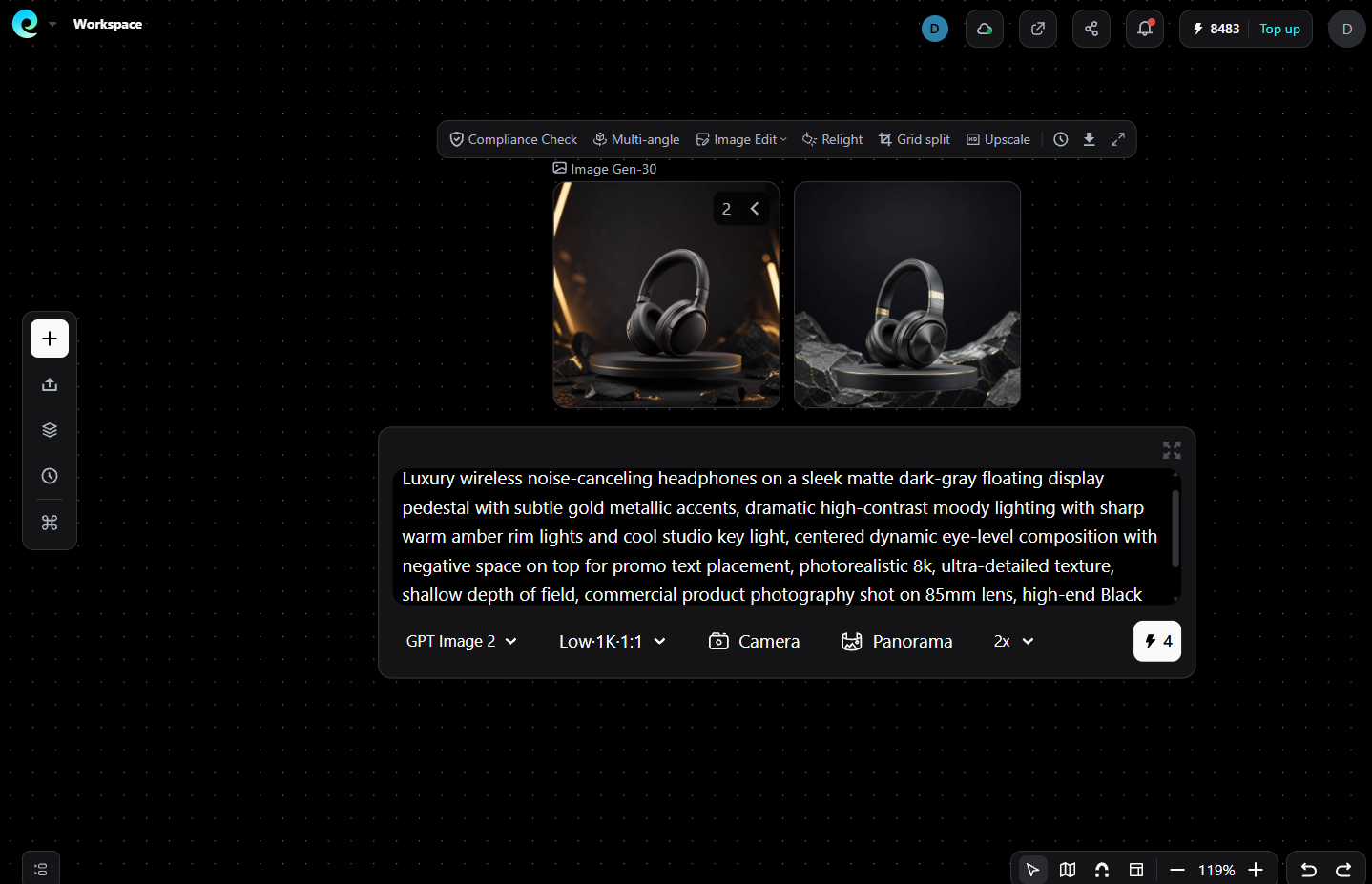
Where it falls short: Pixmax is a multi-purpose creative platform, not a dedicated e-commerce product photography tool. The Pay As You Go model means cost per image depends on the model and settings used, so you may need some experimentation to optimize. Credits are consumed differently across models.
Pricing (September 8, 2026): Pixmax operates on a Pay As You Go credit system. The current Year's Biggest Deal is $1,999 for 439,780 total credits (includes 239,880 bonus credits at 120%), a limited one-time offer per user. Credits never expire. All models on the platform are accessible with the same credits — no separate subscriptions needed. Offer ends September 30, 2026.
Best for: Teams that need a single platform for product images, video ads, and creative assets across multiple AI models, without maintaining separate tool subscriptions.
5.getimg.ai — Best Multi-Model Platform for E-Commerce
getimg.ai provides access to 60+ image models (FLUX.1 dev, FLUX.1.1 ultra, Stable Diffusion XL, and more) in a single workspace, with dedicated e-commerce features like one-click background replacement and DreamBooth model training for product consistency.
What it does well: Model variety is designed to be a key advantage. You can generate the same product shot across multiple models, compare outputs, and pick the best result. DreamBooth model training is designed to help maintain your product as a reference across hero shots, lifestyle scenes, and banner variations. Also includes video generation, upscaling, and API access (source: getimg.ai/pricing, verified September 8, 2026).
Where it falls short: Credits do not roll over month to month, so unused capacity is lost. Some models require more credits than others, and finding the right model for your product type may take experimentation. Background replacement and inpainting consume credits.
Pricing (September 8, 2026): Free (100 credits/month); Basic $12/mo (3,000 credits); Starter $29/mo (12,000 credits); Hobby $49/mo (24,000 credits). Commercial rights included on all paid plans. Batch size: 1 (Free), 4 (Basic), 6 (Starter), 10 (Hobby).
Best for: E-commerce teams that need to test multiple AI models for different product categories, or that produce both images and video ads from the same catalog.
6.Photoroom — Best for Fast Marketplace Listings
Photoroom is purpose-built for e-commerce sellers who need clean product photos quickly. Its core strength is background removal and replacement: upload a phone photo, get a white-background listing image or a staged AI scene.
What it does well: Background removal is a notable strength of this tool. The app works on mobile and web, making it practical for resellers and small brands who photograph products on the go. Batch mode supports 1,000 exports/month on Pro and up to 10,000 on Ultra.
Where it falls short: The Free plan images are watermarked and cannot be used commercially. AI features (backgrounds, virtual models, ghost mannequin) draw on a separate credit pool from exports, so understanding your actual cost per image requires checking both meters. Pricing page does not display dollar amounts on the public cards — prices are revealed in the checkout flow .
Pricing (September 8, 2026): Free plan exists but is limited to personal use (100 exports/month, 25/week). Pro: $12.99/month or $7.50/month billed yearly; Max: $34.99/month or $20.99/month billed yearly; Ultra: $99/month or $82.50/month billed yearly. Enterprise: custom.
Best for: Resellers, small brands, and marketplace sellers (Amazon, eBay, Etsy) who need fast background swaps and basic staging.
How to Write Product Image Prompts
The quality of AI-generated product images depends on prompt structure, though the optimal approach varies by model. Start with a short, structured prompt and iterate based on results.
A practical starting formula: `[Product type] on [surface/background], [lighting description], [composition], [technical note]`
Example prompts:
- "Stainless steel water bottle on light gray surface, soft diffused studio lighting, centered, clean background, no text"
- "Ceramic skincare jar on bathroom shelf, warm morning light, shallow depth of field, lifestyle setting"
- "Wireless earbuds in open case, held in hand, neutral background, product-focused, realistic proportions"
Tips that apply across most models:
- Describe the scene concretely rather than abstractly — "marble countertop with eucalyptus sprig" beats "luxury bathroom setting"
- Specify what you do not want when precision matters: "no text, no logos, no props not included with product"
- For image-to-image workflows (recommended for e-commerce), upload your actual product photo first and write the scene prompt around it — this is designed to yield more accurate results than text-to-image alone
- When the output distorts your product, try a different model rather than overloading the prompt — different models handle product accuracy differently
Amazon and Shopify Product Photo Requirements
Before uploading AI-generated images, verify they meet your marketplace's technical requirements.
Amazon (Seller Central Product Image Guide):
- Main image: minimum 500 pixels on longest side (Amazon official requirement); 1,000+ pixels recommended to enable zoom; 2,000x2,000 pixels is the recommended size for zoom and cross-platform consistency (Amazon recommendation, not a mandatory minimum)
- Main image background: pure white (RGB 255, 255, 255) — off-white may trigger listing suppression (Amazon official requirement)
- Product must fill 85% of the image frame on the main image (Amazon official requirement)
- No text, logos, watermarks, borders, or promotional graphics on the main image (Amazon official requirement)
- JPEG preferred; TIFF, PNG, and non-animated GIF also accepted (Amazon official requirement)
- Maximum 10,000 pixels on longest side (Amazon official requirement)
Shopify (Shopify Product Media Help):
- Recommended product image size: 2,048 x 2,048 pixels (1:1 square) — Shopify recommendation, not a mandatory minimum
- Maximum: 5,000 x 5,000 pixels, 20 MB file size
- Minimum for zoom functionality: 800 x 800 pixels
- JPG or PNG format
- Shopify resizes images larger than 4,472 x 4,472 pixels automatically
Always check category-specific requirements on Amazon, as some product types have additional rules for main images.
FAQs
What is the best AI product photo generator for e-commerce?
It depends on your needs. Photoroom is suitable for fast marketplace listings, Flair.ai for branded scene composition, getimg.ai and Pixmax for multi-model workflows, and Pebblely for quick scene testing.
Can I generate product images for free?
Yes. Photoroom, Flair.ai, getimg.ai, and Pebblely offer free plans or trials. However, free images may have limits, watermarks, or restrictions on commercial use. Always check each tool’s terms before publishing.
How do I write prompts for AI product photography?
Describe the product, setting, lighting, and composition. For example: “Leather wallet on oak desk, soft studio lighting, centered composition, no text.” Start with a short prompt and refine it based on the result.
What is the difference between text-to-image and image-to-image?
Text-to-image creates an image from a written description. Image-to-image uses an existing product photo to generate a new scene and is generally more suitable for e-commerce because it better preserves the product’s appearance.
How much does AI product photography cost?
Costs vary by tool, plan, model, and settings. Some tools charge per image, while others use credits. Compare the actual cost per usable image, including revisions and upscaling.
Can AI product images be used on Amazon and Shopify?
Yes, but images must comply with each platform’s requirements. Amazon’s main image generally requires a pure white background, no text or logos, and the product to fill most of the frame. Shopify allows more flexibility, but you should still check its current image guidelines.
Conclusion
The best AI product image generator for e-commerce depends on your catalog size, workflow, budget, and quality requirements. Fast marketplace sellers may prefer Photoroom's simplicity. Brand-conscious teams may choose Flair.ai's scene control. Multi-model platforms like getimg.ai and Pixmax offer flexibility for teams producing diverse content types. Small sellers can test concepts with Pebblely before committing to larger workflows.
Start with a free tier or trial to test how each tool handles your specific product type — results vary significantly between product categories. Always review generated images against your actual product before publishing on a live listing.