Quick Answer: GPT Image 2.5 Review
GPT Image 2.5 (released Sept 8, 2026) ships as two API models — Flare (speed-first) and Sunburst (precision-first) — on token rates identical to GPT Image 2. An independent benchmark of the official API largely confirms the headline claims: Flare cut latency ~47% at a matched cost, and multi-turn editing drifts ~15-20% less over three turns.
But the number OpenAI didn't advertise matters more: 2.5's high quality setting spends exactly what GPT Image 2's medium spent. Swap the model ID without remapping quality and you silently lose 3.8× of your output budget — cheaper bill, simpler images.
What Is GPT Image 2.5?
GPT Image 2.5 is OpenAI's latest image-generation update, offered through two API models: Flare for lower latency and Sunburst for more precise handling. It keeps the same token-based pricing structure as GPT Image 2 while changing the quality-to-token mapping, which is the main upgrade developers need to understand before switching.
GPT Image 2.5 Key Takeaways
- Speed claim: essentially true. Flare: 19.7s vs GPT Image 2's 37.3s at the same 1,413-token output budget and $0.059 cost.
- Quality ladder shifted. Map medium→high and high→max to preserve fidelity; leave it and you downgrade silently.
- Multi-turn editing: real but incremental. Pixel drift after 3 edits: 11.4% (Image 2) → 9.9% (Sunburst) / 9.2% (Flare).
- Endpoint loss. 2.5 API models support only image generation + edit routes; Responses/Realtime/Batch integrations need rework.
- No price cut. Same token rates; "savings" only exist if you deliberately drop a quality rung.
GPT Image 2.5 Performance: Speed, Editing, and Image Quality
OpenAI's launch announcement promises sharper detail, better reference handling, multi-turn consistency, and up to 50% lower latency. Two days after launch, an independent team (Tosea) ran 41 single-shot calls against the official API — same prompt, same references, matched resolutions — and the hard numbers now exist to judge it.
Speed: verifiably real. At a matched 1,413-output-token render of the same 2048×1152 slide, GPT Image 2 took 37.3s, Sunburst 27.7s, and Flare 19.7s — 47% faster at an identical $0.059 bill. Latency variance also tightened (Flare 17.7–22.3s vs Image 2's 35.2–39.2s), which matters more than the mean for concurrent pipelines. That is a rare case of launch-day marketing surviving measurement.
Multi-turn editing: improves, but it's a step, not a leap. After three sequential single-instruction edits, whole-frame pixel drift measured 11.4% on GPT Image 2 vs 9.9% (Sunburst) and 9.2% (Flare). Real and directionally as claimed — but without a mask, every turn regenerates the whole canvas, so background photography still wanders. "Edit one headline, touch nothing else" remains out of reach without the mask parameter.
Detail fidelity: real but modest. On dense business-slide content, all three models rendered every figure correctly (98.4%, 96.1%, "4.2 to 5.6") — GPT Image 2 had already closed the text-rendering gap, so there is no typography leap to harvest here.
One quirk worth knowing: developers on the OpenAI Developer Community found background="transparent" is a generation condition, not a pure alpha-channel switch — turning it on can shift the rendering style itself. Treat transparency as a stylistic parameter, not a post-processing trick.
GPT Image 2 vs. GPT Image 2.5: Comparison
| Dimension | GPT Image 2 | GPT Image 2.5 |
|---|---|---|
| Release | April 21, 2026 | Sept 8, 2026 |
| Model lineup | Single (gpt-image-2) | Flare + Sunburst |
| Endpoints | Generation + edit + Responses/Realtime/Batch | Generation + edit only |
| Same-fidelity mapping | medium = 1,413 tokens | high = 1,413 tokens |
| Latency at matched budget | 37.3s | Flare 19.7s / Sunburst 27.7s |
| Tokens per image (known) | Documented | Documented by testers ($0.026–$0.19 per 2K image) |
| Independent benchmark | #1 on Artificial Analysis, Elo 1178 | None yet — 2 days old |
| Multi-turn drift (3 edits) | 11.4% | 9.2–9.9% |
The trap buried under the launch notes: the quality ladder moved two rungs, downward. 2.5's high spends what 2's medium spent; its max spends what 2's high spent. Keep quality:"medium" after switching and your render drops from 1,413 to 367 output tokens — a 3.8× cut in output budget. The bill falls; so does composition quality, silently. Testers also found auto landed on inconsistent token budgets across otherwise identical calls — set quality explicitly.
GPT Image 2.5 Flare vs. Sunburst: Which Is Better?
Both models bill identically and returned identical output-token counts at every quality setting in the independent runs. The only difference you buy is seconds.
My call: default to Flare (19.7s vs 27.7s at the same rung); reach for Sunburst only when a hero asset justifies ~8 extra seconds of tighter handling. And note the naming is reversed relative to intuition — Flare is the fast one.
GPT Image 2 vs. GPT Image 2.5 Flare vs. Sunburst
Pixmax brings multiple image models into one creative workspace, so creators can compare outputs under the same prompt, aspect ratio, and generation workflow instead of switching between separate tools. That makes it useful for a practical follow-up to the API benchmark above: the question is no longer only which model is faster or more efficient, but how each one handles the same visual brief in a real production workflow.
Tested on Pixmax: GPT Image 2 vs GPT Image 2.5 Flare vs Sunburst
To complement the measured comparison above, we ran a controlled image-generation test on Pixmax using the same prompt across GPT Image 2, GPT Image 2.5 Flare, and GPT Image 2.5 Sunburst.
The prompt described a rainy evening train-station café with a precise spatial layout, multiple materials, cinematic lighting, and an exact timetable:
- NEXT DEPARTURES 18:40
- PLATFORM 2 19:05
- PLATFORM 4
The scene included a glass of amber tea on a metal table in the foreground, a red wool scarf on a leather bench, a woman in a yellow raincoat reading a blue book, exactly two wooden chairs, a rain-covered window with trains outside, and the timetable board in the background.
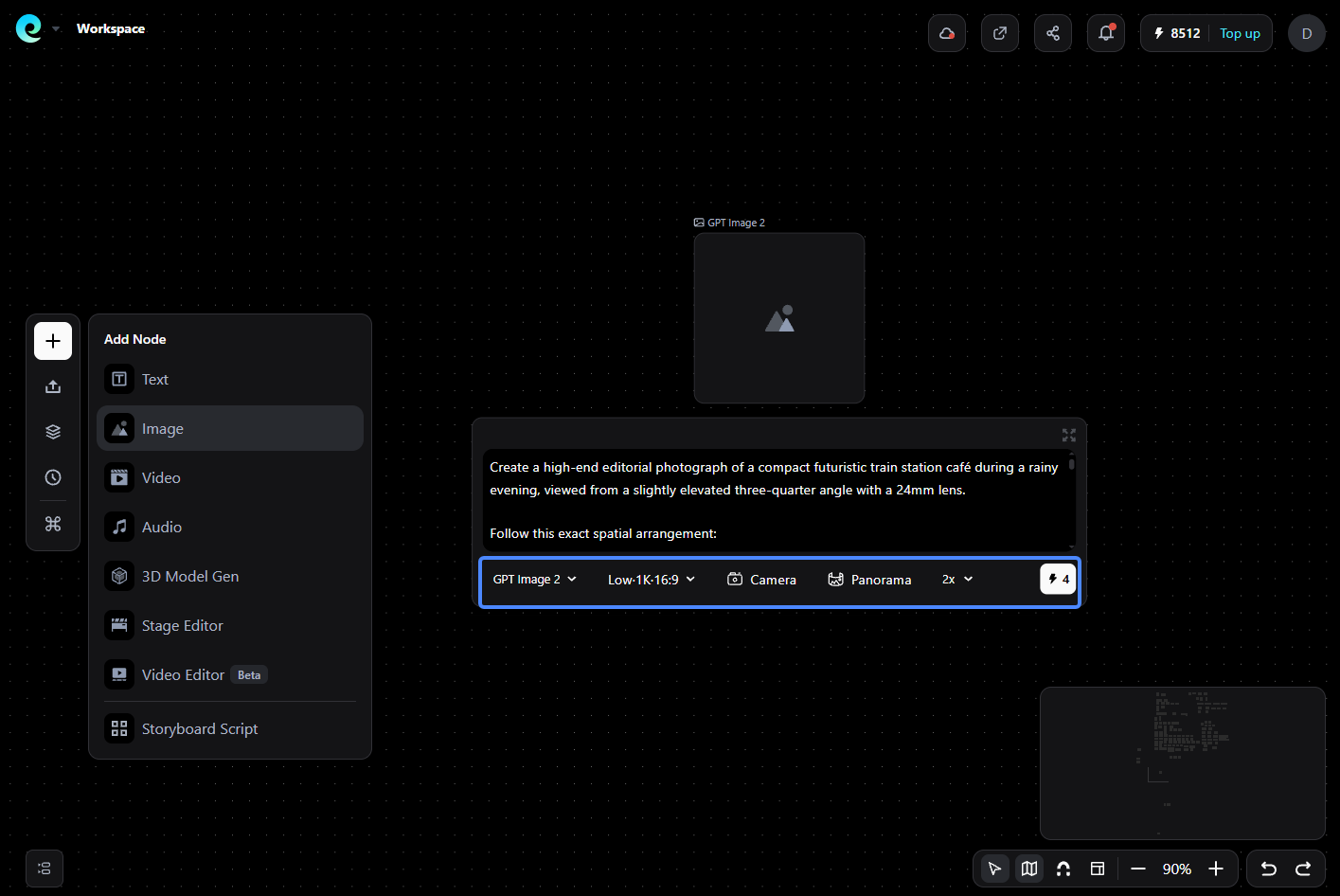
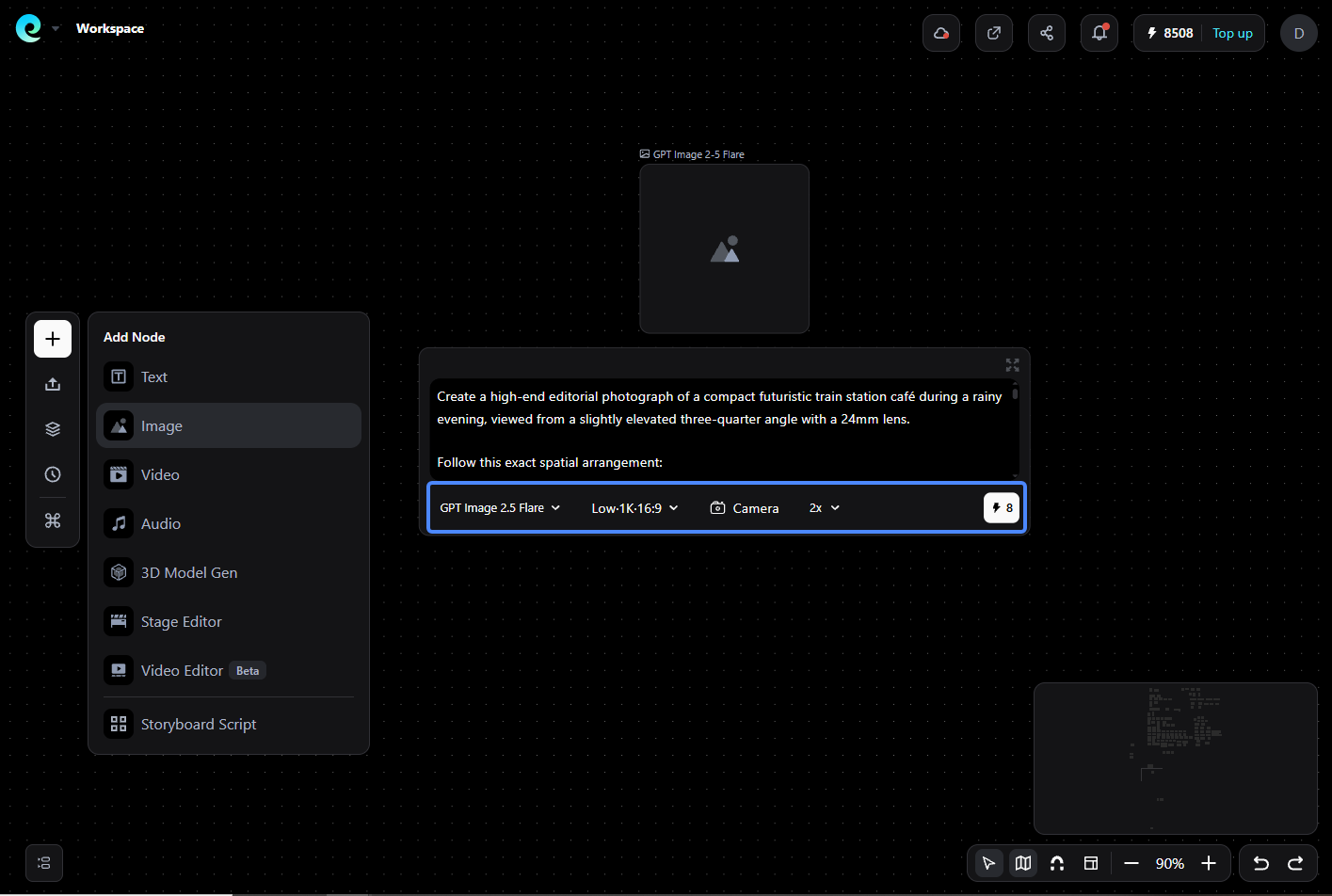
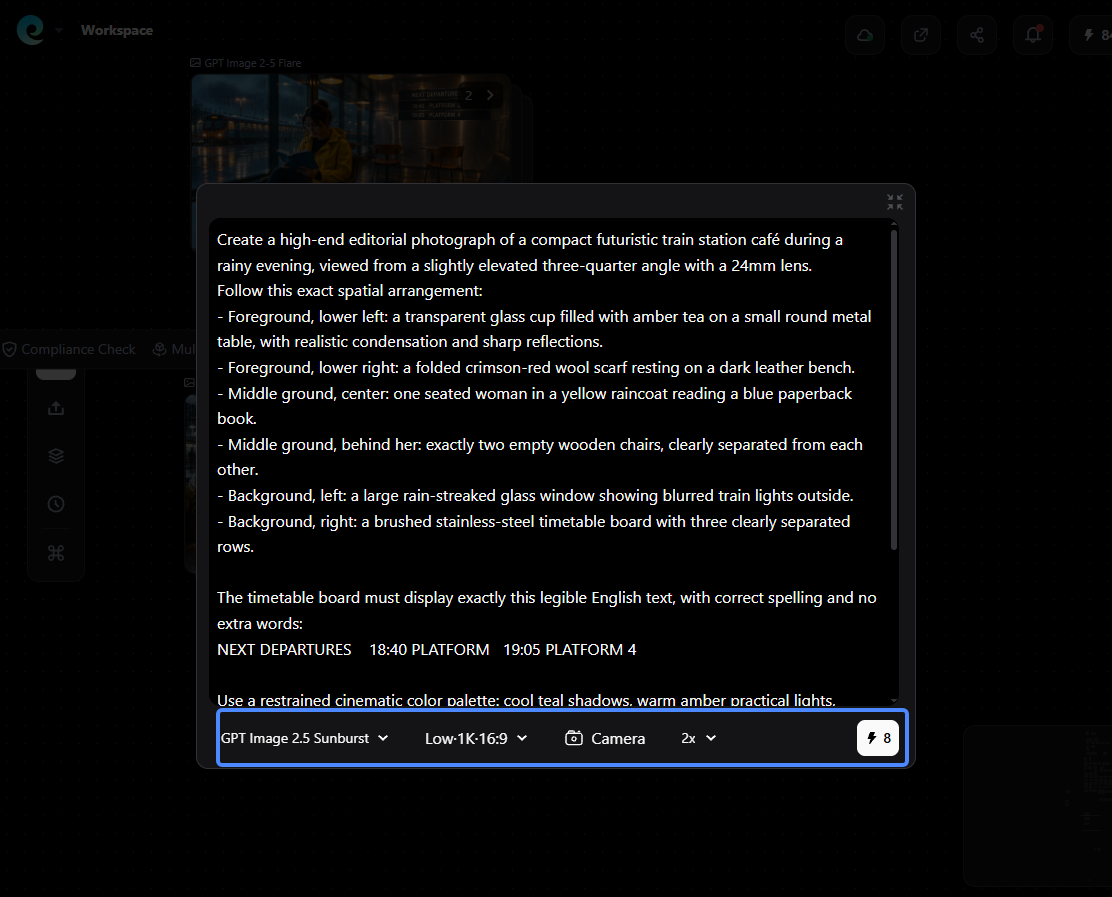
Each model generated two images on Pixmax using the same prompt, 16:9 aspect ratio, and workflow. We used no reference image, inpainting, or post-processing.
What the Pixmax test showed
All three models reproduced the timetable text accurately in both generations and captured the requested contrast between cool blue light outside and warm amber light inside. The differences appeared mainly in spatial precision, material rendering, visual polish, and consistency between generations.
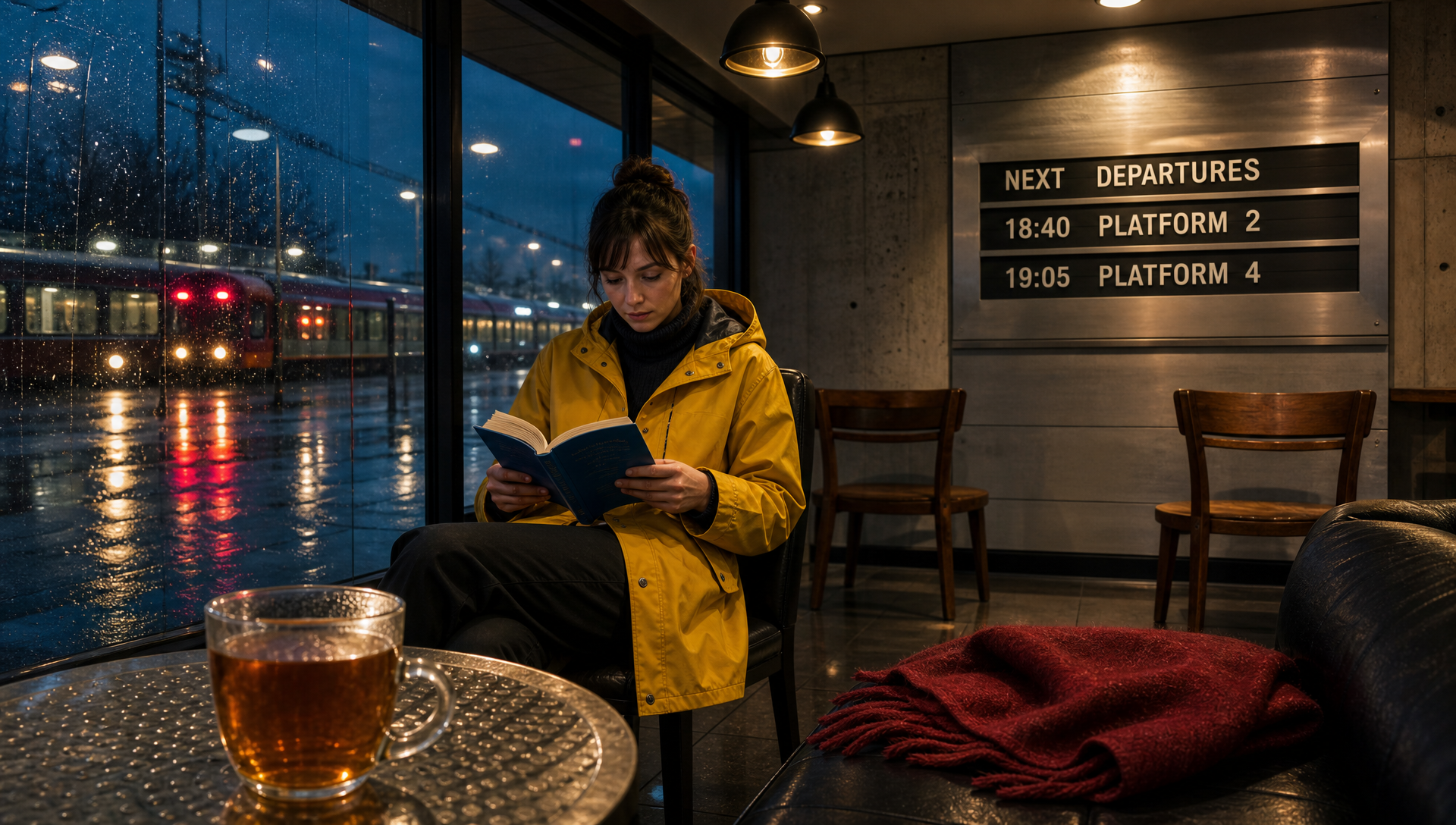
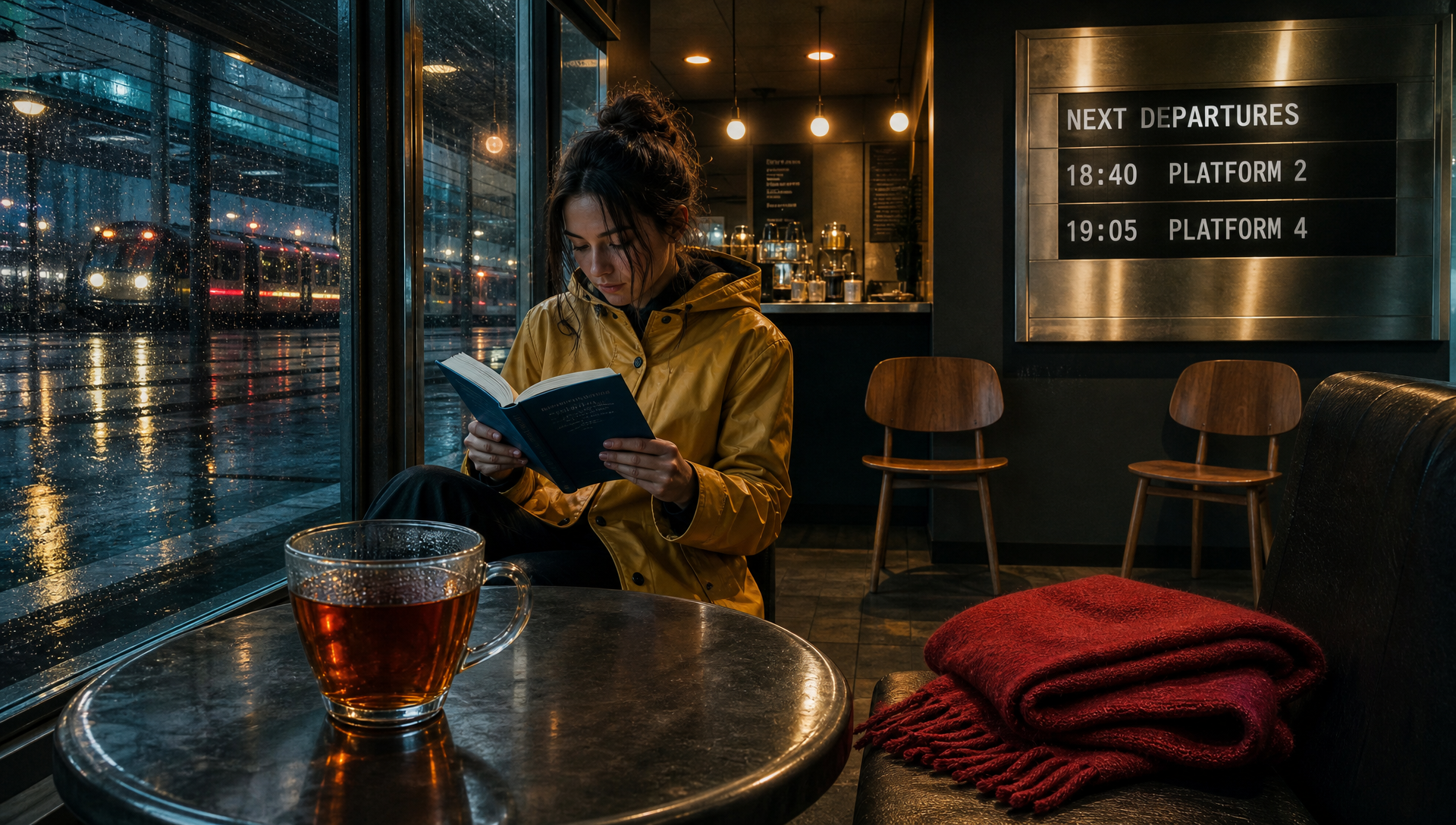
GPT Image 2 produced the most reliable spatial results. It followed the object count and placement instructions closely, maintained clear foreground, middle-ground, and background separation, and delivered consistent results across both generations. Its main weakness was that the teacup became visually oversized in one image, making the foreground composition feel slightly heavy.

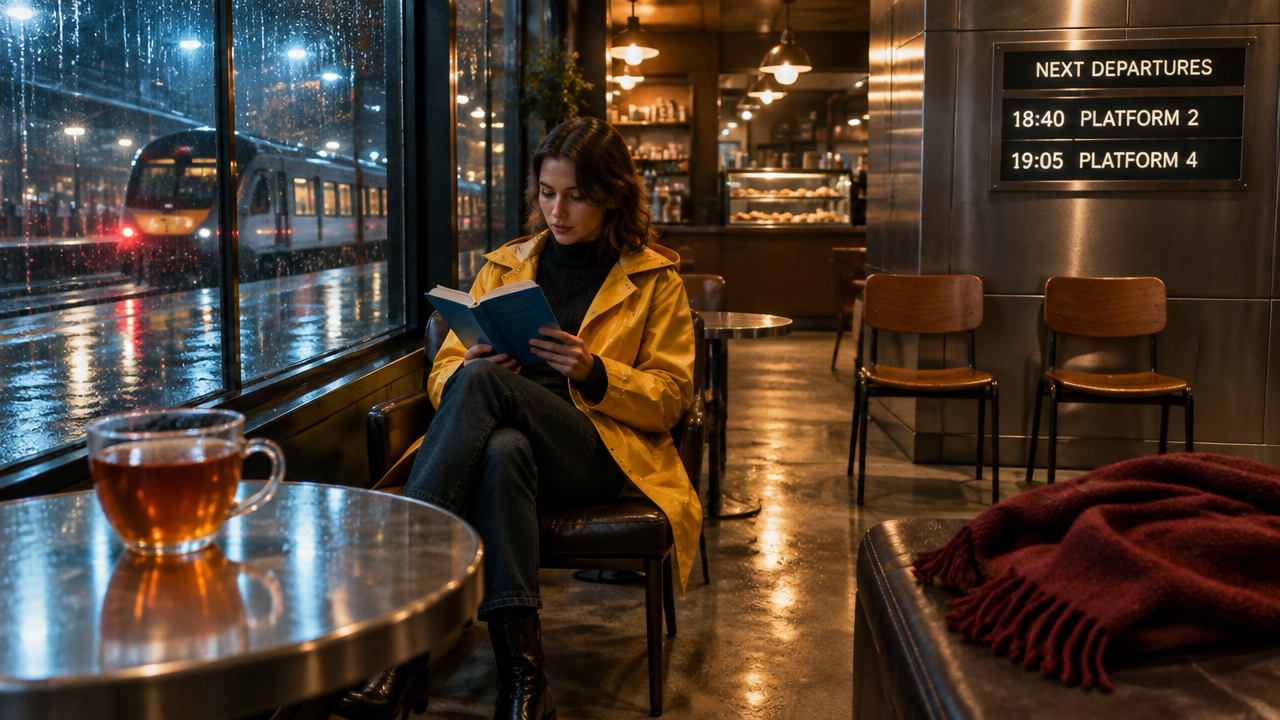
GPT Image 2.5 Sunburst delivered the strongest overall editorial look. Its lighting, reflections, wet glass, brushed metal, leather, and café atmosphere were particularly polished. The second result had the most balanced composition of the test. However, Sunburst interpreted some spatial instructions more freely, especially the exact position and scale of the foreground table and tea cup.
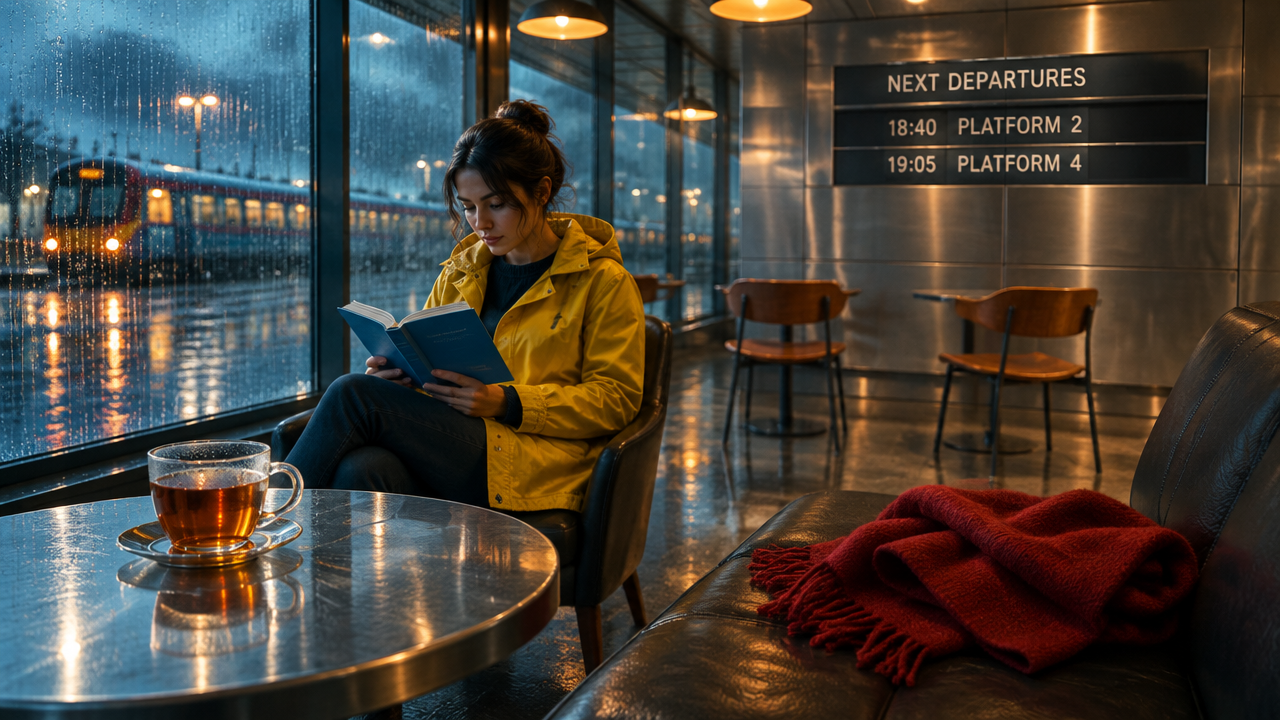
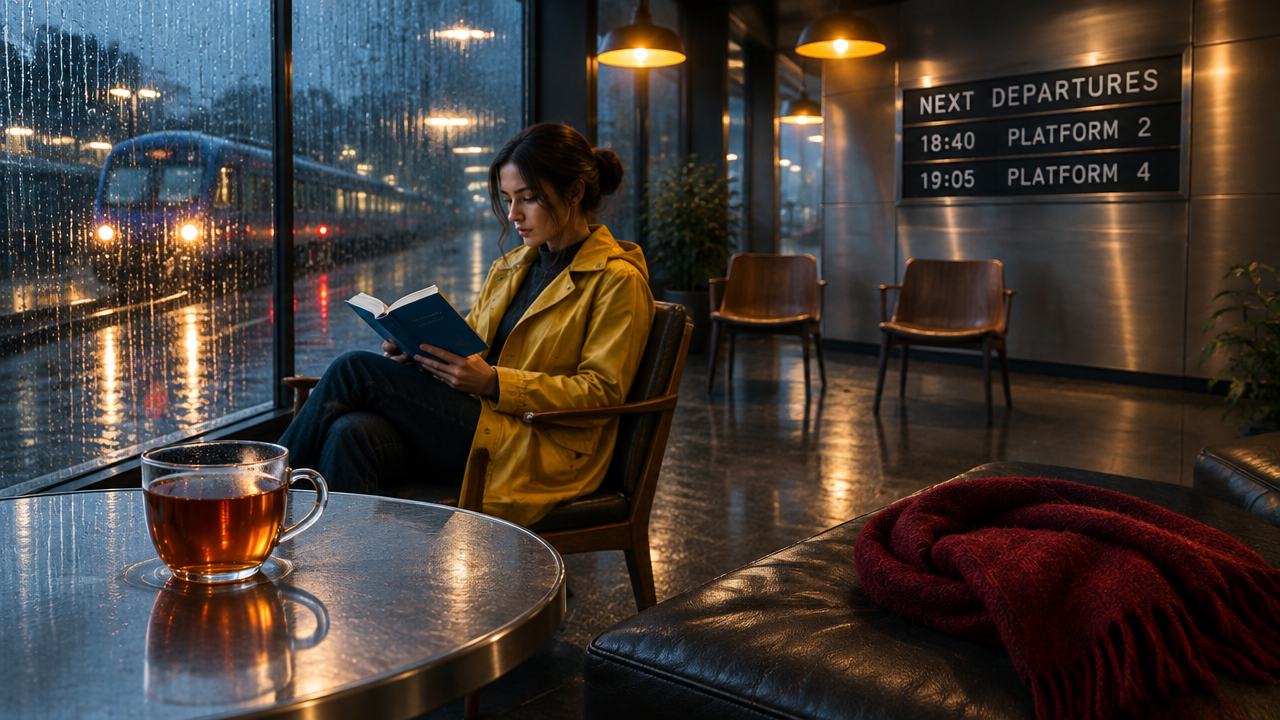
GPT Image 2.5 Flare created attractive cinematic scenes with strong color separation and atmosphere. It also reproduced the timetable text correctly in both images. Compared with GPT Image 2 and Sunburst, its object proportions and spatial relationships varied more between generations, while the red scarf occasionally appeared closer to a thick blanket than a lightweight wool scarf.
| Model | Overall | Credits cost | Prompt adherence | Text accuracy | Spatial consistency | Material rendering | Visual polish | Consistency |
|---|---|---|---|---|---|---|---|---|
| GPT Image 2 | ⭐⭐⭐⭐⭐ | 2 credit/image | ⭐⭐⭐⭐⭐ | ⭐⭐⭐⭐⭐ | ⭐⭐⭐⭐⭐ | ⭐⭐⭐⭐½ | ⭐⭐⭐⭐ | ⭐⭐⭐⭐⭐ |
| GPT Image 2.5 Flare | ⭐⭐⭐⭐ | 4 credit/image | ⭐⭐⭐⭐ | ⭐⭐⭐⭐⭐ | ⭐⭐⭐⭐ | ⭐⭐⭐⭐ | ⭐⭐⭐⭐½ | ⭐⭐⭐⭐ |
| GPT Image 2.5 Sunburst | ⭐⭐⭐⭐½ | 4 credit/image | ⭐⭐⭐⭐½ | ⭐⭐⭐⭐⭐ | ⭐⭐⭐⭐½ | ⭐⭐⭐⭐⭐ | ⭐⭐⭐⭐⭐ | ⭐⭐⭐⭐½ |
Our takeaway
For this Pixmax test, GPT Image 2 was the strongest model for precise spatial instructions, object placement, and repeatable results. GPT Image 2.5 Sunburst produced the most polished images, especially when lighting, materials, and atmosphere were the priority. GPT Image 2.5 Flare created a convincing cinematic mood, but showed more variation in object proportions and spatial layout.
The results suggest a clear practical split: choose GPT Image 2 for precision and consistency, Sunburst for polished commercial visuals, and Flare for atmosphere-driven creative work.
One variable should be kept in mind when interpreting the results: although all outputs used a 16:9 aspect ratio, the GPT Image 2 images were 1920×1080, while the Flare and Sunburst images were 1280×720. This difference may affect fine texture sharpness and should be controlled in a future pixel-matched test.
FAQs About GPT Image 2.5
GPT Image 2.5 vs GPT Image 2 — which is better?
Flare is 47% faster than GPT Image 2 at the same token budget, and multi-turn editing drifts 15-20% less . But 2.5's high quality setting equals 2's medium, so naive switching downgrades output. GPT Image 2 remains the only independently ranked model (#1 on Artificial Analysis, Elo 1178).
Flare or Sunburst?
Flare by default — same price, same output tokens, ~8s faster. Sunburst only when a hero asset needs tighter edit handling and the wait is acceptable.
How much does GPT Image 2.5 cost per image?
Unit rates are unchanged ($8/$30 per M tokens). Independent testing measured $0.026–$0.19 per 2048×1152 image depending on the quality rung— same as Image 2 at matched fidelity.
Is the 50% faster claim real?
Independent testing measured Flare 47% faster on identical output budgets (19.7s vs 37.3s). Confirmed for Flare; more modest for Sunburst.
Is gpt-image-2.5 a valid model ID?
No. The API exposes gpt-image-2.5-flare and gpt-image-2.5-sunburst. A bare gpt-image-2.5 returns a model-not-found error.
Will my existing GPT Image 2 code work if I change the model string?
Changing only the model string is not a drop-in migration. GPT Image 2.5 supports image generation and edit routes, while Responses, Realtime, and Batch integrations require rework. Map medium→high, high→max, set quality explicitly, and keep GPT Image 2 as a fallback.