
'%3e%3cpath%20id='Vector'%20d='M8.0074%200.858015C8.09804%200.858015%208.18779%200.875868%208.27153%200.910556C8.35528%200.945243%208.43137%200.996085%208.49546%201.06018C8.55955%201.12427%208.6104%201.20036%208.64508%201.2841C8.67977%201.36785%208.69762%201.4576%208.69762%201.54824C8.69762%201.63889%208.67977%201.72864%208.64508%201.81238C8.6104%201.89612%208.55955%201.97221%208.49546%202.03631C8.43137%202.1004%208.35528%202.15124%208.27153%202.18593C8.18779%202.22062%208.09804%202.23847%208.0074%202.23847H2.4128C2.2795%202.23798%202.14742%202.26378%202.02411%202.3144C1.9008%202.36503%201.78869%202.43947%201.69419%202.53348C1.59969%202.62749%201.52466%202.73922%201.4734%202.86227C1.42214%202.98531%201.39566%203.11726%201.39546%203.25056V13.0263C1.39744%2013.2947%201.50583%2013.5514%201.69683%2013.74C1.88784%2013.9286%202.14586%2014.0338%202.4143%2014.0324H13.6012C13.8699%2014.0338%2014.1282%2013.9284%2014.3192%2013.7395C14.5103%2013.5505%2014.6185%2013.2935%2014.6201%2013.0248V8.13542C14.626%207.95463%2014.702%207.78322%2014.832%207.65743C14.962%207.53163%2015.1358%207.4613%2015.3167%207.4613C15.4976%207.4613%2015.6714%207.53163%2015.8014%207.65743C15.9314%207.78322%2016.0074%207.95463%2016.0133%208.13542V13.0233C16.0118%2013.3386%2015.9483%2013.6505%2015.8262%2013.9412C15.7042%2014.2319%2015.5261%2014.4957%2015.3022%2014.7176C15.0782%2014.9395%2014.8127%2015.1151%2014.5208%2015.2344C14.229%2015.3537%2013.9165%2015.4143%2013.6012%2015.4128H2.41205C1.7757%2015.4158%201.1642%2015.1661%200.711918%2014.7184C0.259635%2014.2708%200.0035724%2013.6619%20-3.77186e-08%2013.0255L-3.77186e-08%203.24981C0.0011795%202.93434%200.0645214%202.6222%200.186405%202.33122C0.308288%202.04025%200.486323%201.77615%200.710333%201.55402C0.934342%201.33189%201.19993%201.15609%201.49192%201.03667C1.78392%200.917241%202.09658%200.856534%202.41205%200.858015H8.0074Z'%20fill='var(--fill-0,%20white)'/%3e%3cpath%20id='Vector_2'%20d='M5.94571%205.79615C5.94631%205.63186%205.99277%205.471%206.07986%205.33168C6.16695%205.19237%206.2912%205.08014%206.43863%205.00764C6.58694%204.93436%206.75258%204.90337%206.91736%204.91806C7.08213%204.93275%207.23967%204.99256%207.37269%205.09091L10.7488%207.59899C10.8593%207.6806%2010.949%207.78699%2011.0109%207.90961C11.0727%208.03222%2011.105%208.16764%2011.105%208.30498C11.105%208.44231%2011.0727%208.57773%2011.0109%208.70034C10.949%208.82296%2010.8593%208.92935%2010.7488%209.01096L7.37269%2011.522C7.23961%2011.62%207.08213%2011.6795%206.91751%2011.6939C6.75288%2011.7083%206.58747%2011.6772%206.43938%2011.6038C6.29198%2011.5311%206.1678%2011.4188%206.08084%2011.2793C5.99389%2011.1399%205.9476%2010.9789%205.94722%2010.8146V5.7969L5.94571%205.79615ZM7.33968%209.81898L9.3796%208.30498L7.34043%206.78948V9.81898H7.33968ZM12.8562%200.926288C12.8985%200.825545%2012.9696%200.739528%2013.0605%200.679036C13.1515%200.618543%2013.2583%200.586271%2013.3675%200.586271C13.4768%200.586271%2013.5836%200.618543%2013.6746%200.679036C13.7655%200.739528%2013.8366%200.825545%2013.8788%200.926288L14.2495%201.82659C14.3059%201.96232%2014.4138%202.0702%2014.5496%202.12668L15.4574%202.49281C15.5584%202.53325%2015.645%202.60304%2015.706%202.69317C15.767%202.7833%2015.7996%202.88964%2015.7996%202.99847C15.7996%203.10731%2015.767%203.21364%2015.706%203.30377C15.645%203.3939%2015.5584%203.46369%2015.4574%203.50414L14.5496%203.87251C14.4822%203.9002%2014.421%203.94098%2014.3694%203.99249C14.3179%204.044%2014.2771%204.10522%2014.2495%204.17261L13.8788%205.07291C13.8366%205.17365%2013.7655%205.25967%2013.6746%205.32016C13.5836%205.38065%2013.4768%205.41292%2013.3675%205.41292C13.2583%205.41292%2013.1515%205.38065%2013.0605%205.32016C12.9696%205.25967%2012.8985%205.17365%2012.8562%205.07291L12.4864%204.17261C12.4587%204.1052%2012.418%204.04396%2012.3664%203.99244C12.3149%203.94093%2012.2537%203.90016%2012.1863%203.87251L11.2785%203.50414C11.1774%203.46369%2011.0908%203.3939%2011.0298%203.30377C10.9688%203.21364%2010.9362%203.10731%2010.9362%202.99847C10.9362%202.88964%2010.9688%202.7833%2011.0298%202.69317C11.0908%202.60304%2011.1774%202.53325%2011.2785%202.49281L12.187%202.12668C12.2545%202.09907%2012.3157%202.05832%2012.3672%202.0068C12.4188%201.95527%2012.4595%201.89401%2012.4871%201.82659L12.8562%200.926288Z'%20fill='var(--fill-0,%20white)'/%3e%3c/g%3e%3cdefs%3e%3cclipPath%20id='clip0_0_47'%3e%3crect%20width='16'%20height='16'%20fill='white'/%3e%3c/clipPath%3e%3c/defs%3e%3c/svg%3e)

'/%3e%3c/g%3e%3c/svg%3e)
'/%3e%3c/g%3e%3c/svg%3e)
'/%3e%3c/g%3e%3c/svg%3e)

'/%3e%3c/g%3e%3c/svg%3e)
Text to Video AI: How to Turn Prompts into High-Quality AI Videos
Blog
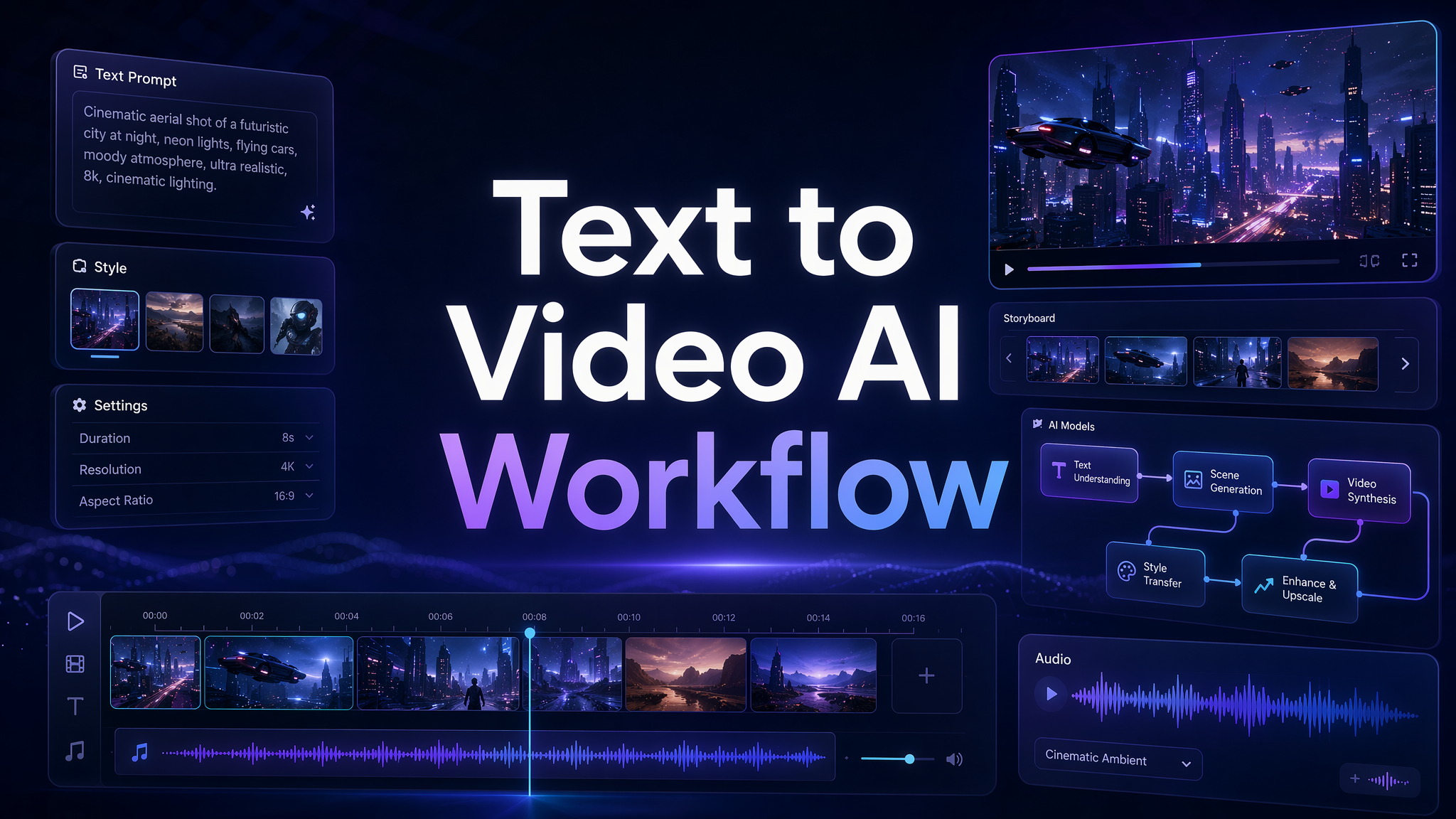
Text to video AI has changed the way we think about video production. Not long ago, turning an idea into a video meant hiring a team, preparing a shoot, editing footage, adding music, exporting versions, and hoping the final result matched the original concept. Now, a creator can write a prompt and use an AI video generator to create a moving scene in minutes. That shift is exciting, but it also creates a new problem: most people are still writing prompts like search queries, not like creative direction.
A prompt like 鈥渕ake a cool product video - may generate something, but it rarely generates the right thing. High-quality AI video generation needs more than a subject. It needs camera language, visual rhythm, character movement, lighting, mood, scene structure, and platform intent. At Pixmax.ai, we see text to video AI as more than a shortcut. We see it as a new creative workflow. The better you can describe the video in your head, the better your AI video maker can help you bring it to life.
Why Most Text to Video AI Prompts Still Produce Unusable Results
The biggest misconception about text to video AI is that the AI video generator should 鈥渏ust understand - what you want. Sometimes it does. But in real creative work, vague input usually creates vague output. The model may understand the theme, but miss the shot. It may create a beautiful frame, but the motion feels strange. It may follow the style, but lose the product. It may generate a character, but the gesture, expression, or pacing does not match the emotional beat.
This is why many creators feel disappointed after their first few attempts with an AI video maker. The tool is powerful, but the prompt does not give it enough direction.
There are a few common issues. First, users often describe only the object, not the scene. 鈥淎 sneaker on a table - is not a video idea. It is a still image. Second, users forget camera movement. Without camera direction, the output may feel flat or random. Third, users describe too many actions at once. A six-second AI-generated video cannot handle an entire movie plot. Fourth, users ignore rhythm. A TikTok hook, a luxury product ad, and a cinematic story scene all need different pacing.
The real skill is not 鈥減rompt engineering - in a cold technical sense. It is learning how to think like a director. You need to tell the AI video generator what to show, how it moves, how the camera behaves, how the scene feels, and what the viewer should notice first.
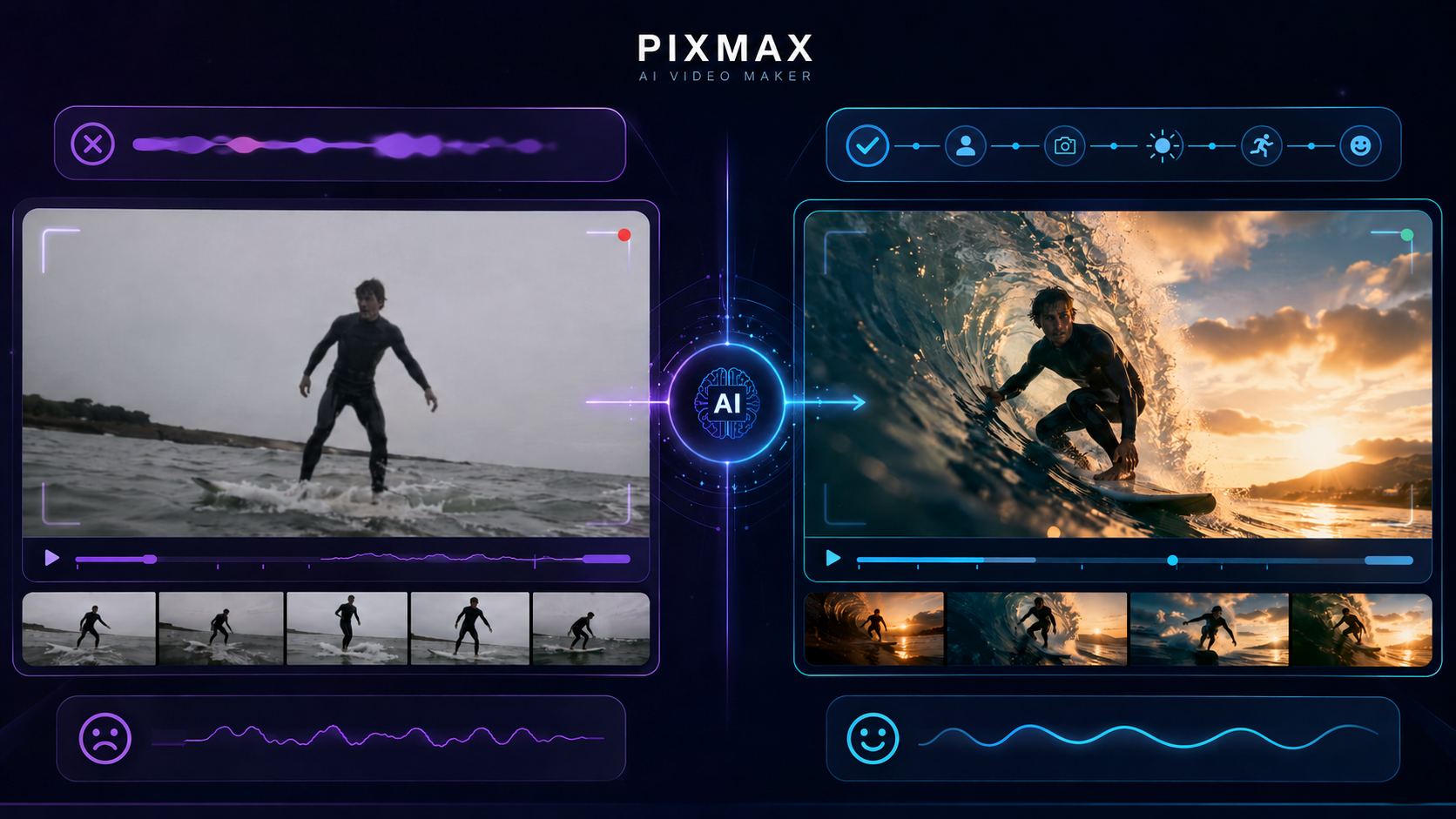
Pixmax.ai Turns Text to Video AI into a Real Creative Workflow
At Pixmax.ai, we believe the future of AI video generation is not one-click randomness. It is guided creativity. The best results happen when human taste and AI generation work together: the creator gives direction, the model creates possibilities, and the workflow helps refine those possibilities into usable visual content.
That is why Pixmax.ai is built as an all-in-one AI creative workspace, not just a single AI video generator. We help creators, studios, marketers, and enterprise teams turn ideas into cinematic videos, visual stories, e-commerce ads, AI comic dramas, live-action short dramas, virtual human content, and social media videos. The goal is to make visual creation faster and more scalable, while still giving people enough control to shape the final output.
For individual creators, Pixmax.ai makes it easier to move from an idea to a high-quality video without getting stuck in traditional production steps. For marketers, it helps generate campaign visuals, product showcases, and platform-specific video variations faster. For studios and teams, Pixmax.ai supports reusable workflows, team collaboration, project management, and professional creative control.
This matters because text to video AI is rarely a single-step process. A strong video usually starts with a messy idea. Then it becomes a creative brief. Then it becomes a prompt. Then the AI video maker generates a first version. Then the user adjusts the camera, action, style, or pacing. Then the best pattern becomes reusable.
Pixmax.ai is designed around this reality. We want creators to go beyond 鈥済enerate and pray. - Instead, we want them to build a repeatable AI video generation process: define the goal, write the prompt, control the visual language, review the output, refine the scene, and scale the creative direction across more assets.
In other words, Pixmax.ai does not just help you create videos from text. It helps you build a system for turning ideas into high-quality visual work.
How Text to Video AI Works: From Prompt to High-Quality AI Video
A good text to video AI workflow starts before you write the prompt. It starts with knowing what kind of video you are trying to make. A social media hook, a product ad, a cinematic character scene, a virtual human clip, and an AI comic drama all need different creative instructions.
A useful workflow looks like this:
Idea → Creative Goal → Prompt Structure → AI Video Generation → Review → Refinement → Reusable Workflow → Final Asset
This may sound simple, but each step matters.
First, define the creative goal. Are you trying to stop the scroll on TikTok? Show product texture for an e-commerce page? Create an emotional short-drama scene? Test a visual concept for a campaign? The goal affects everything: shot length, camera movement, pacing, lighting, and composition.
Second, structure the prompt. The best AI video prompts usually include seven elements:
Subject + Action + Scene + Camera + Style + Motion + Rhythm
Let鈥檚 break that down.
Subject is the main thing the viewer should notice. It can be a person, product, animal, vehicle, environment, or abstract visual. Be specific. 鈥淎 woman - is weaker than 鈥渁 young woman in a silver raincoat with wet hair and a calm expression. - /p>
Action gives the video movement. The subject should do something clear: walking, turning, opening a box, looking toward the camera, pouring coffee, floating, running, smiling, reaching, or rotating. Avoid stacking too many actions in one short clip.
Scene gives the subject context. A skincare bottle in a white studio feels different from the same bottle on wet black stone with soft water reflections. A character in a subway station feels different from a character on a quiet rooftop at sunset.
Camera is where many prompts become dramatically better. Use camera language like 鈥渟low push-in, - 鈥渨ide establishing shot, - 鈥渕acro close-up, - 鈥渓ow-angle tracking shot, - 鈥渉andheld documentary style, - 鈥渢op-down product shot, - or 鈥渟mooth orbit shot. - Camera direction helps the AI video generator produce a clip that feels intentional.
Style controls the visual identity. You can describe the look as cinematic, editorial, documentary, anime-inspired, luxury commercial, realistic, cyberpunk, vintage film, glossy 3D, soft pastel, or high-fashion.
Motion controls how the scene moves. For high-quality AI video generation, motion should be simple and clear. Use words like smooth, subtle, realistic, slow, stable, fluid, elegant, energetic, or dramatic.
Rhythm controls pacing. A social media hook may need fast movement and strong visual contrast. A luxury product video may need slower, smoother pacing. A short drama scene may need emotional timing and a quiet pause.
Here is a weak prompt:
鈥淐reate a video of perfume. - /p>
Here is a stronger prompt:
鈥淐reate a 6-second luxury product video of a glass perfume bottle standing on a black marble surface. The camera makes a slow macro push-in from the front. Soft golden light reflects through the bottle. A thin mist moves gently in the background. The motion is smooth, elegant, and stable. The mood feels premium, sensual, and cinematic. - /p>
The second prompt works because it gives the AI video maker a complete visual brief. It tells the model what to show, where to place it, how the camera moves, what the lighting feels like, and how the viewer should experience the clip.
Now let鈥檚 apply the same logic to different Pixmax.ai use cases.
For social media video content, start with the first second. A useful prompt might be:
鈥淐reate a 5-second vertical video for TikTok of a glowing sneaker landing on a futuristic running track. The camera starts with an extreme close-up of the sole, then quickly pulls back as neon speed lines appear. The motion is energetic and clean, with a bold sports-commercial style. - /p>
For e-commerce advertising videos, protect product clarity:
鈥淐reate a 7-second product showcase video of a wireless earbud case opening on a clean white surface. The camera slowly orbits around the product. Lighting is bright, modern, and minimal. Keep the product shape clear and realistic. The motion should feel smooth and premium. - /p>
For cinematic storytelling, focus on emotion and scene language:
鈥淐reate an 8-second cinematic video of a man standing alone under a streetlight in light rain. He slowly looks up as a taxi passes behind him. The camera uses a slow handheld push-in. The mood is quiet, emotional, and noir-inspired. Reflections shimmer on the wet street. - /p>
For AI comic drama production, keep character behavior readable:
鈥淐reate a stylized comic-drama scene of a young detective entering a messy office at night. She pauses at the doorway, notices a clue on the desk, and narrows her eyes. Use dramatic shadows, subtle camera movement, and a suspenseful rhythm. - /p>
For virtual human marketing, describe expression, posture, and brand tone:
鈥淐reate a 6-second virtual human video of a friendly female brand ambassador standing in a modern tech showroom. She smiles naturally, raises one hand in a small welcoming gesture, and looks toward the camera. The motion is stable, professional, and warm. - /p>
Inside Pixmax.ai, these prompts can become starting points for reusable workflows. A marketing team can save a product showcase structure. A creator can reuse a social video hook formula. A studio can build character and scene templates for a short drama series. This is where text to video AI becomes more than a fun tool. It becomes a creative production system.
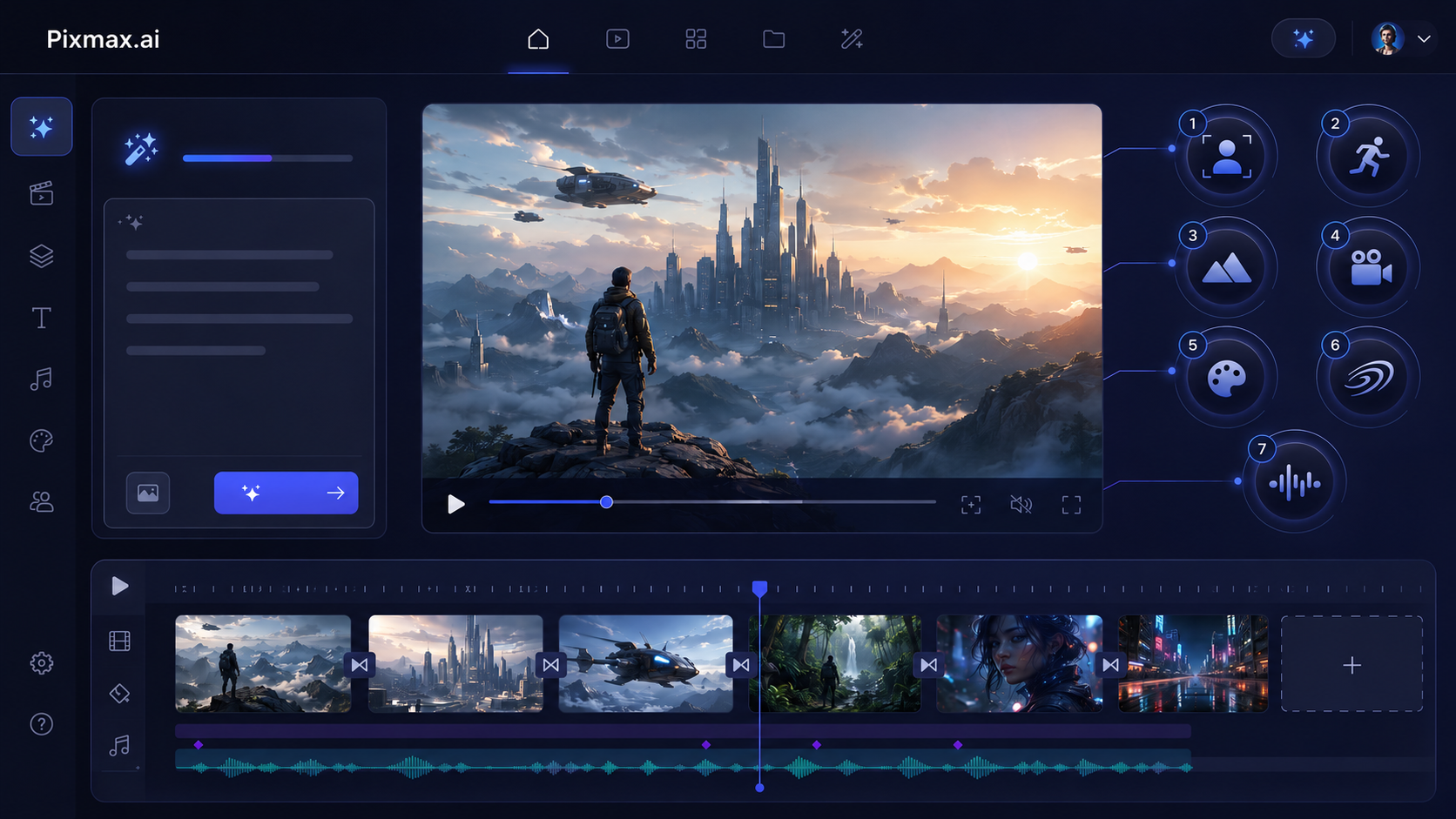
Prompt Control Tips for Better AI Video Generation
If you want better results from any AI video generator, do not try to make the prompt longer just for the sake of detail. Make it more directed. Good prompting is not about adding everything. It is about removing confusion.
Start with one main subject. If the scene has too many people, objects, and actions, the model may struggle to keep everything consistent. For short clips, one subject and one clear action usually work best.
Use camera verbs. Words like 鈥減ush in, - 鈥減ull back, - 鈥減an, - 鈥渢ilt, - 鈥渙rbit, - 鈥渢rack, - and 鈥渮oom - give the AI video maker specific motion instructions. These verbs create visual structure.
Control the first frame. Text to video AI often works better when the opening image is clear. Describe what the viewer sees immediately. For example: 鈥淭he first frame shows a close-up of a red lipstick tube on a mirrored surface. - /p>
Avoid abstract instructions alone. Phrases like 鈥渕ake it beautiful - or 鈥渕ake it viral - are not enough. Translate them into visual details: lighting, color, movement, composition, emotion, and pacing.
Mention format when needed. A vertical TikTok video, a square Instagram ad, and a cinematic widescreen shot have different compositions. If the platform matters, include it in the prompt.
Use negative direction carefully. You can say what to avoid, such as 鈥渁void distorted hands, - 鈥渒eep the product shape consistent, - or 鈥渘o fast shaking camera. - But do not overload the prompt with too many negative constraints.
Most importantly, review the output like a director. Ask: Is the subject clear? Is the motion believable? Does the camera help the story? Does the video match the use case? Would the audience understand the point in the first two seconds?
Pixmax.ai is built to support this kind of iterative process. The first generation is not always the final video. Often, it is the first draft of a visual idea. With the right workflow, every draft teaches you how to improve the next one.
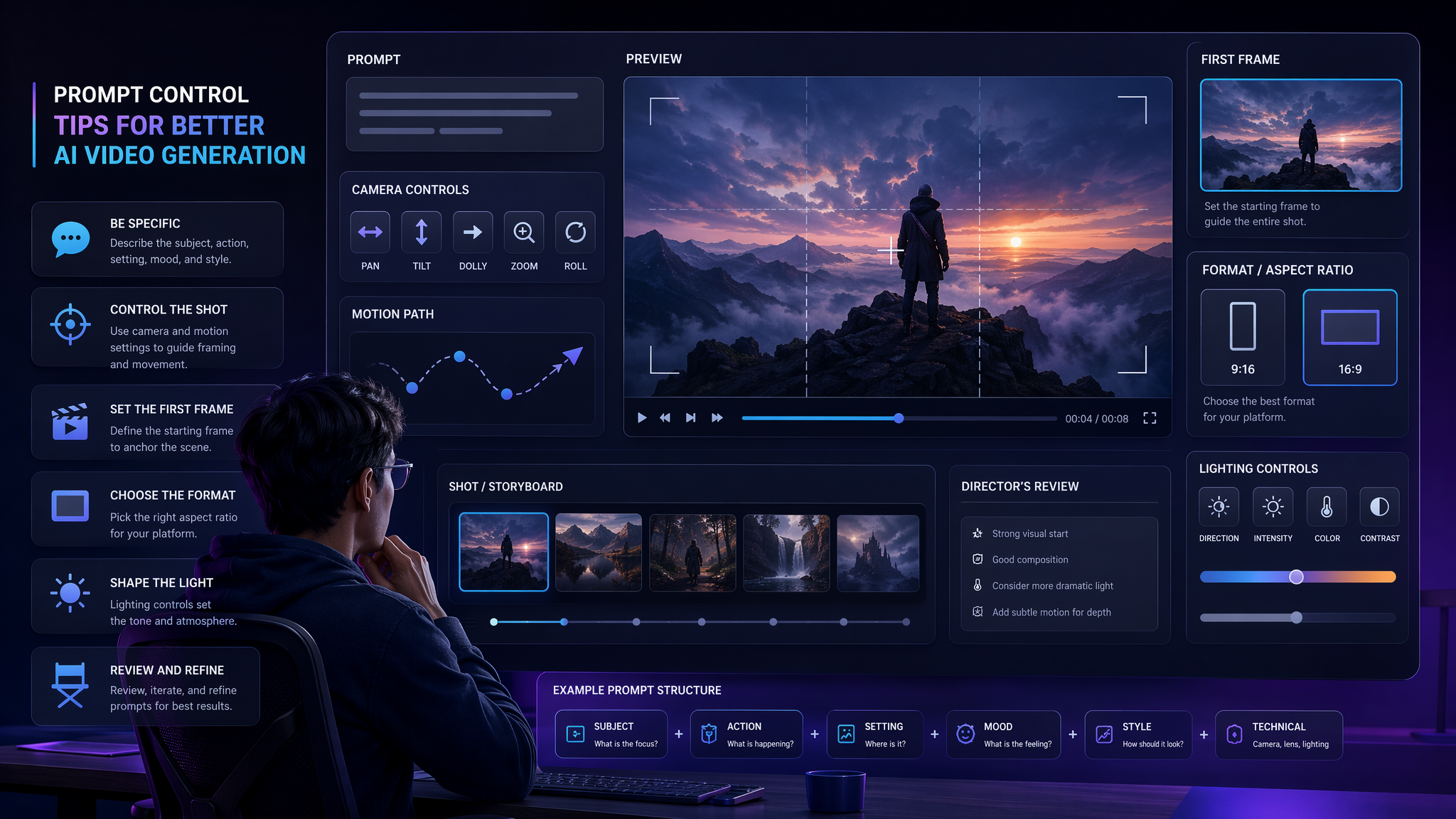
The Future of Text to Video AI: From Prompting to Visual Operating Systems
Text to video AI is still early, but the direction is already clear. The future will not be only about generating prettier videos. It will be about building more controllable, connected, and professional creative systems.
We expect AI video generation to improve in several ways: better character consistency, stronger camera control, more natural physics, richer audio-visual synchronization, longer scene continuity, and easier editing after generation. These improvements will make AI video tools more useful for marketers, creators, studios, and enterprise teams.
But as the technology gets better, the creative challenge will also change. When everyone can generate a decent clip, the real advantage will come from taste, workflow, and speed of iteration. Teams that know how to turn ideas into prompts, prompts into variations, and variations into campaign assets will move faster than teams that treat AI as a novelty.
That is the future Pixmax.ai is building for. We want Pixmax.ai to become the AI creative workspace where text, image, video, audio, models, prompts, assets, and teams come together. Not because creators need more tools, but because they need less fragmentation.
The next generation of AI video creation will not be one person typing a random prompt into a blank box. It will be creators, marketers, and studios building reusable visual systems. Text to video AI is the starting point. A connected creative workflow is the real destination.
Create High-Quality AI Videos with Pixmax.ai
Pixmax.ai helps creators, marketers, studios, and teams turn prompts into cinematic videos, product showcases, social media content, AI comic dramas, virtual humans, and visual stories.
Explore Pixmax AI - Discover the product and start your creative journey.
Join our Discord - Meet the community and share insights with other AI creators.
Follow us on social media — Stay updated with new features, workflow ideas, model releases, and creative highlights.
Read more
Browse All
Create with Pixmax
Streamline your entire creative workflow with Pixmax, the all-in-one AI video creation platform built for maximum efficiency.